



rachelcenter
Legend
August 10, 2026

Scene edit detection has been failing lately on premiere 2026. Have to quit and come back in to fix it

  • August 10, 2026
  • 返信数 6.
  • 65 ビュー

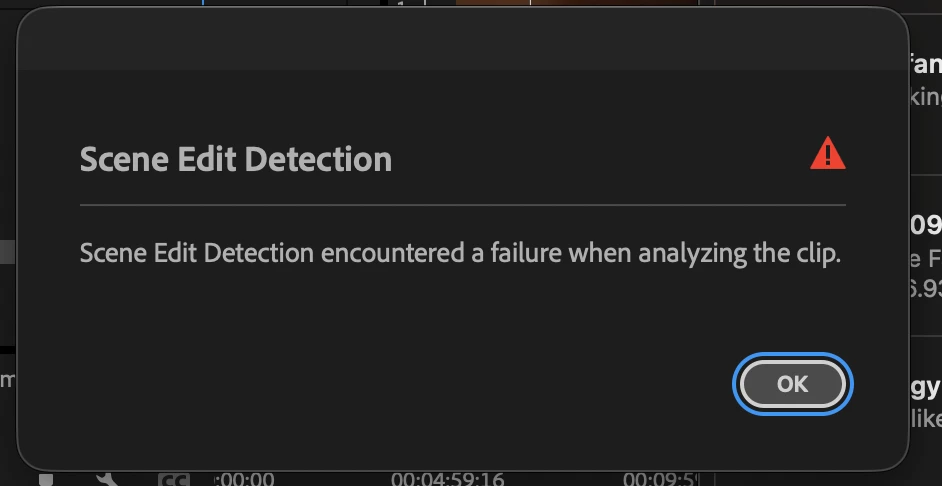
Scene edit detection has been failing lately on premiere 2026. Have to quit and come back in to fix it. error “scene edit detection encountered a failure when analyzing the clip.” premiere 2026 version 26.3.2 (build 2), mac os tahoe 26.6.1


    返信数 6

    KatieToo
    Community Manager
    Community Manager
    September 22, 2026

    ​@rachelcenter wanted to update that it appears as though this issue should now be working in the v27.0 Beta, latest update if you’d like to give that a try with this clip. Will continue monitoring the report for the release version fix update.

    Thanks!
    Katie

    rachelcenter
    rachelcenter作成者
    Legend
    August 12, 2026

    It makes edits a lot tougher when scene edit detection doesnt work on so many of my clips. I hope engineering can fix this to work with the long gop clips. 

    KatieToo
    Community Manager
    Community Manager
    August 10, 2026

    Hi ​@rachelcenter 

    Welcome back to the Premiere forums! Thanks for including which Premiere version/build and the macOS is having this Scene Detection issue.

    May we ask which type of Mac you’re currently using, such as M4, just for the record?

    As for this scene detection issue, our team ran a few quick initial tests with a few types of clips and were not reproducing any issues, so I’m wondering if it’s related to media clip properties (like it didn’t fully render all of them, perhaps also if using media analysis?) or something else.

    Are any of these clips nested or VFR, h.264, 4:2:0 chroma, HDR/HLG metadata, or happen to have unusual frame rates/size/pixel aspect ratio, or anything like this? I wonder if you transcode one of the clips to Prores and even try opening that to use Scene Detection in a new project, if you experience the same issue? 


    Curious if you also cleared the media cache between relaunch? It is helpful to know relaunching is a workaround for now.

    If needed and you’re able to give us one of the clips having this issue, we’d be happy to take a look at it. Either attached/link or we can pop you over our Dropbox upload link if easier.

    Much appreciated,
    Katie

    rachelcenter
    rachelcenter作成者
    Legend
    August 11, 2026

    -apple m2 ultra

    -i have a 128gb ram computer so i dont have to render anything. its raw clips on a timeline without effects so not sure why i would need to render anything

    -no nests
    -mxf files
    -i have no intention of transcoding to prores because the media i’m always going to get from this client will always be mxf and theres a ton of media and if i have to convert all of it to pro res, then you’re doubling your media and need a huge drive to support that. 
    -its worth noting that these are 59.94 fps clips on a 23.976 timeline.
    -started a brand new project, brought problematic clip into new project to do scene edit detection and almost immediately got “error retrieving frame” pop up errors as it was trying to run scene edit detection. (which means the scene edit detection will fail)
    -definitely cleared my media cache a few minutes ago before trying to the scene edit detection and quitting premiere and coming back in and that didnt fix it. 
    -I’ll pm you about clips
     

    KatieToo
    Community Manager
    Community Manager
    August 11, 2026

    ​@rachelcenter Thank you for sending us a sample clip. Our team investigated and immediately ran into error frame substitutions on all our ends. It seems to be struggling with the frames.

    In looking at the media file properties, we saw this:
    “File generated by: Telestream, LLC MXF OP-1a Wrapper with a MPEG-2 422 Long-GOP codec”


    We believe that long-GOP is creating the strain. Can they can provide this type of MXF in another way without the long-GOP 422 for the future, I wonder? 

    OR

    Can you use Premiere Beta v27 in the meantime? It appears to clear the issue of scene edit detection there. Although I did notice an assert debug happen, it did let me continue.

    As for transcoding, when testing, we tried even making it h264 and Premiere managed to scene detect as expected. For the moment, it may be at least one way of a workaround. Totally understand about the space and time issue with that with many larger files like this one and it not being the most practical.

    I do believe I’ll file a ticket on this to have the engineers take a closer look and provide any update I receive by returning here to let you know.

    Thanks for your time and effort reporting on this, it’s much appreciated, and apologies for the frustrations with the scene detect on that!
    Katie