


jrwing
Inspiring
May 14, 2026

Sequence Index Filter > Video Only broken (shows non-footage media)

  • May 14, 2026
  • 1 reply
  • 34 views

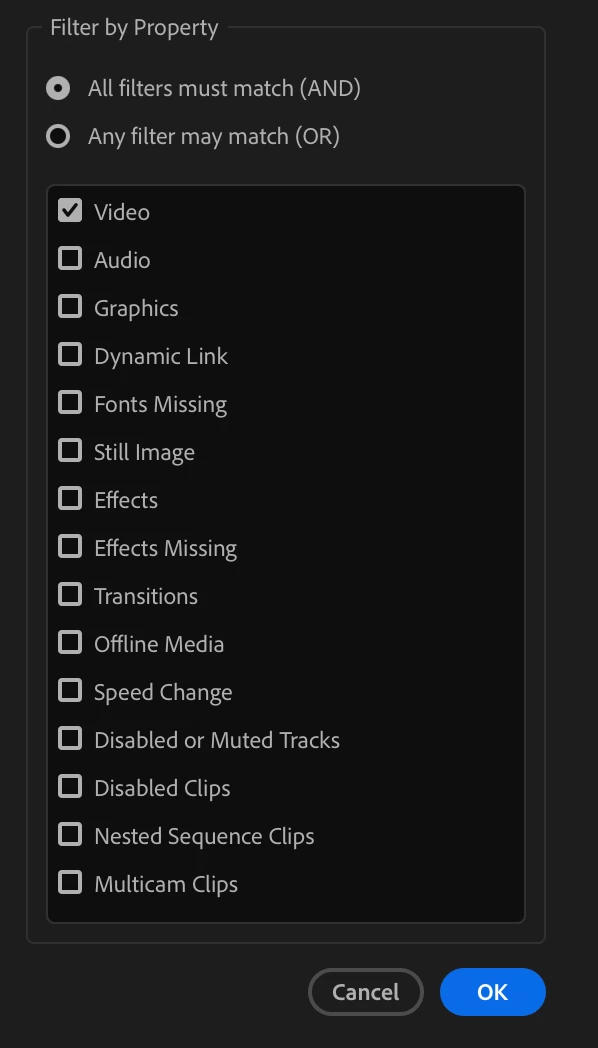
I’m not certain if this is a bug or an oversight with the new Sequence Index filtering options, but if I select to show only Video, it shows me basically anything which can exist on video tracks, but not necessarily video media. In other words it still shows me all text/titles, still images, color mattes, adjustment layers, etc.

I’m currently preparing a documentary for color grade and it would be ideal if Sequence Index would allow me to filter out all the stills/titles/graphics/etc, by only showing me actual video media.

Thank you!


    1 reply

    Community Manager
    May 14, 2026

    Hi ​@jrwing - great feedback, thank you!

    You’re not, by any chance, cutting with only one type of codec are you?  In the current Sequence Index release, you could select the Video filter checkbox, apply the filter, and then ensure that the Codec column is visible in the Sequence Index.  If you then search in the Sequence Index for your video codec only the items encoded with that codec will be listed in the Sequence Index, effectively removing all the stills/titles/graphics/etc. that are not “video” media.

    jrwing
    jrwingAuthor
    Inspiring
    May 14, 2026

    Hi Ben,

    Thanks for responding. That is a good idea, however in this case being a documentary I’m dealing with all kinds of cameras from Alexa, Red, Sony, iPhone, to externally rendered sequences via after effects - so the codecs are all over the place!

    Community Manager
    May 15, 2026

    Yeah - I was worried about that.  We’re aware that more dynamic filtration of the Index would be very powerful.  Thanks again for the feedback.

    Are you trying to use this to isolate the video and then jump through the sequence using Sequence Index, or is this for a footage report you’re hoping to export?