
BeratGL
Known Participant
June 5, 2026

Snap in program monitor does not snap to other elements on the frame
  • June 5, 2026
  • 6 replies
  • 78 views
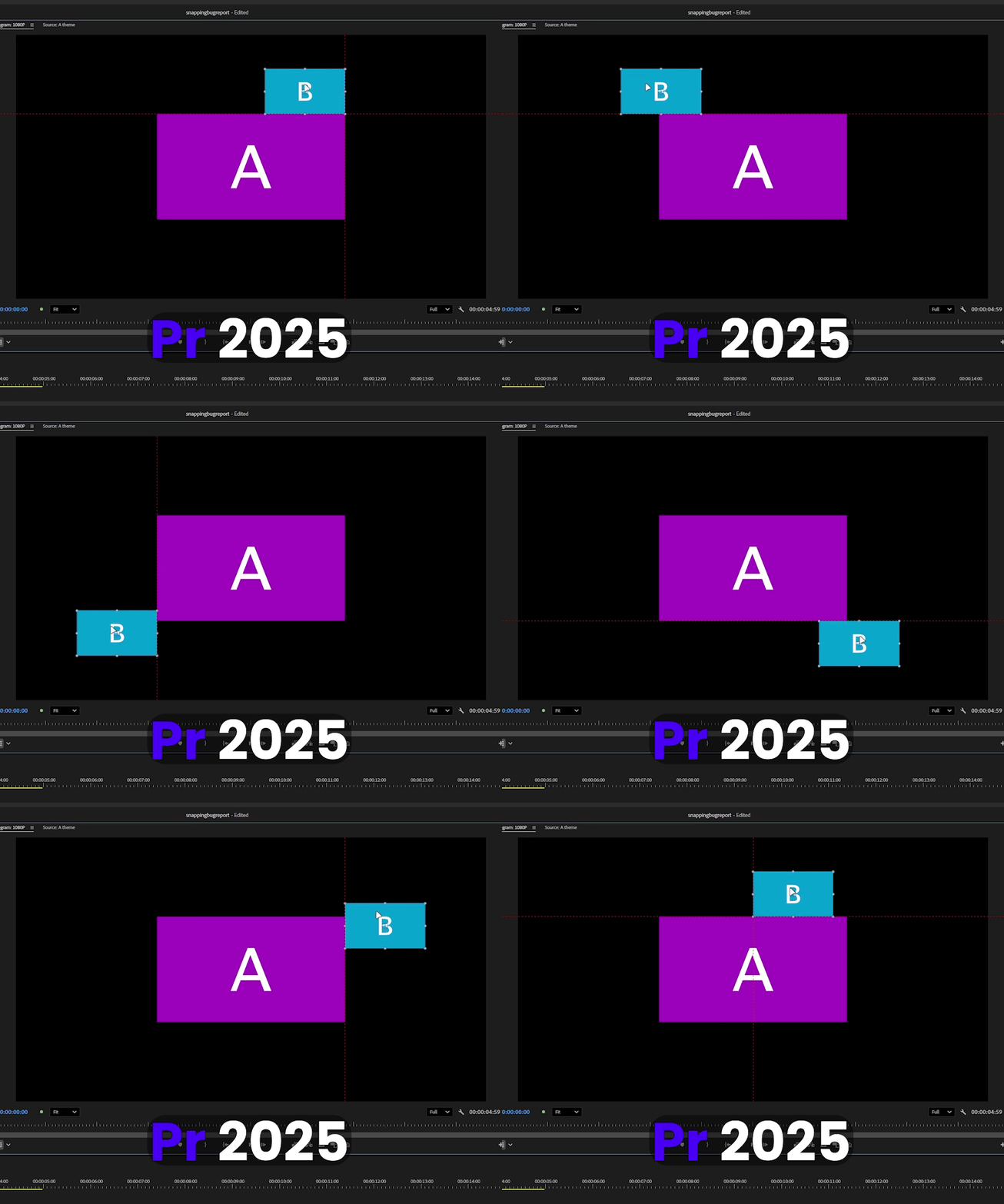
  • It snaps to center of the frame and other elements as well. (25.5)
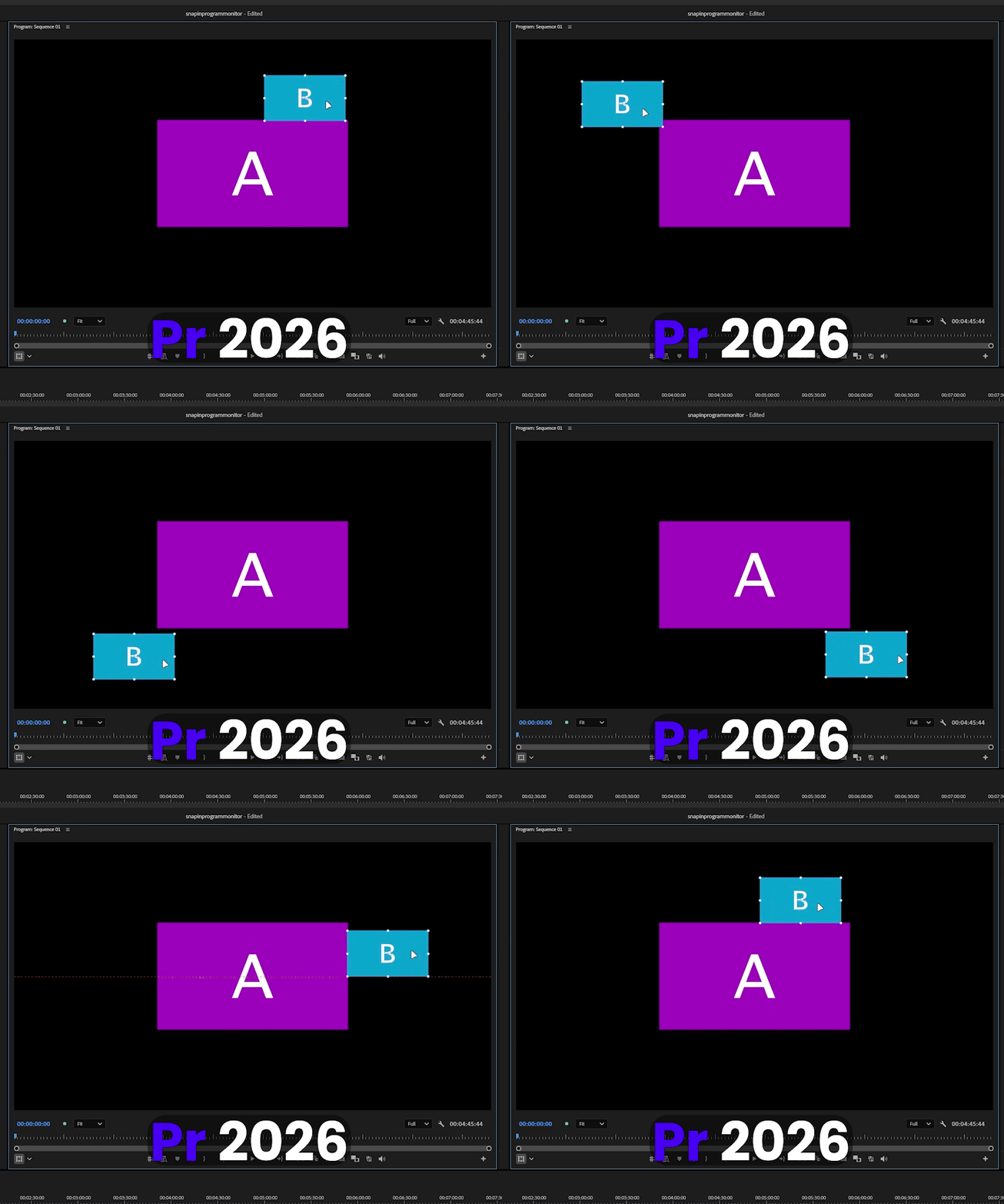
  • It still snaps to centers but ignores other elements on the frame. (26.2.2)

    6 replies

    Ron Rigler
    Community Manager
    Community Manager
    June 5, 2026

    @BeratGL for reporting this issue. A ticket has been filed.

    BeratGL
    BeratGLAuthor
    Known Participant
    June 5, 2026

    Can i get acknowledged mark please 🥺🤓

    MyerPj
    Community Expert
    Community Expert
    June 5, 2026

    I thought you might be onto something there with the clips, but I tried it with clips, pics and graphics and it all works the same.


    BeratGL
    BeratGLAuthor
    Known Participant
    June 5, 2026

    bro.. the problem is that it ignores other clip’s borders, not the border of the frame.. do you even read my replies. And i can see in your footage that IT DOESN’T SNAP to other clips. only the frame borders. as you can see on version 2025 it also snaps to border of the other clips.
     

    MyerPj
    Community Expert
    Community Expert
    June 5, 2026

    Yes, I do see it now. Items don’t snap to clip edges. Why did you post a screenshot of graphics which do seem to work? My first screenshot shows that, no?

    MyerPj
    Community Expert
    Community Expert
    June 5, 2026

    Trying to look over your screenshots, I am seeing the red line for snapping, maybe you are just blowing by it. (too fast), can you just lock it in on a position with the red guide lines showing?

    BeratGL
    BeratGLAuthor
    Known Participant
    June 5, 2026

    It still snaps to centers, the problem is not that. It ignores the borders of other images, clips on the frame and does not snap to them.

    MyerPj
    Community Expert
    Community Expert
    June 5, 2026

    Make sure you have Snap on under the Wrench menu 


    MyerPj
    Community Expert
    Community Expert
    June 5, 2026

    Hi, I just tried it in 26.2 and Beta 26.5 b23 and it seems to be working OK. Did you make sure you have it on in the WRENCH menu?


    BeratGL
    BeratGLAuthor
    Known Participant
    June 5, 2026

    try doing that with clips or images, not shape layers.

    Ron Rigler
    Community Manager
    Community Manager
    June 5, 2026

    The issue does not occur with layers within a Graphic. It is specific to snapping an asset to another asset.

    IanB_360
    Community Manager
    Community Manager
    June 5, 2026

    Hi ​@BeratGL 
    Thanks for the videos showing us the issue, 
    We are going to take a look at it and see about repoing the same scenario. Real quick can you remind me what your system specs are? 
    Here to help
    Ian

    BeratGL
    BeratGLAuthor
    Known Participant
    June 5, 2026

    You can easily understand the issue if you test with an older version side by side. I don’t think system specs matter on this case as long as you’re on windows. But there you go anyways.


    CPU: i7 13700KF
    GPU: RTX 3060 Ti Studio drivers (610.47)
    RAM: 32gb 3600mhz ddr4
    Windows 11 Pro 25H2 26200.8457