

Some keys stopped reaching CEP panels in Premiere 25.4 in Mac
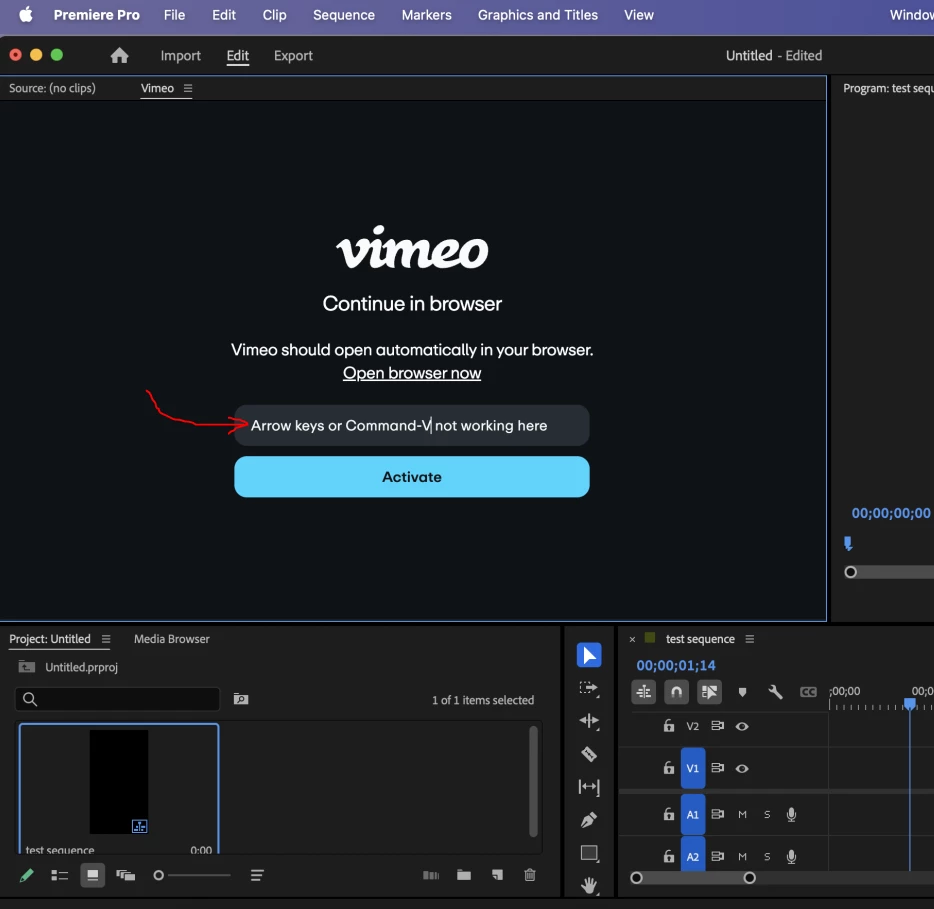
We are seeing some issues with keyboard shortcuts not working in CEP panels in Premiere 25.4 (and 25.4.1) on Mac. It works on older versions e.g. 25.3.
For example, the usual copy-paste shortcuts like Command-C and Command-V do not work anymore in any text field used in a CEP panel. Command-X still works for cutting, it seems.
If a sequence is open, the left/right arrow keys do not work anymore in any text field in a CEP panel. They seem to be captured by the sequence window and result in frame stepping.
This makes it quite difficult for regular users of CEP panels who are used to those keys.
Easily reproducible by installing a CEP panel like Vimeo from the Creative Cloud app.
Version info:
Premiere 25.4, Premiere 25.4.1 (Build 3)
Macbook Pro
Apple M4
Sequoia 15.5


 AdChoices