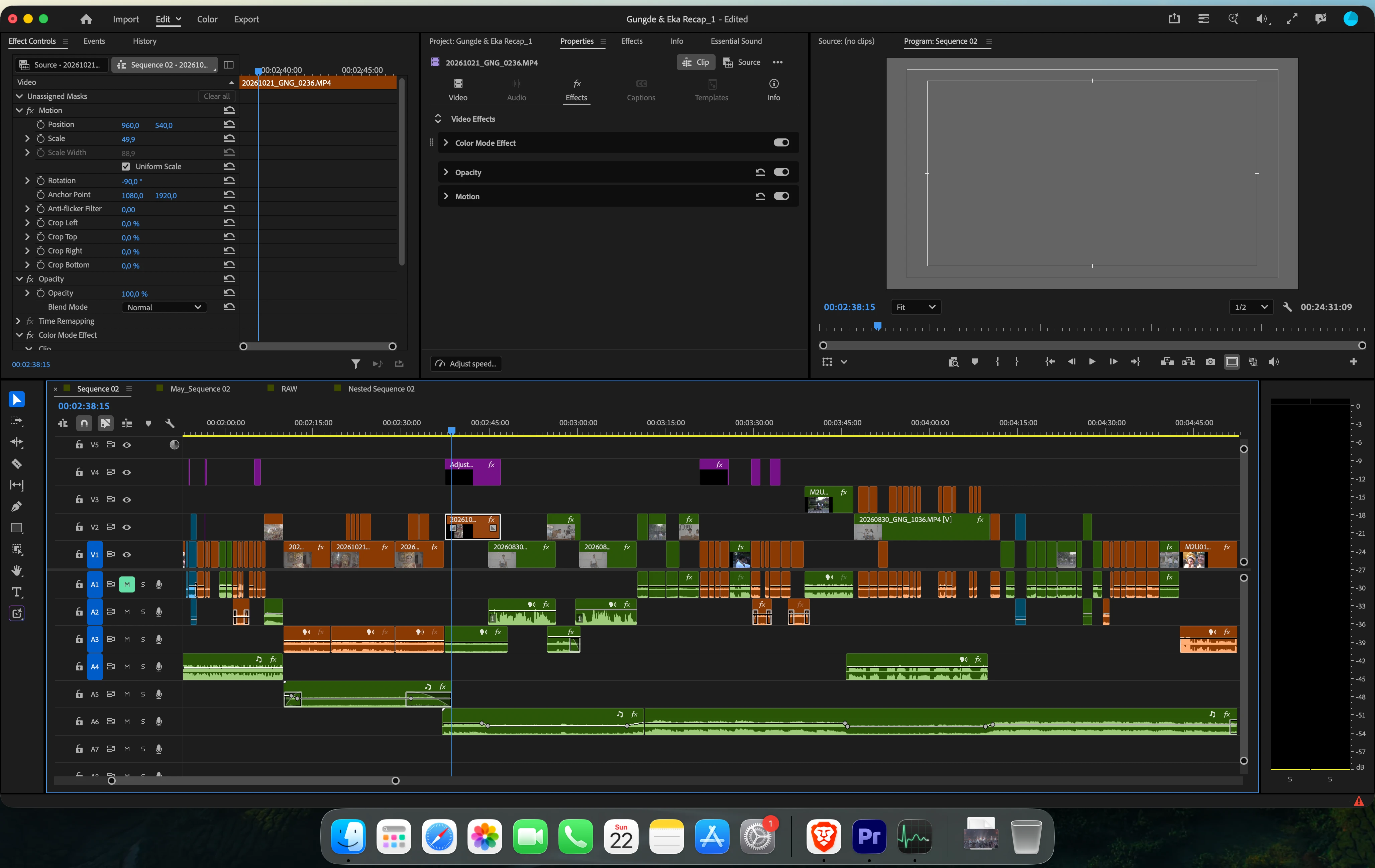
When I play back the footage on the timeline, the preview sometimes doesn't show up for certain clips. It's really strange, and this issue has been happening ever since I updated to Premiere Pro 2027.
Thanks for stopping by the Premiere forums and giving us that helpful screenshot. Let’s get some more details about your setup and issue to better help us troubleshoot.
A few followups about that issue:
Does it happen with the same clips every time, or does it move between clips?
Does the affected clip display normally in the Source Monitor?
When the monitor is gray, does pausing or stepping forward/back one frame bring the image back?
Does the same clip show correctly in a new project and sequence? Please note its codec and whether proxies, effects, or nested sequences are involved.
If possible, please share a short screen recording that shows playback, the gray frame, and what happens when you pause or step a frame.
The below questions will help us understand your setup better:
Setup/OS: Please specify Windows 11/10 or Mac, plus what macOS, along with driver version/build.
GPU Driver version/build(Windows only): We recommend updating to the most recent version; for NVIDIA users, we strongly recommend the Studio version of the driver.
Mac Chip (Mac Only): what M-series chip? If Intel, please include GPU.
Media Files: video, images, etc. and what types (can check under Media Properties)
Project Size: About how big is your project file? Is it in a Production or Multicam? Approximately how many clips are involved in a rough estimate
Media Storage: Are your Scratch Disks set to your Documents folder or the same as project, and is this the same as the Media drive?
Also, please let us know the following for helpful context:
Does it affect all projects or only some? What about new projects with a few sample clips?
Do you recall which Premiere this was last working in, when It started, and what might have changed? Any plugins, OS update, drivers, etc.
Are you also using third party plugins and/or extensions, and if so, which ones and are they currently up to date?

 AdChoices