
Text boxes not appearing on Program Monitor in v27.0 on Mac
I got a new Mac Mini Drive M6 at work yesterday and since downloading Premiere Pro v27.0, i have not been able to view any text graphics that I create in the program monitor.
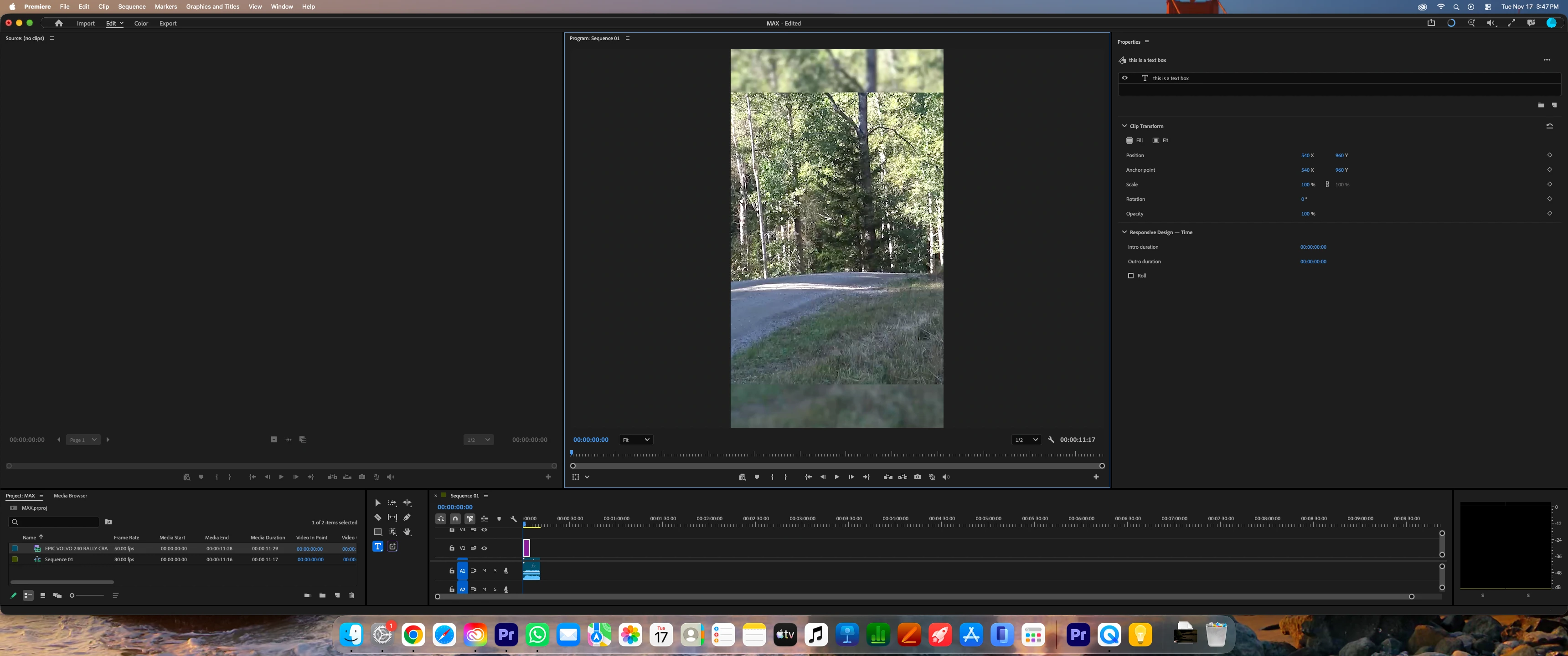
I am able to create text graphics and they show up in the timeline, and I can even edit the text, but they will not appear on my program monitor (as shown in the attached screenshot). Every other aspect of Premiere works for me, besides this text feature.
It is as if the text boxes exist, but are invisible to the program monitor.
What I have done to troubleshoot (which hasn’t worked):
- Updated to newest version of Mac OS
- Reseted preferences, cleared media cache, and uninstalled/reinstalled Premiere v27.0.
- I have tried every hotkey method of creating text, changing zoom level on monitor, changing text appearance, and have ruled out user error as the issue.
- In addition, searches have told me to change my renderer, but this is not possible on my Mac due to how Apple handles its drivers.
What works:
- This text issue does not exist on other M6’s and Windows computers in my office. Even on the same projects.
- This text issue does not exist in Premiere v26.5.2, which I have since been editing in. I can’t stay in v26.5.2 permanently, or it will screw up my workflow.
Additionally, I did not transfer over anything from my old computer to this M6, so it cannot be a font problem or any viruses. The issue is with only my Mac and v27.0 of Premiere.
Let me know if you have had this issue and if you have found a work around for it within Premiere v27.0. Are there settings that I am ignoring? Could it be that my computer is simply broken? Open to all suggestions.
 AdChoices