

Text Style: second and subsequent strokes are lost when saving to My Styles (26.2.2 / 26.3.0)
【Summary】
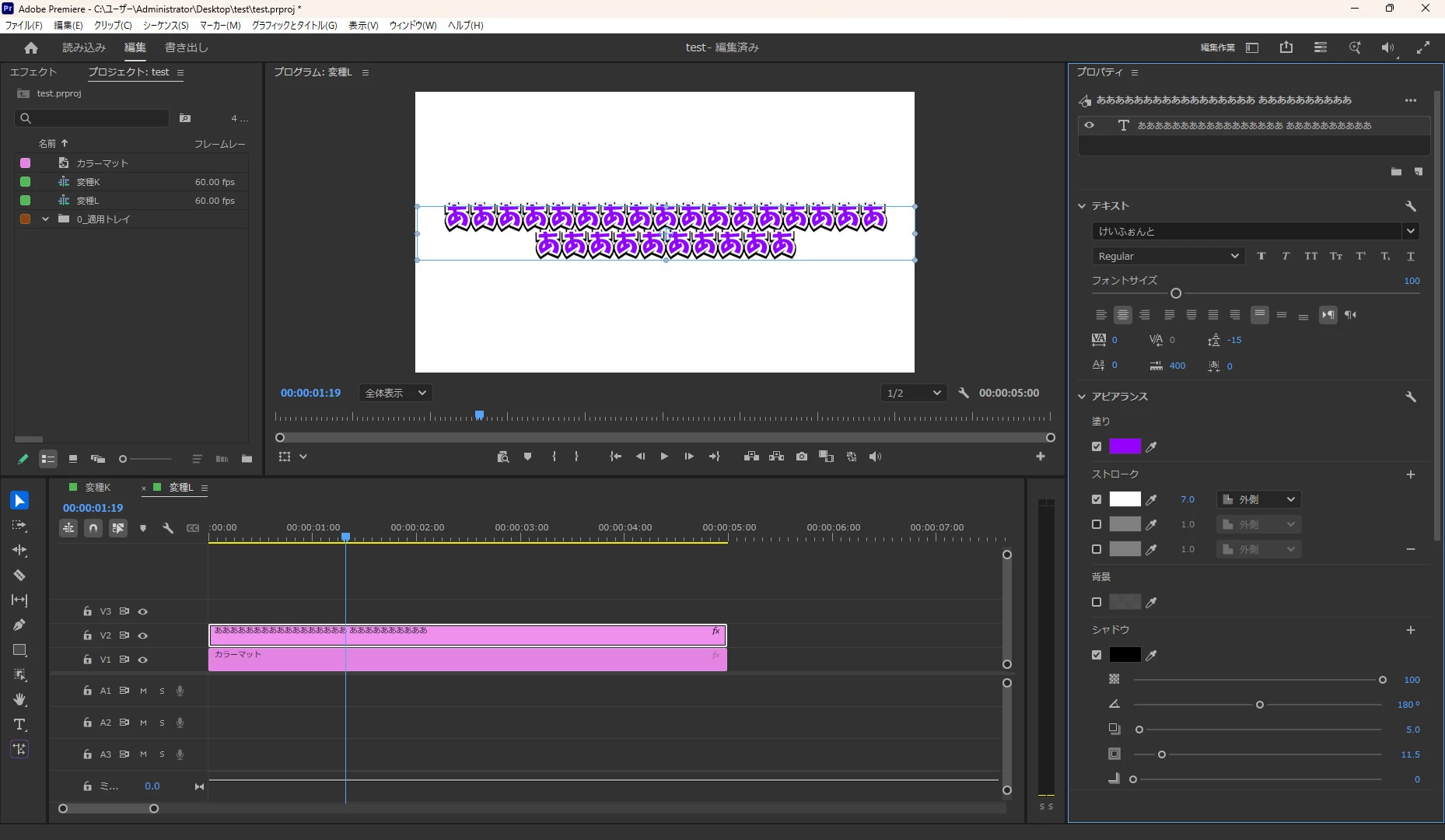
When a text layer has two or more strokes and is saved via Properties > My Styles > "+", the second and subsequent strokes are not stored in the saved style. Applying that style shows only the first stroke; the second one is replaced with default values (gray, 1.0, unchecked).
【Steps to reproduce】
1. Create a text layer.
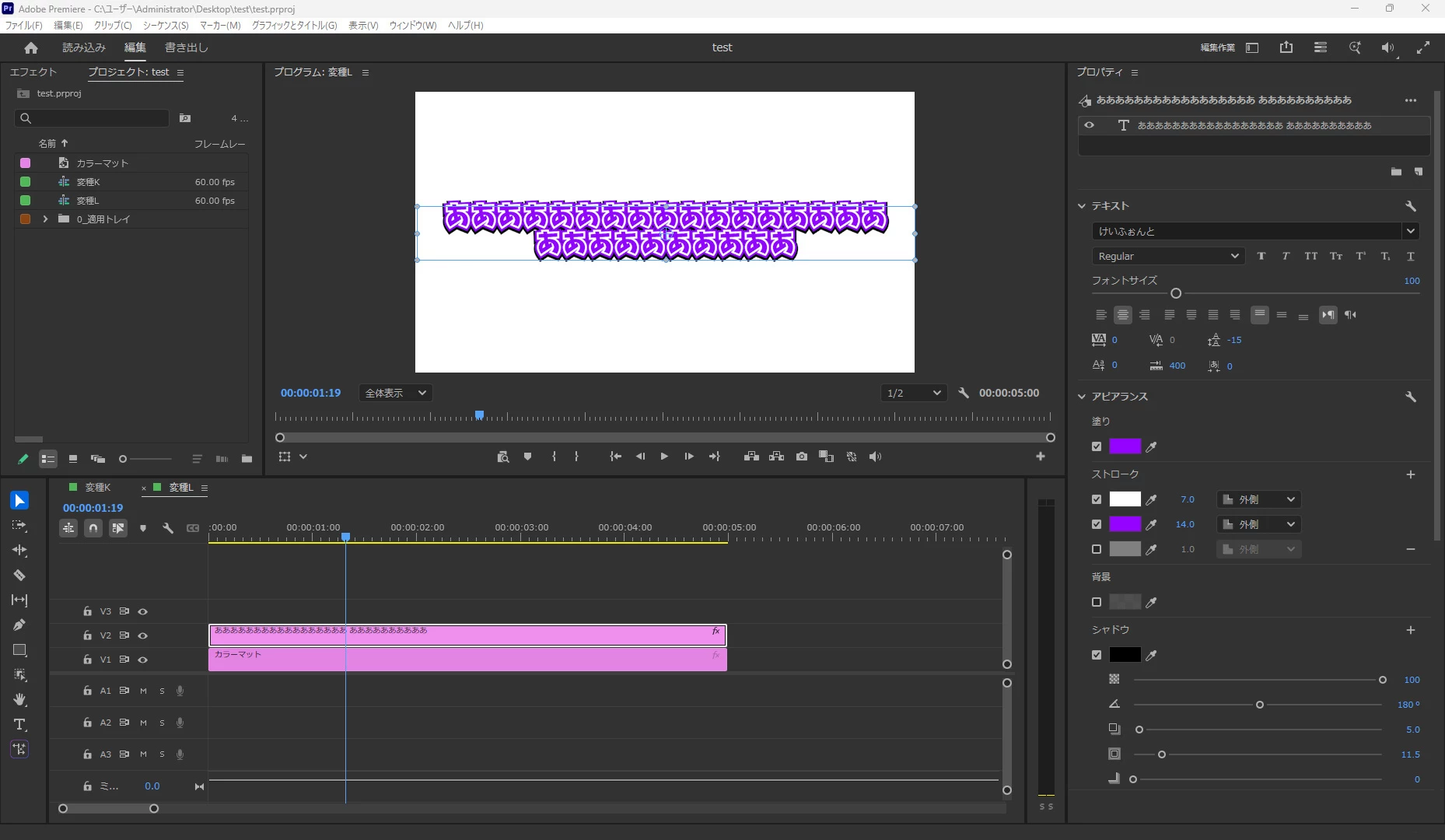
2. In Properties > Appearance > Stroke, add two strokes (e.g. White 7.0 Outer, Red 14.0 Outer).
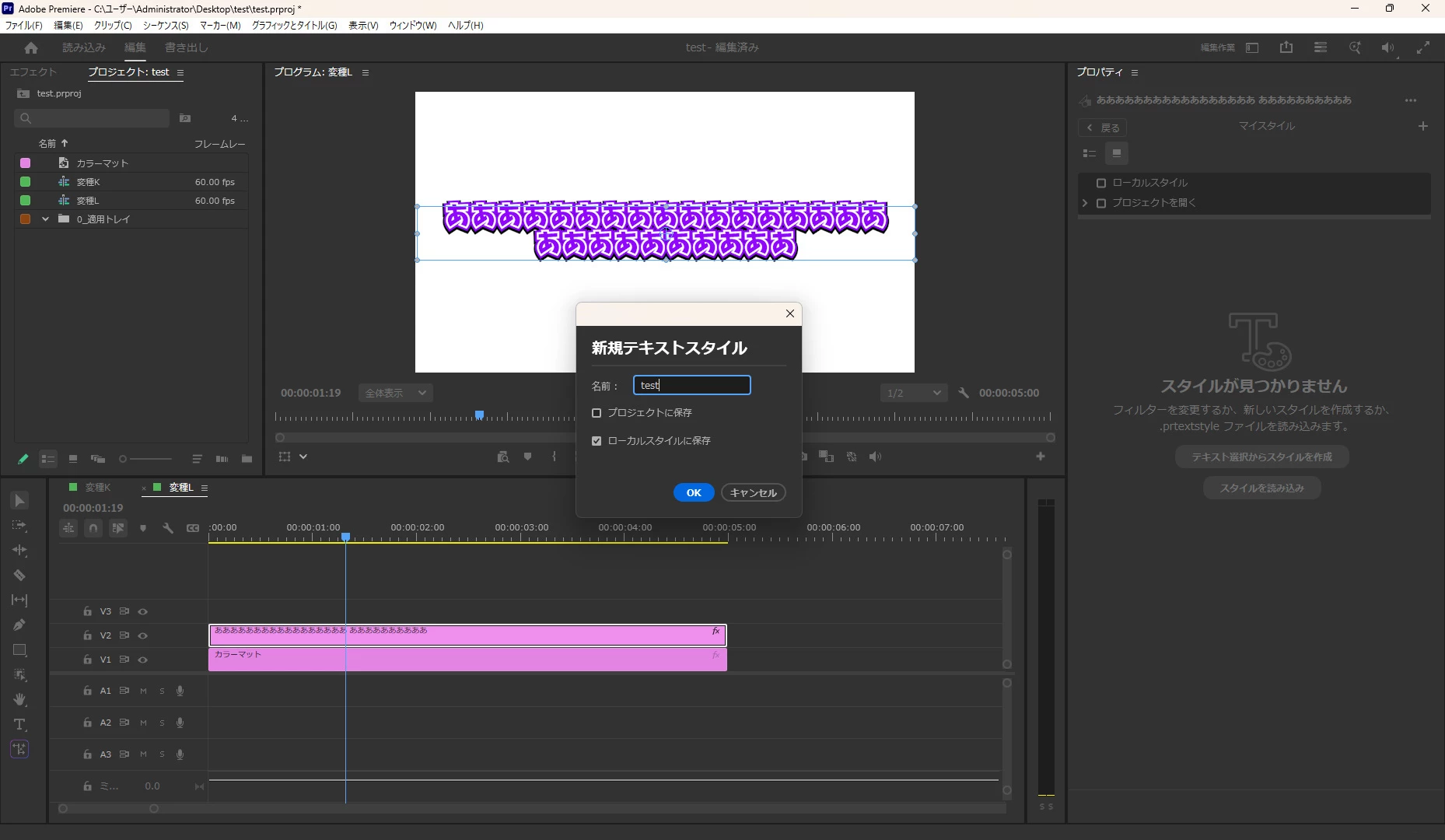
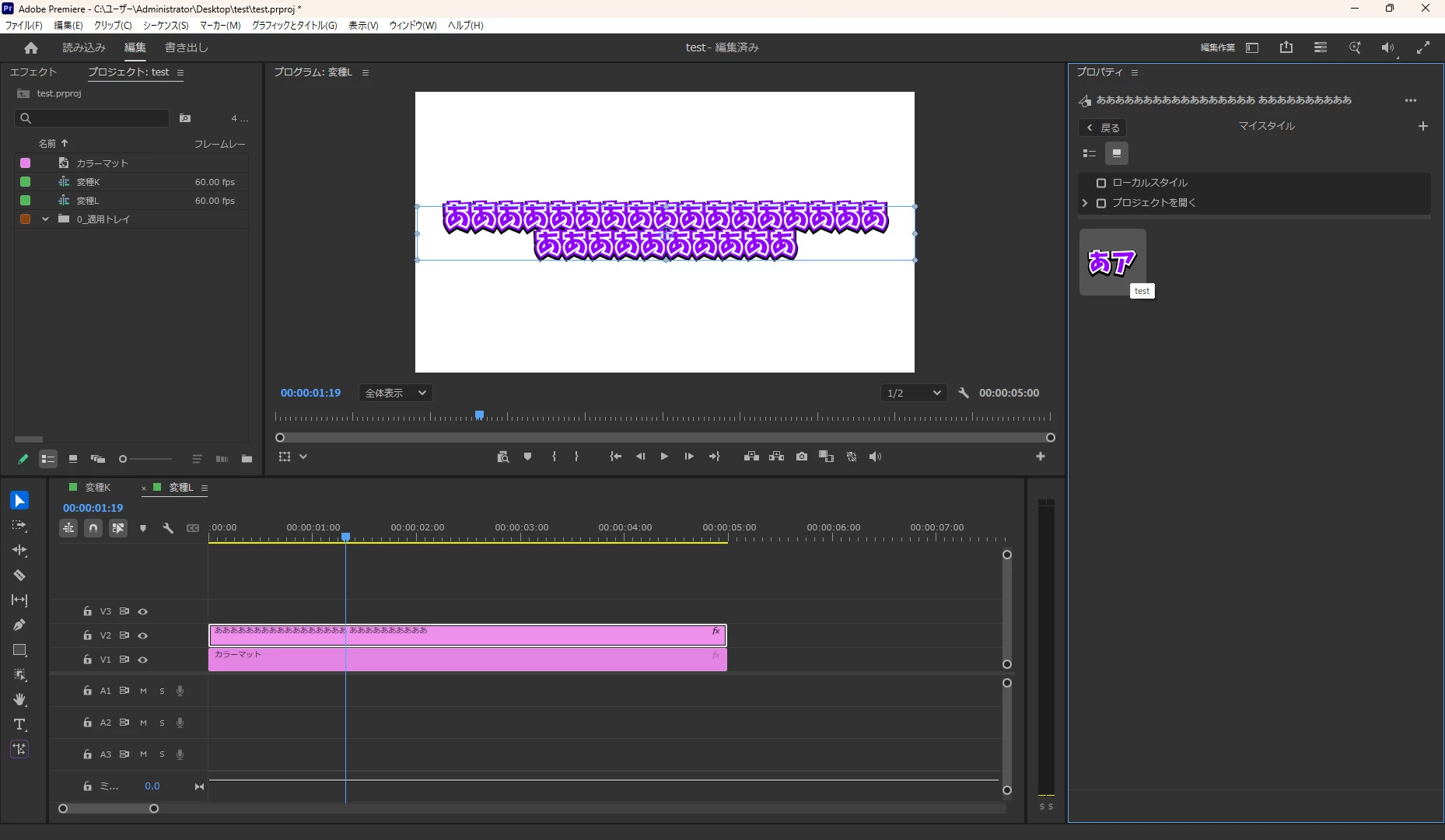
3. Click "+" in Properties > My Styles to save it as a style.
4. Apply the saved style to another text layer.
【Expected】
Both strokes are applied.
【Actual】
Only the first stroke (7.0) is applied. The second stroke appears as gray 1.0 with the checkbox off.
【Environment】
- Premiere Pro 26.2.2 and 26.3.0 (reproduced on both)
- Windows 11 Pro
- Reproduced on a separate PC with a clean Premiere installation and a brand new project, so this is not environment specific.
【Additional technical detail】
I inspected the saved .prtextstyle file (FlatBuffers payload in StartKeyframeValue).
- The stroke array (paint field 17) is empty, while the stroke count field (main field 30) says 3.
- Only the first stroke width remains, stored in paint field 6.
So the file records "3 strokes exist" but contains no stroke entries. This looks like an inconsistency in the save routine rather than a display issue.
For comparison, when the same text is exported through OpenTimelineIO (ProjectConverter.exportAsOpenTimelineIO), the stroke array correctly contains both strokes (width 7 white, width 14 red). The data exists in the project; it is lost only when saving to My Styles.
【Impact】
Users who rely on multi-stroke text styles cannot reuse them. The style must be rebuilt manually every time.


 AdChoices