AndrewTheGreat
Known Participant
January 14, 2025

The Duration property not copy-pasting with audio

  • January 14, 2025
  • 4 replies
  • 463 views

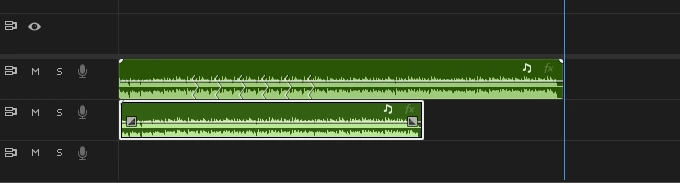
Premiere Pro 25.1 does not relay the duration attributes (stretch\remix) from one audio track to another.

Steps to reproduce:

1) Place an audio on the timeline
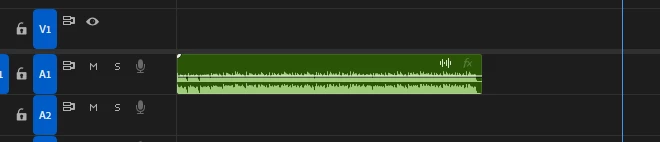
2) Change its duration via the Stretch or Remix tool, or in the duration menu of the Essential Sound tab
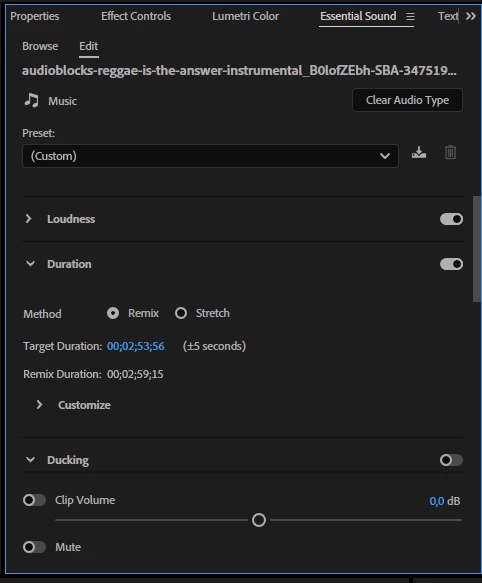
(also note that the +- 5 seconds is always 5 even if you change it by 10 seconds or more)


3) Copy and paste the duration property on a new audio track
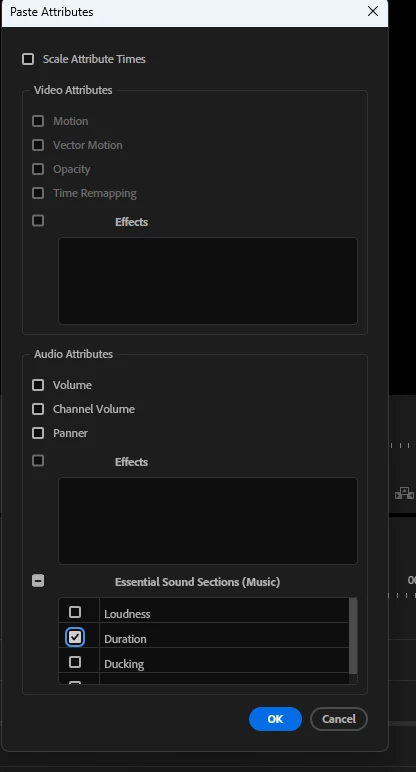
 

The new audio track remains unchanged


4 replies

AndrewTheGreat
Known Participant
January 16, 2025

Hi, @jamieclarke 

Don't know if speed refers to the same group of properties, but it cannot be transferred to any other layers via copy-pasting attributes too. Time remapping - can be. Speed - cannot. I know it's been always like that, but I think it's time to include speed to copyable properties too. 

By the speed I mean the one that can be changed in the CTRL+R window


Stop trying to edit and EDIT!
jamieclarke
Community Manager
Community Manager
January 15, 2025

Updating Status to Acknowledged

Community Manager
January 14, 2025

Thank you @AndrewTheGreat , I have created a bug for this.

jamieclarke
Community Manager
Community Manager
January 14, 2025

Hi @AndrewTheGreat - 
Thanks for submitting your bug report. I'm checking if this is expected behavior or not. I see that in the essential sound panel after adding the remix to the second clip you can select the target duration and manually enter the timecode from the first clip.

Sorry for the frustration.