


Known Participant
October 16, 2026
Acknowledged

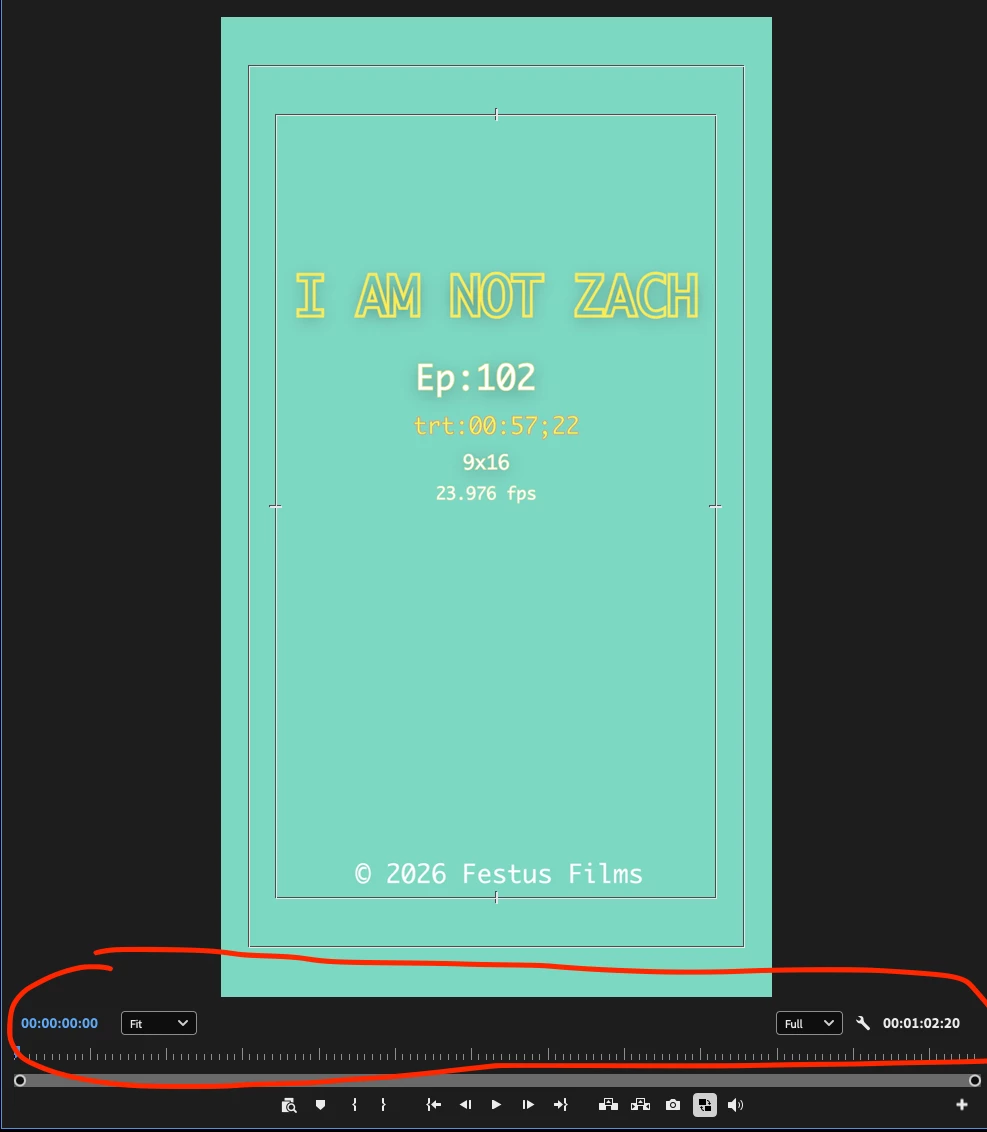
Time Ruler numbers in Program and Source monitors disappears when app closes

in the current Premiere Beta 27.1.0.017 -
Mac OS 26.7.1
2021 M1 Max 16” MBP with 64gb RAM 2TB SSD 
project and media files are located on the system drive 


Time Ruler numbers in Program and Source monitors disappears and need to be re- enabled to see them - after every time the app closes and needs to be re opened. for any reason 
 

2 replies

KatieToo
Community Manager
Community Manager
October 16, 2026

Hi ​@jordane43380834 

Thanks for stopping by the Premiere forums. We were able to recreate this same issue even in v26.5.2, along with the latest v27.1 Build 16 Beta Premiere on a few of our Macs. Seems to be only when Premiere is fully closed that it resets, initially.

WORKAROUND: On an interesting note, I discovered if you were to enable the Time Rulers on Program and load that same clip to Source and enable Time Rulers there, hit save, and only File > Close Project vs. closing out fully from Premiere, that seems to trigger something in Premiere going forward with Time Rulers sticking around for both.

After re-opening the same project and confirming Time Rulers was still there, I was able to go ahead and even fully close Premiere with that same setting remaining, when opened back up again. I’d say that works as temporary workaround, until this can be fixed.

Give that a try, and let me know if that helped. I’ll make a report on this Time Ruler behavior in the meantime with your details and our findings. We’ll return to update the post as more information becomes available or if any further questions come up.

Appreciate your time reporting on this issue and helping others! 
Thanks,
Katie

Translate
Known Participant
October 16, 2026

hey ! I tried that and not only did but work without closing the app and just closing the project.. but I was able to close the app and re open the same project and I have the time ruler numbers now!  thanks!

Translate