
Acknowledged
Timeline thumbnails show wrong colors vs Program Monitor when Input LUT is applied (Premiere 2027)
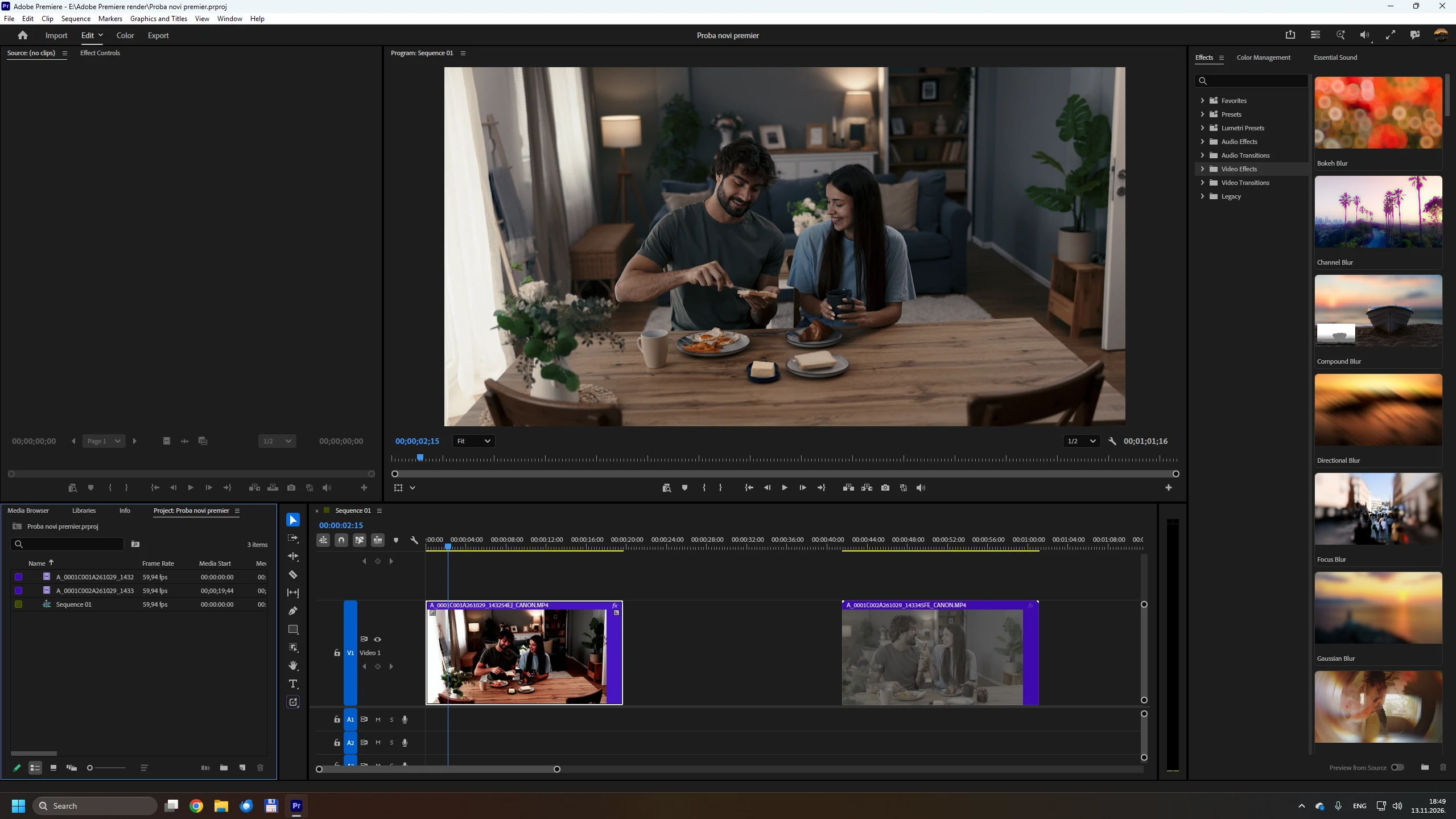
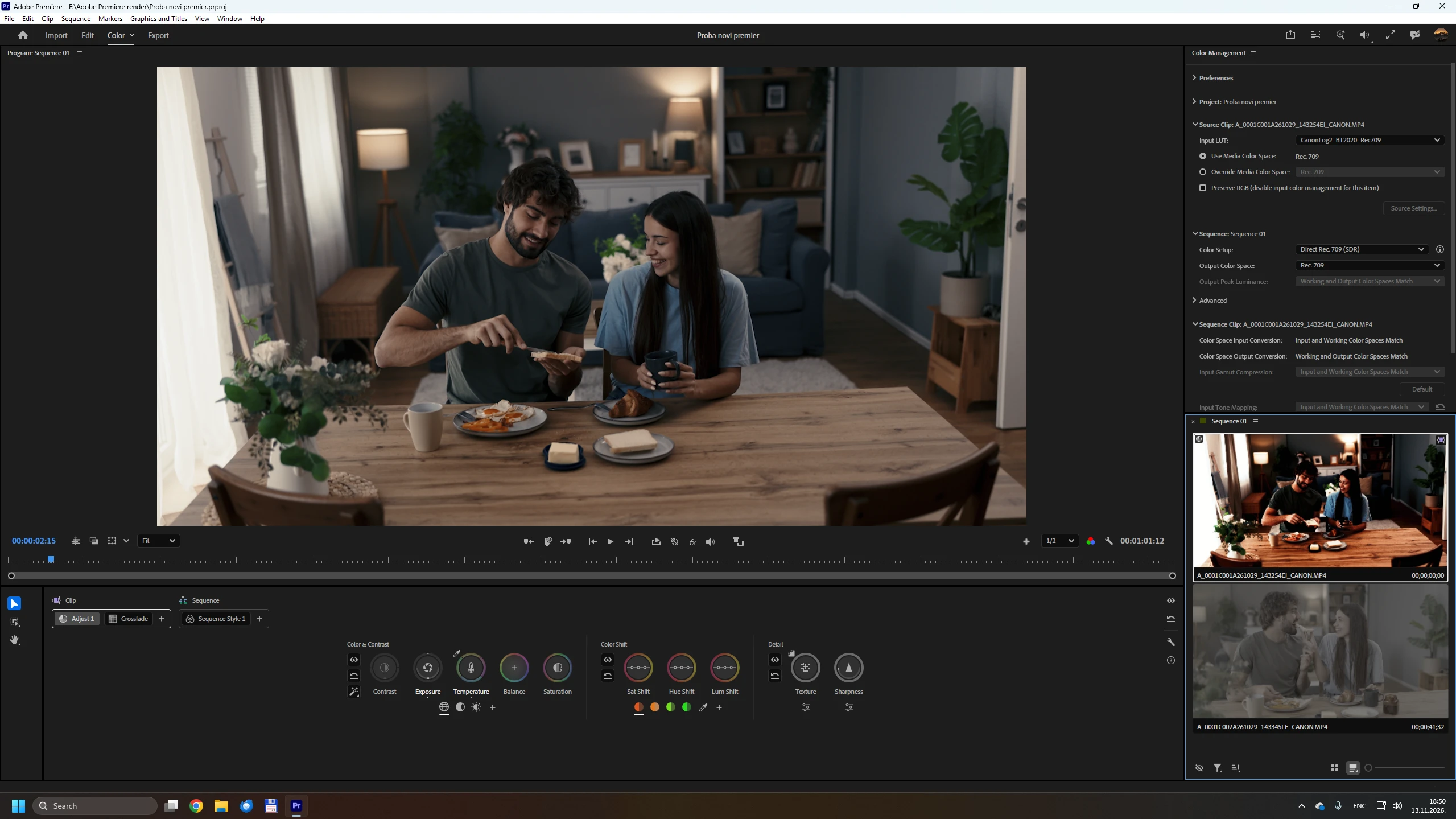
Since updating to Premiere Pro 2027, clip thumbnails in the Timeline and in the Color workspace clip browser show wrong colors. They look oversaturated and too contrasty compared to the Program Monitor. The Program Monitor and the exported file are correct; only the thumbnails are wrong.
Steps to reproduce:
- Import Canon Log 2 footage (Canon EOS R5, MP4) into a sequence with Color Setup “Direct Rec. 709 (SDR)”.
- In Color Management > Source Clip, keep “Use Media Color Space: Rec. 709” and set Input LUT to CanonLog2_BT2020_Rec709.
- Compare the timeline thumbnail with the Program Monitor. The thumbnail is oversaturated and too contrasty.
Additional findings:
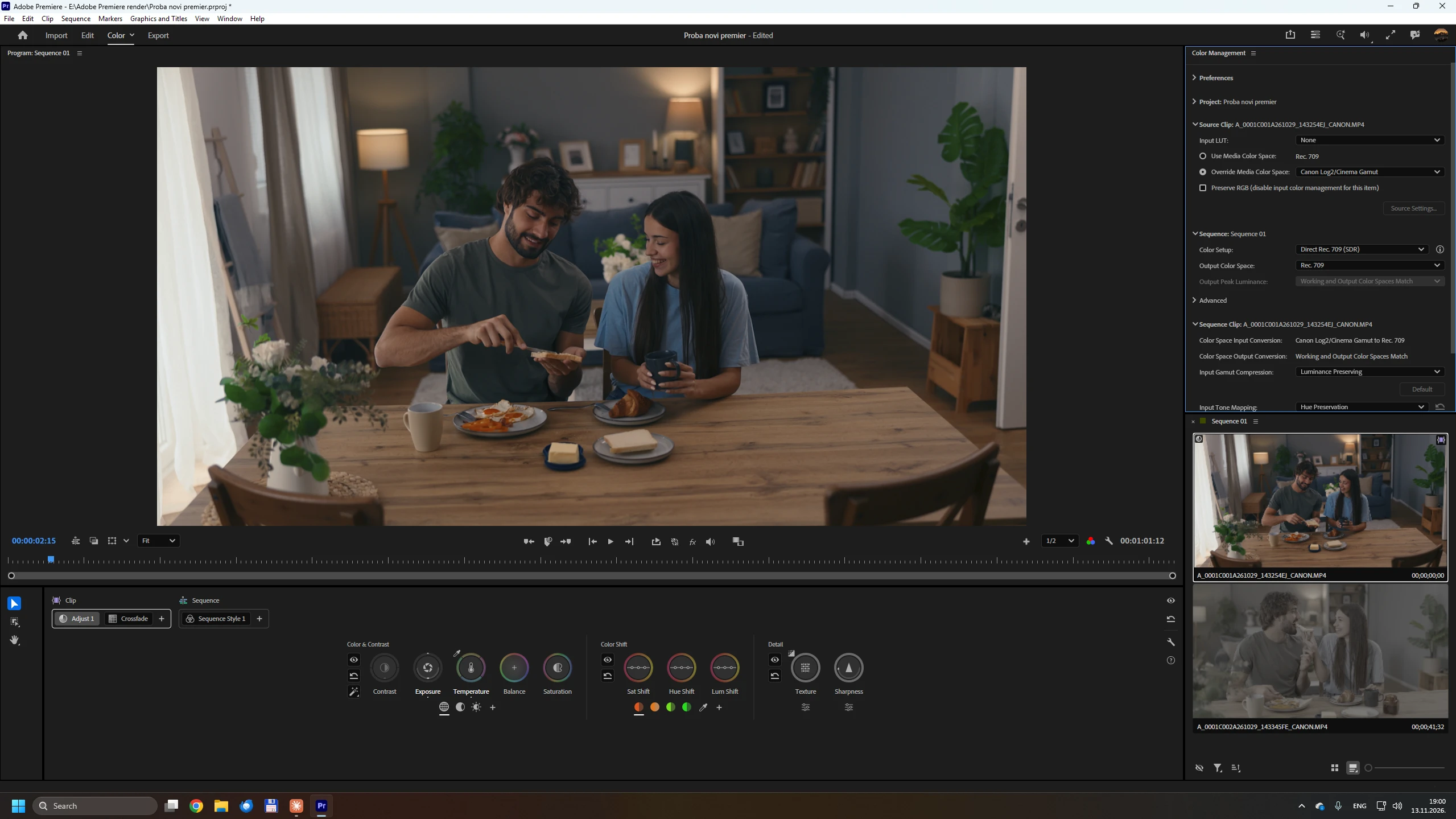
- With Input LUT = None and Override Media Color Space = Canon Log2/Cinema Gamut, the thumbnails match the Program Monitor.
- As soon as I add Contrast/Saturation in the clip’s Adjust layer, the thumbnails stop matching again.
- Deleting the media cache and turning Display Color Management on or off did not help.
Expected: Thumbnails should use the same color pipeline as the Program Monitor.
System: Windows 11, Premiere Pro 2027
 AdChoices