
Participant
July 2, 2024

Transcription Edits Showing Up As Duplicates

  • July 2, 2024
  • 4 replies
  • 367 views

Hi,


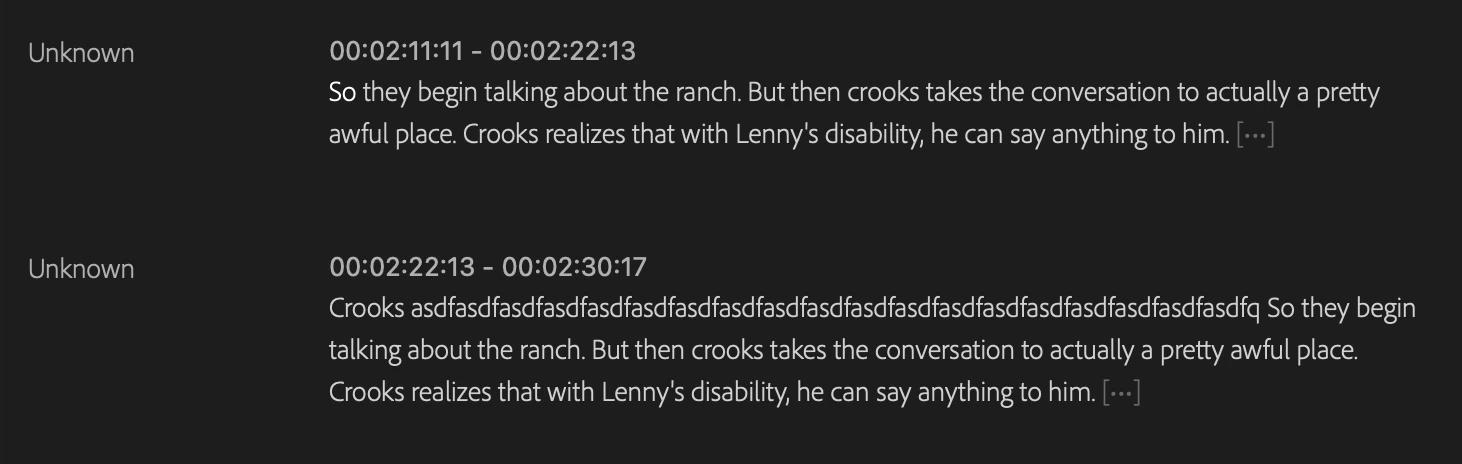
When I make an edit to the transcript in the text planel, it shows up, but in a different location. 


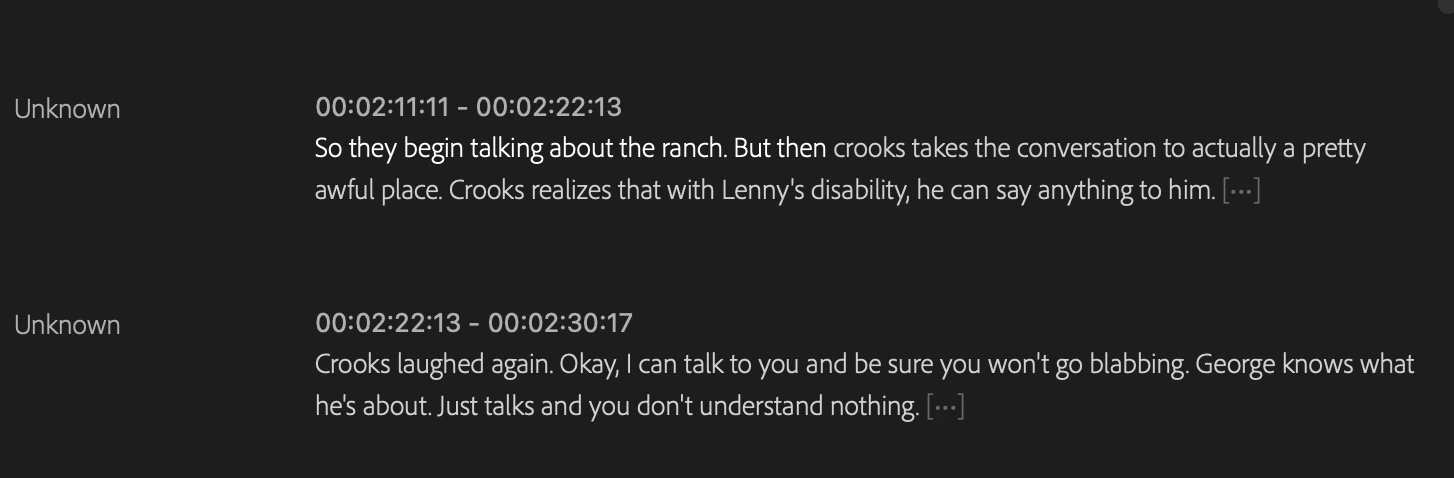
Orignal Text:
 

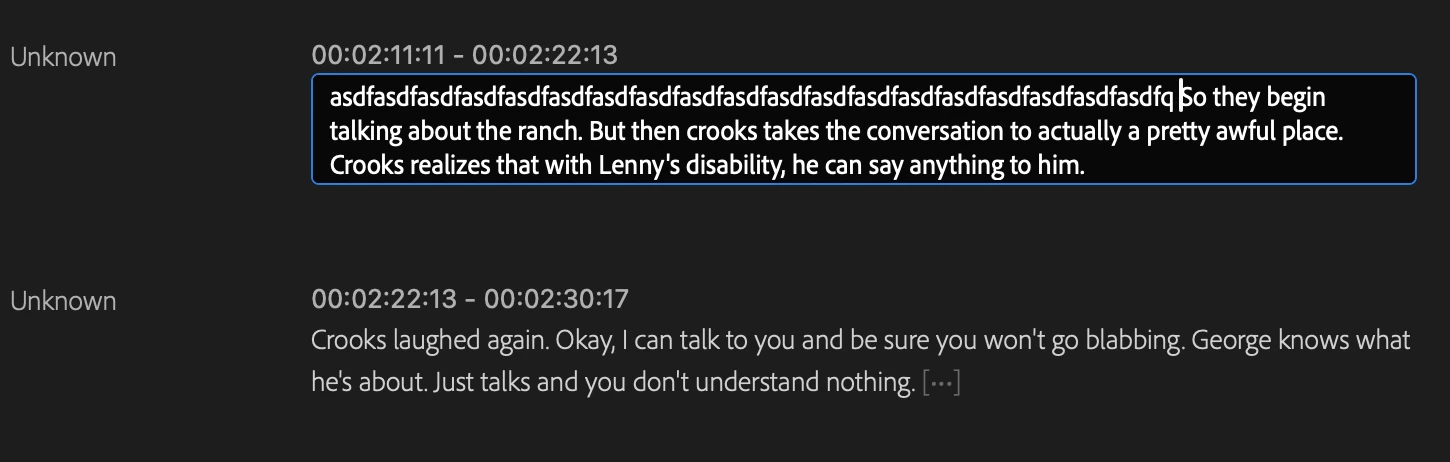
Putting in an edit:
 

Orginal text remains unchanged, edited text appears below. 
 

A few things to know:

  • Working on a 2022 Mac Studio M1
  • Problem persists on Macbook Pro
  • Sonoma 14.5
  • Premiere is updated: 24.5.0
  • This is a MultiCamera Seqence
  • I've chased down the clip that includes the audio, and retranscribed, no change. 

Anyone have a fix? I'm at a standstill.

This topic has been closed for replies.

4 replies

Kerstin Ebert
Adobe Employee
Adobe Employee
July 25, 2024

Hi @Nathan22611041x7rt 


this is very odd behaviour, thanks for reporting it. I can't reproduce this on my Windows machine so it's hard to tell what's causing this. Would it be possible to share the project file with me that contains the transcript you're trying to edit in your screenshot (offline media is fine)?


Thanks,

Kerstin

Stan Jones
Community Expert
Community Expert
July 18, 2024

That is strange. I am not seeing this on 24.5.0 on Win 10. The only other report like it was with captions:

https://community.adobe.com/t5/premiere-pro-bugs/premiere-pro-24-5-double-caption-editing-bug/idi-p/14717960


@Kerstin Ebert @Alexander_DVA 


Stan


Kevin-Monahan
Community Manager
Community Manager
July 16, 2024

The status of this bug report is updated.

Kevin Monahan - Sr. Community & Engagement Strategist – Pro Video and Audio
Kevin-Monahan
Community Manager
Community Manager
July 16, 2024

Hi Nathan,

Thanks for filing this bug report. Thanks for providing the information and screenshots. @Stan Jones - have you seen this one?


Are you still having this problem? Please let the team know.


Thanks,

Kevin

Kevin Monahan - Sr. Community & Engagement Strategist – Pro Video and Audio