

Transform Effect Overlay Disappears When Guides Are Enabled
When a Transform effect is applied to a clip and the effect is selected, Premiere normally displays the Transform effect's UI in the Program Monitor, including the anchor point and motion path when multiple keyframes are present.
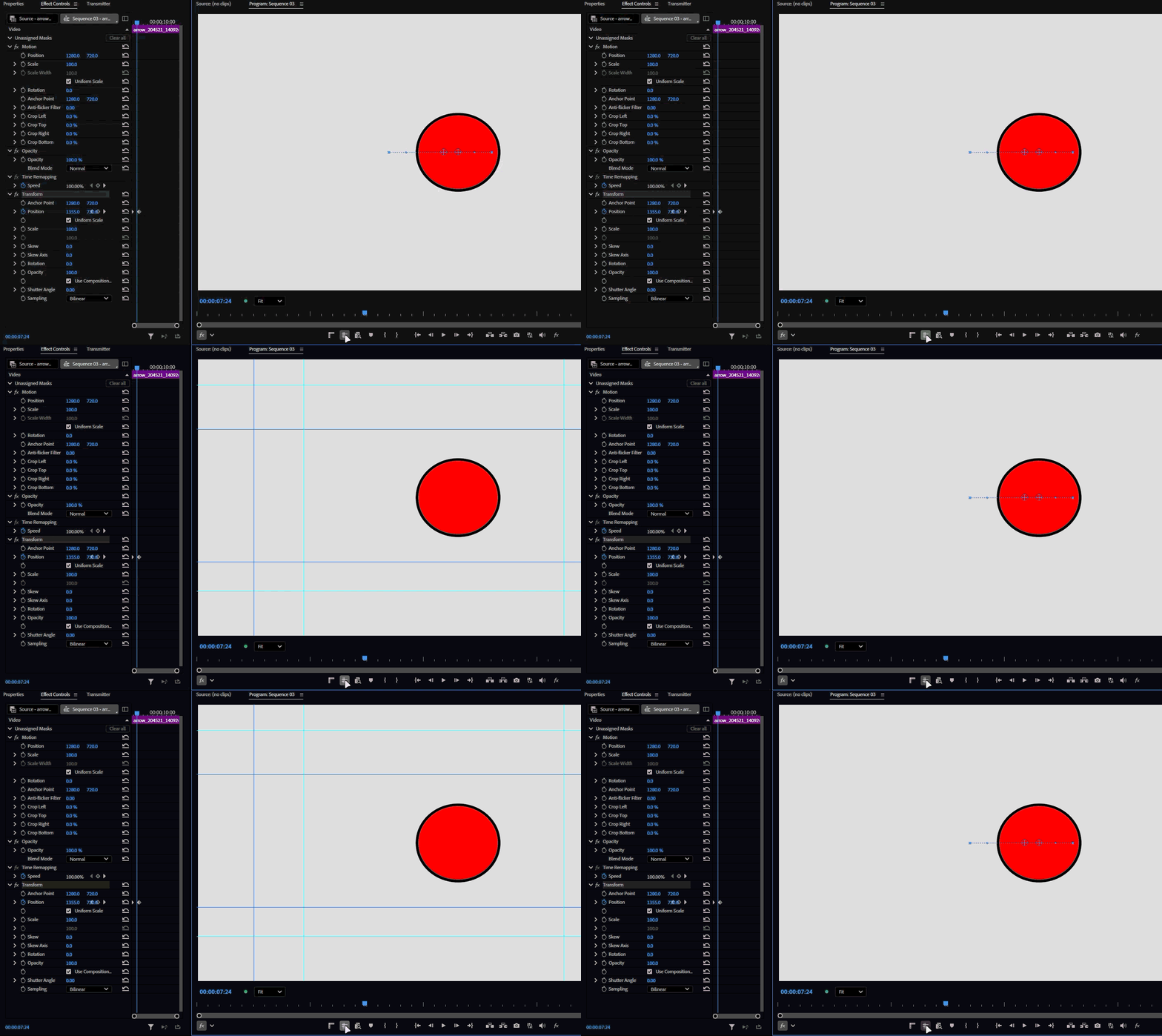
However, enabling Guides causes this Transform overlay to disappear if the Transform effect has not been modified since it was added or selected. The overlay does not appear again until Premiere is forced to refresh the Transform effect UI.
This appears to be a UI refresh issue.
Steps to Reproduce
- Add a clip to a sequence.
- Apply the Transform effect to the clip.
- Select the Transform effect in the Effect Controls panel.
- Confirm that the Transform overlay, including the anchor point, is visible in the Program Monitor.
- Without changing any Transform parameters, enable Guides in the Program Monitor.
- Observe the Transform overlay.
Workaround
Adjusting any Transform parameter slightly seems to refresh the UI and brings the overlay back, even while Guides are enabled. (This bug doesn’t occur on Premiere 2025 so we know it’s a regression)
The issue also does not occur if the Transform parameters are adjusted since it was added or selected before enabling Guides. minor issue, but it can be annoying during normal editing when the Transform overlay unexpectedly disappears after enabling Guides. (After further testing. I noticed that this is not only limited to transform effect and affects other effects with an overlay on program monitor as well.)
System info
Application: Premiere Pro v26.5 (build 99)
OS: Windows v10.0.26200, RAM: 31.82 GB GB, CPUs (logical): 24
GPU: Rtx 3060 Ti Nvidia Studio Driver ver. 616.92


 AdChoices