
Trim mode nudging unrelated clips instead of trimming edit
I have been experiencing some strange behavior in trim mode since updating from 2025.6.6 to 2026.3.2.
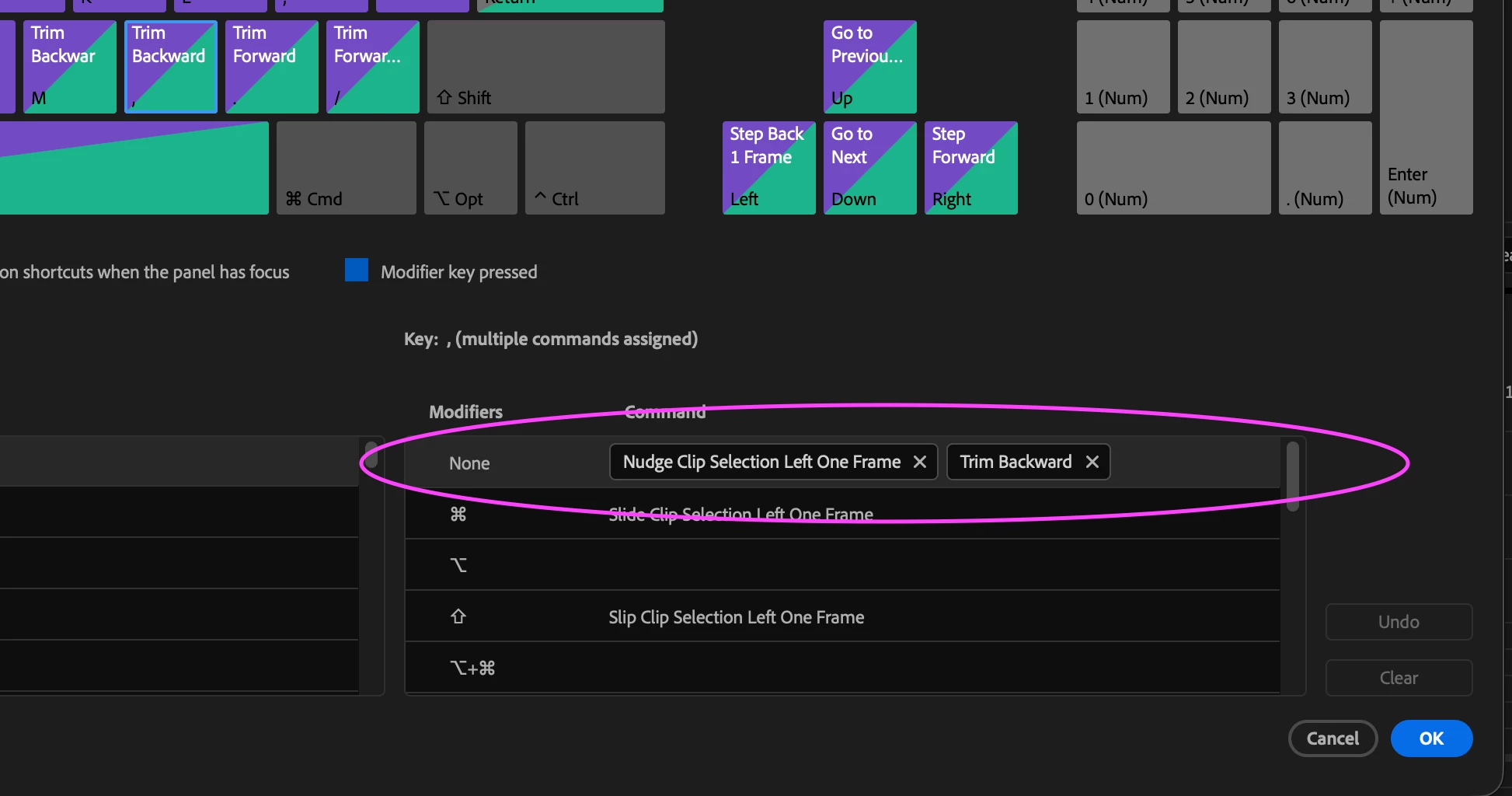
I have always mapped the keyboard shortcuts for "Nudge clip selection" and "Trim” to the same keys and this seems to be the root of the problem.
If I enter trim mode by ⌘+lassoing an edit point while I have another clip (or clips) selected, pressing the keyboard shortcut for "trim forward" or "trim backward" re-selects the previously selected clip and nudges it instead trimming the lasso’d edit.
I posted a video below demonstrating the expected behavior vs the actual behavior in 2026.3.2 which should hopefully make this easier to understand.
It does not happen if I enter trim mode using a keyboard shortcut or by double-clicking the cut point. It only happens when ⌘+lassoing (which unfortunately is how I enter trim mode 99% of the time). FWIW, I have had my trim and nudge keys mapped this way for about 10 years and it has only become an issue in this newest version.
System specs:
Mac Studio M4 Max (2025)
MacOS 26.6.2
64GB RAM
Premiere 2026.3.2
Network storage (Editshare)
ProRes Quicktime media, WAV files
Thank you!


 AdChoices