alfredobarros
Participating Frequently
December 18, 2025

Update file from CCLibraries failed...

  • December 18, 2025
  • 1 reply
  • 118 views

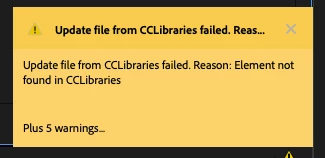
Every time I opens Adobe Premiere Pro, it shows me this warning:
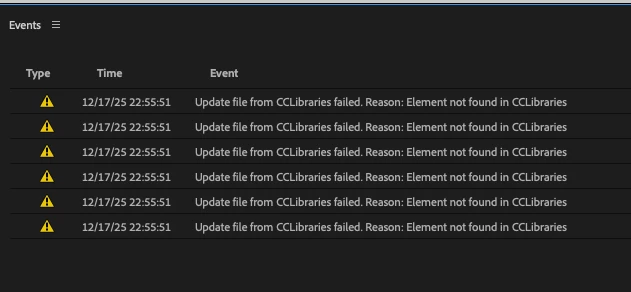
" Update file from CCLibraries failed. Reason: Element not found in CCLibraries Plus 5 warnings..." 
When I click on , it opens a window (Events) with 6 items "Element not found...". 
It would be useful if this warnings could shows what elements I need to find and where can I find them.Screenshot 2025-12-17 at 22.17.49.pngScreenshot 2025-12-17 at 22.56.24.png  
Adobe Premiere Pro 2025 - 25.6.3
Chip Mac Mini M4 Pro
Memory 48 GB
Sequoia 15.7.3


1 reply

IanB_360
Community Manager
Community Manager
December 18, 2025

Hi @alfredobarros 
If you go to the Creative Cloud and navigate to your files/My Library, you can see the files you have added to the CC database. I would suggest restarting your computer first and making sure you are connected to Creative Cloud. If you still see the error message, please check your account settings to make sure the proper user is loading in Creative Cloud with the appropriate files/elements for that project. 
Here to help.
Ian