
Participant
Nov 12, 2026 9:56 PM UTC
Needs More Info

v27.0 Applying a color sequence adjustment in a multicam sequence is not applying when the multicam is edited into a sequence.

I’m applying a Sequence Style, Sequence Adjust in a Multicam. (contrast adjustment I want applied to all angles of the multicam).  When I switch back to the sequence that I’ve used the Multicam in, the contrast adjustment does not show. 

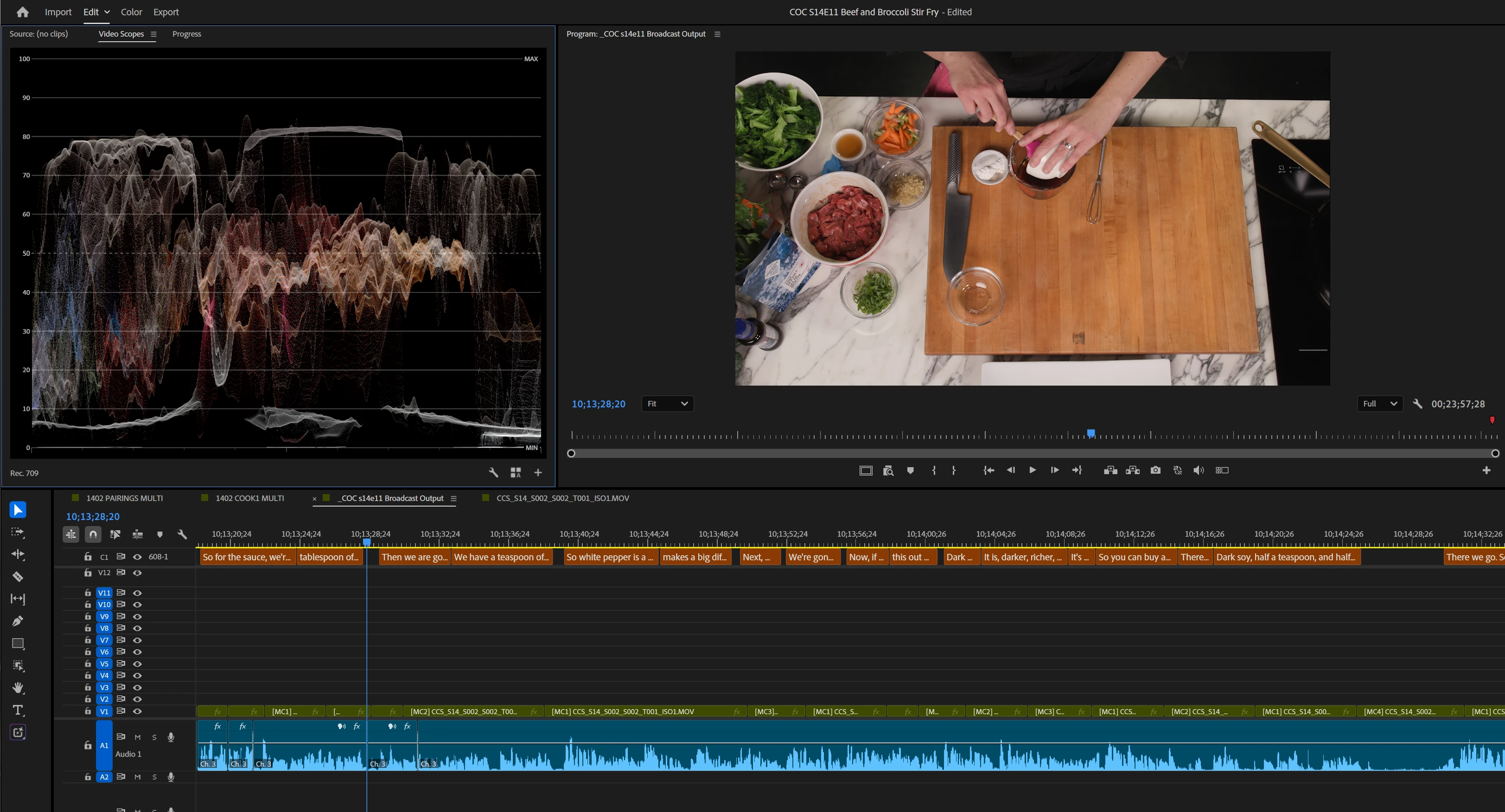
For this example I’ve purposefully adjusted the contrast way too far to show that adjustment is not being applied when I go back to the timeline where the multicam clip is being used:
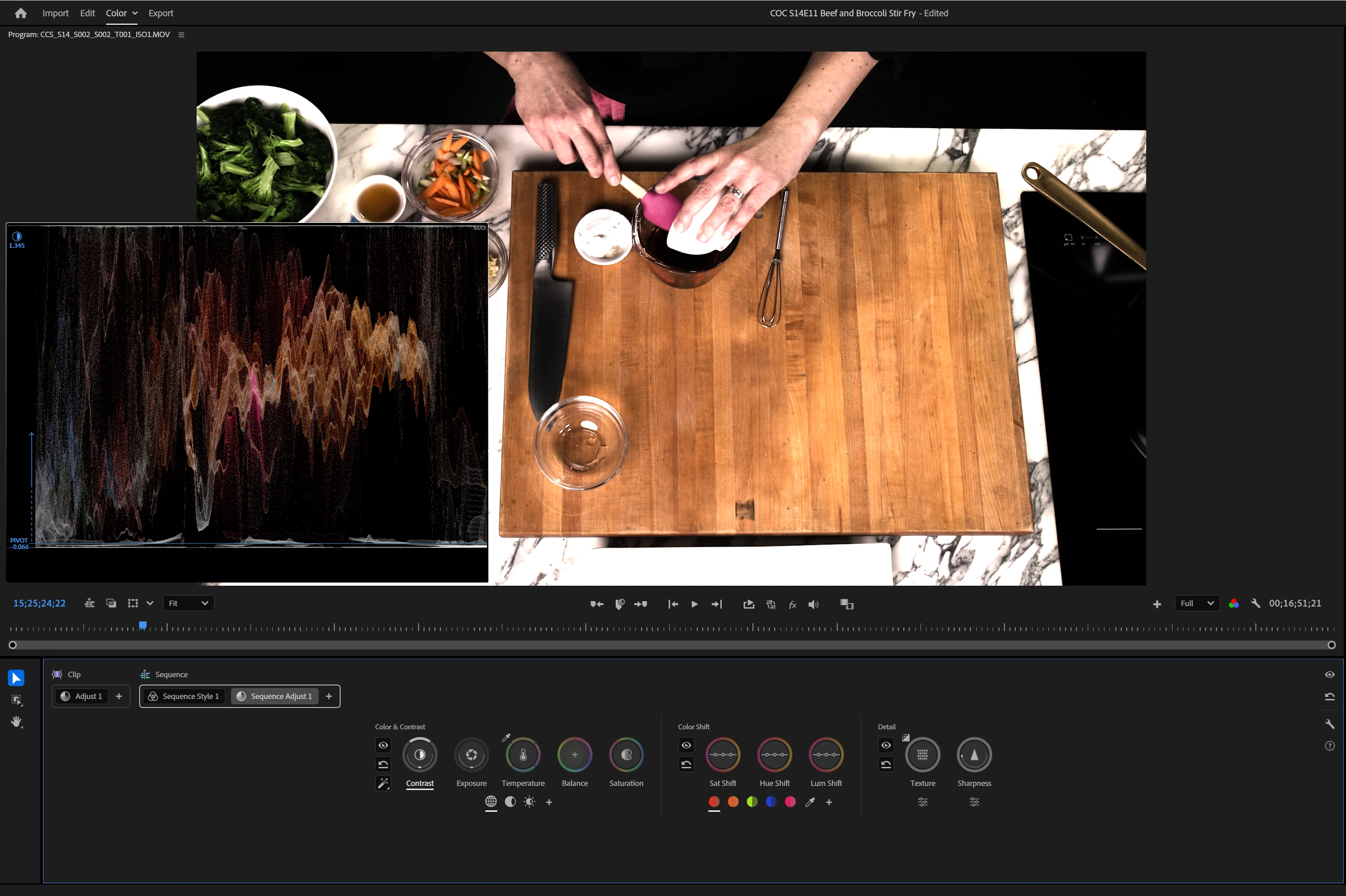
 

In the multicam - making a Sequence Style / Sequence Adjustment (pushing it very far to show that it is not actually being applied back in the sequence where I am using the multicam)


Back in the sequence where the multicam is being used, after I’ve pushed the contrast in the multicam - the adjustment is not showing.


    1 reply

    KatieToo
    Community Manager
    Community Manager
    Nov 12, 2026 10:41 PM UTC

    Hi there ​@defaultiqnx0wb4rp5g 

    Thanks for stopping by the Premiere forums and giving us two helpful screenshots with those details about the issue with multicam nest and Sequence Adjustments/Style in Color Mode.

    A Sequence Style/Adjust is intended to affect the included tracks in its sequence, not just the currently selected camera angle. Adobe’s documentation says Sequence operations are applied after compositing, and that source sequence changes update nested instances.

    Can we possibly see a screen recording showing us exactly what’s going on (fullscreen) from the multicam sequence itself (and it’s sequence name) in color mode then to that Broadcast Output named sequence perhaps?

    Based on that, I’d expect the adjustment to remain visible when the multicam is used in the target sequence. If the grade shows in the multicam source sequence but disappears in the target sequence, that certainly needs a deeper dive. 

    Also, could you confirm whether the contrast change is visible across the angles in the multicam source sequence, and whether it disappears only when that multicam source sequence is viewed in the ‘Broadcast Output’ target sequence? If possible, please compare the same timecode angle and frame in both.

    Also, is the Sequence operation’s track position set to Always Top Track, or is there a track boundary?

    Additionally, it will help us to better understand your setup if you can answer the below questions -

    • Setup/OS: Please specify Windows 11/10 or Mac, plus what macOS, along with driver version/build.
      • GPU Driver version/build(Windows only): We recommend updating to the most recent version; for NVIDIA users, we strongly recommend the Studio version of the driver.
      • Mac Chip (Mac Only): what M-series chip? If Intel, please include GPU.
    • Media Files: video, images, etc. and what types (can check under Media Properties)
    • Project Size: About how big is your project file? Is it in a Production or Multicam? Approximately how many clips are involved in a rough estimate
    • Media Storage: Are your Scratch Disks set to your Documents folder or the same as project, and is this the same as the Media drive?


    Also, please let us know the following for helpful context:

    • Does it affect all projects or only some? What about new projects with a few sample clips?
    • Do you recall which Premiere this was last working in, when It started, and what might have changed? Any plugins, OS update, drivers, etc
    • Are you also using third party plugins and/or extensions, and if so, which ones and are they currently up to date?


    Let’s start with that to troubleshoot, and we do hope to help!
    Katie

    Translate