
Participant
June 14, 2025

Version 25.3 broke the Turbulent Displace effect

  • June 14, 2025
  • 16 replies
  • 1992 views

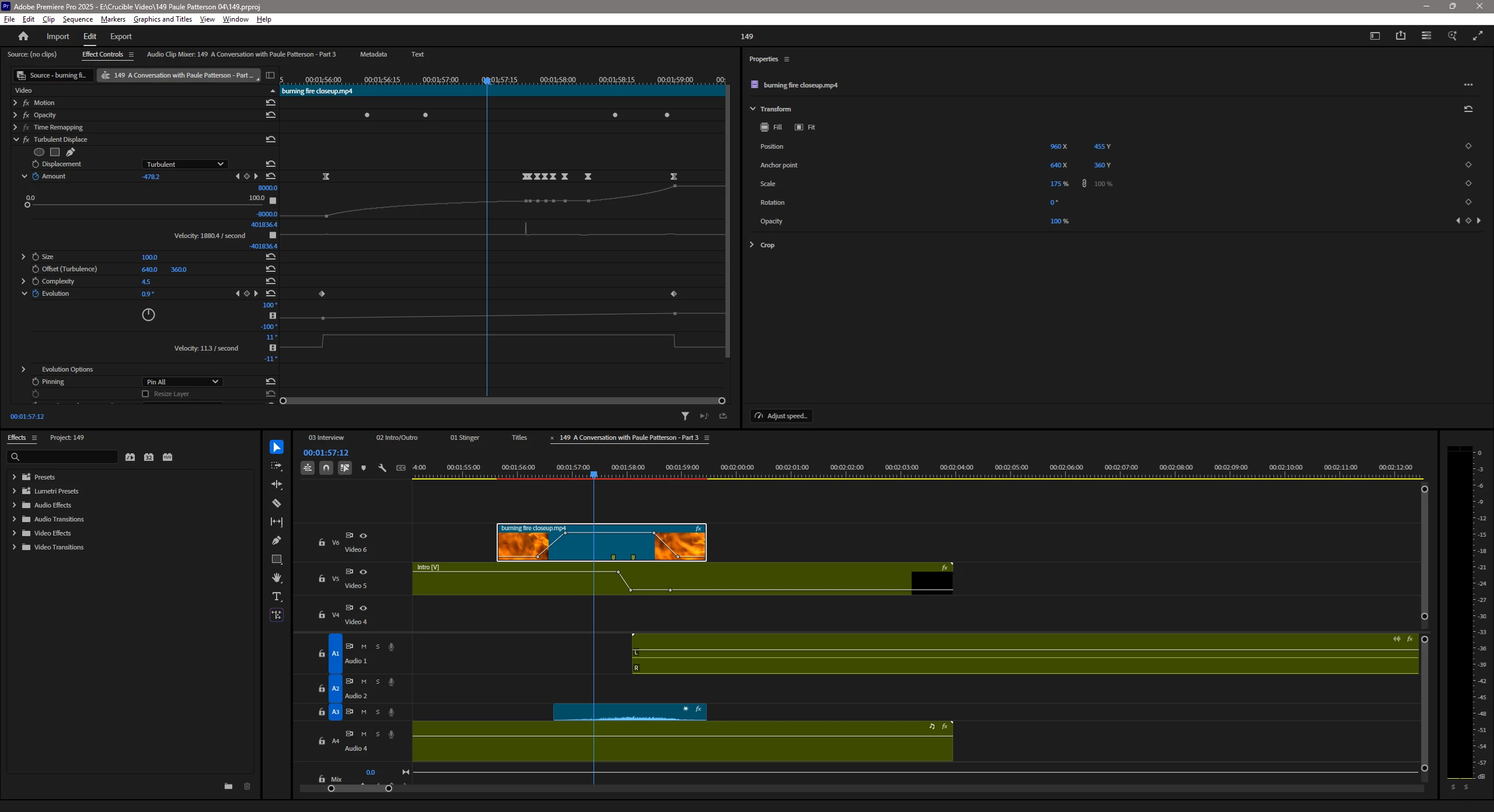
I have a number of videos using the Turbulent Displace effect. Suddenly all my projects have a broken effect, even older ones that rendered successfully just one week ago with version 25.2.3 (build 4). 


Basically, applying this Turbulent Displace effect to a clip now causes the clip to jump around and resize as the effect parameters are changed. Also, all the edges of the clip are 100% digital noise/distortion. I tried deleting all the cache files to no effect. Loading old projects now have the bug during scrubbing, not just during render.


I reverted to 25.2.3(4) and everything is fine. I'll stick with this version for now.


The attached image shows the settings for the clip and the Turbulent Displace effect. Some parts of it are fine, but as the clip progresses thru the keyframes for Amount and Evolution, it starts randomly glitching and misplacing.

I did not change my video card (4070 Super) drivers related to when this problem started.
16 replies

Participant
September 2, 2025

Now this is happening when I apply any video effect... does anyone have a checklist of things to verify? I feel like I'm losing my mind!

Participant
September 2, 2025

Beta version 25.6.0 (Build 36) still has the same issue.

When Turbulent displacement is applied to f.e. to a shape layer, the layer becomes invisible...

Participant
September 2, 2025

The problem is still there.. Please fix this Adobe!

tobiast77902390
Participant
August 28, 2025

I can confirm that on AE 25.4 the turbulent displacement effect messes with the comp, as jackson_9772 reported

Participant
August 25, 2025


I can see that I'm not the only one having this issue... Here's two frames back to back, the second one being when my Displacement effect ends. For some reason, it's decided to completely screw with the proportions of the text, and no matter what I do (Cut it, paste it, reload, duplicate comps, everything) the Turbulent displacement effect continues to give me trouble. 

I am on the newest version of After Effects and wondering when there will be a fix for this issue so that I may be able to utilize it in my projects going forward. 

Participant
August 18, 2025

I'm in a similar boat now. I upgraded to v25.4 (Build 99) and the image with Turbulent Displace results in this resizing and displacement. Below you can see the intended layout and then what it looks like when the effect is applied to the background image. Thanks for any support with this!

Participant
June 27, 2025

i was having the same problem as you, i tried to update my graphics card(I have a RTX 3060), i'm using the fresh premiere, that means, i don't have any plugins or other things except from the original and clean software, i've tested the "scale to frame size" solution below the comments and it looked a bit better, but doesn't solved my issue, now i will try to downgrade the version to see if this would fix my problem

IanB_360
Community Manager
Community Manager
June 18, 2025

Hi @BrandonSoMD 
I have not been able to find a better workaround so I know the temp one is just a minor way to avoid redoing all your work. I will get this logged so that we can start finding what is causing the issue and see what we can do to fix it.
Here to Help
Ian

Participant
June 18, 2025

It's an okay temporary workaround, thanks. The result is slightly different (the displacement map has some differences) so I'll need to be careful and may need to tweak it. But it did get me back on track.

IanB_360
Community Manager
Community Manager
June 17, 2025

@BrandonSoMD 
I have been able to see the problem you have reported in the project you sent over. I have a temporary workaround that may work for now. We will need a little more time to make sure we cover everything you have noticed already. For now if you right click on the clip with the Displacement effect applied and scroll down to Scale to Frame Size and select. Does that help get your effects back to how they were looking before?
Here to Help
Ian