
SoonishBebop
Participating Frequently
March 22, 2026

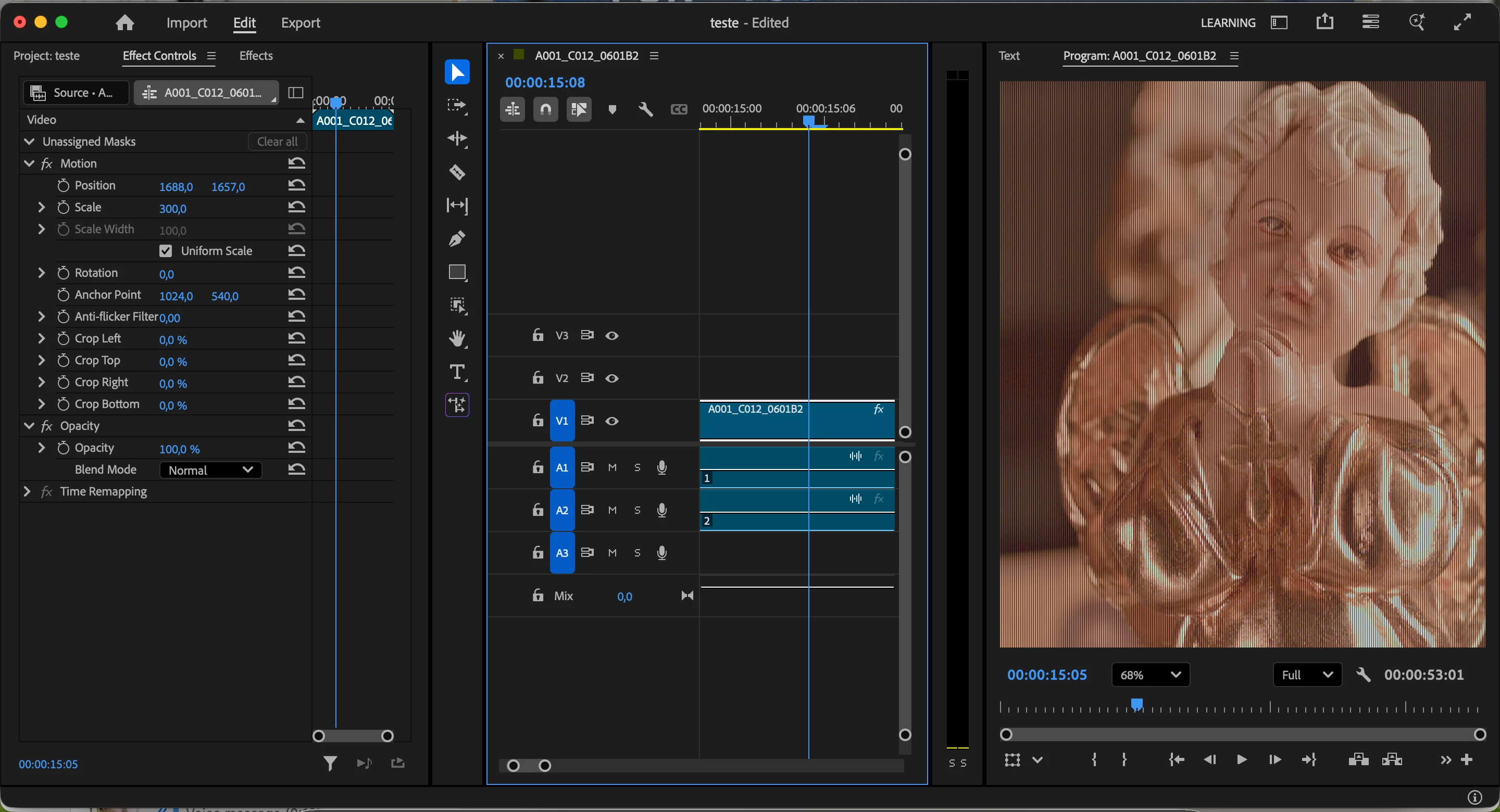
Vertical stripes on preview and exported video. No plugins, no effects, just raw footage

  • March 22, 2026
  • 5 replies
  • 71 views

Several vertical stripes shown on preview, source and program, and on exported video.
 

Editing on Mac M1

    5 replies

    Averdahl
    Community Expert
    Community Expert
    March 25, 2026

    @SoonishBebop 

    Does it happen with all files from your camera?

    I downloaded A001_C012_0601B2_V01_001.mxf and it looks bad everywhere, Premiere, VLC, PotPlayer and Shutter Encoder. It looks “best” in Premiere while it has green tint in other players and vetical lines if i resize the window.

    It seems that the file itself is corrupt.

    I see it on Windows 11 25H2 with a Nvidia RTX A5000 GPU, driver 582.16.


    IanB_360
    Community Manager
    Community Manager
    March 23, 2026

    Hi ​@SoonishBebop 

    Welcome to the Premiere community. Thank you for taking the time to report a problem. It would help us if you could use the link " How to Report a Problem," which provides steps to provide more information that can help us identify the issue. If you can provide a link to the files that are causing this error, we will gladly download them and take a look at what is going on with them. You can email or message me with the link. 

    Here to help.  

    Ian

    SoonishBebop
    Participating Frequently
    March 24, 2026

    Hey, Ian!


    I'll use the link and upload the files.


    Thanks a lot for the reply!

    Warren Heaton
    Community Expert
    Community Expert
    March 22, 2026

    The first thing I’d do I try to nail down if this is in the source footage or if it’s happening on the fly in Premiere.

    In Premiere Pro, what does the footage look like when the Magnification pop-up is at 100% instead of 68%, both the Playback Resolution and Paused Resolution are at Full,  and High Quality Playback is enabled?

    Outside of Premiere Pro, what does the footage look like when viewed outside of Premiere in QuickTime Player, Adobe Bridge, After Effects, and/or VLC Player?


    Was this recorded on an ARRI camera?  If so, what does the footage look like when played in the ARRI Reference Tool?


    SoonishBebop
    Participating Frequently
    March 22, 2026
    Print from magnification pop-up at 100%


    Thanks for the reply!

    Playback Resolution and Paused Resolution are at Full, and High Quality Playback is enabled.

    The footage was recorded using ad RED camera, I tried RED CINEX-PRO and the results are the same. 

    Tested the footage using Apple Pro Video Formats and on QuickTime Player it looked just the same. 

    Any idea of what can be done to save this footage? I've noticed that, changing timeline resolutions makes the lines thinner or thicker. 


    Warren Heaton
    Community Expert
    Community Expert
    March 23, 2026

    If this is your RED camera, have it serviced.  There's likely an issue with the sensor.

    NeatVideo or Topaz Video may be able to repair it, but there’s a good chance that you’ll have to reshoot.

    Peru Bob
    Community Expert
    Community Expert
    March 22, 2026

    If that doesn't work, try creating a new project and import the old one into it.

    SoonishBebop
    Participating Frequently
    March 22, 2026

    No luck aswell.

    Apparently the issue is on the file resolution. It looks the same on QuickTime Player.

    Peru Bob
    Community Expert
    Community Expert
    March 22, 2026
    SoonishBebop
    Participating Frequently
    March 22, 2026

    Tried this and no luck whatsoever.

    Thanks for the reply!