

Video layers no longer snap in program monitor
Issue: In Premiere 2025, I’m able to drag and move a clip in the Program Monitor, hold CTRL (or turn on snapping) and it will snap to the edge of another clip. This was very handy for aligning clips without manually entering values. In Premiere 26.2.2, clips only snap to guides or the edge of the frame.
Steps to Reproduce: Open Premiere 2026 and add two clips to a sequence on different layers. Double click one clip in the program monitor, hold CTRL and drag to the other.
Expected result: It should snap to the edge of the clip.
Actual result: It doesn’t.
Screenshot:
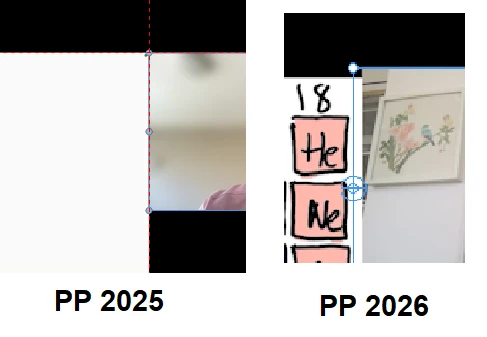
PP 2025 version is 25.6.3 / PP 2026 version is 26.2.2
Windows 10


 AdChoices