and welcome to the Premiere Pro Forum community. Thank you for taking your time to report a problem. The team just needs a little more information to begin troubleshooting. The link here How to Report a Problem , has steps to providing more information about your bug that can help us identify the issue. Here to help.
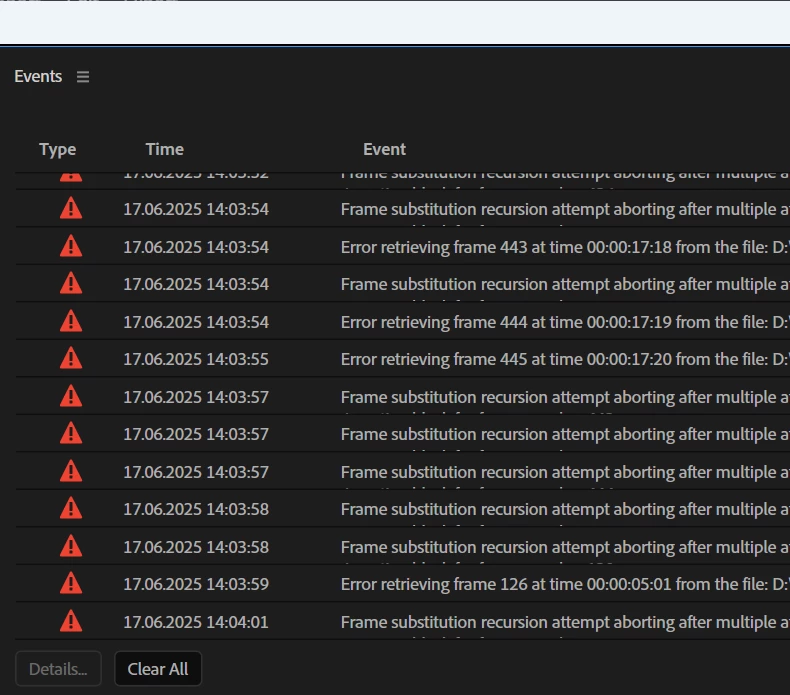
Frame substitution happens if Premiere Pro can not retreive a frame from a video source. This might happen e.g. if the file is damaged but can still be partially opened. In the case you posted Premiere Pro tries to replace broken frames with content from neighboring frames that decoded successfully - if this happens too often since all frames in a region are unavailable, Premiere Pro will give up and alert you about this condition as shown above.



 AdChoices