

GIDEONB
Participant
April 10, 2026

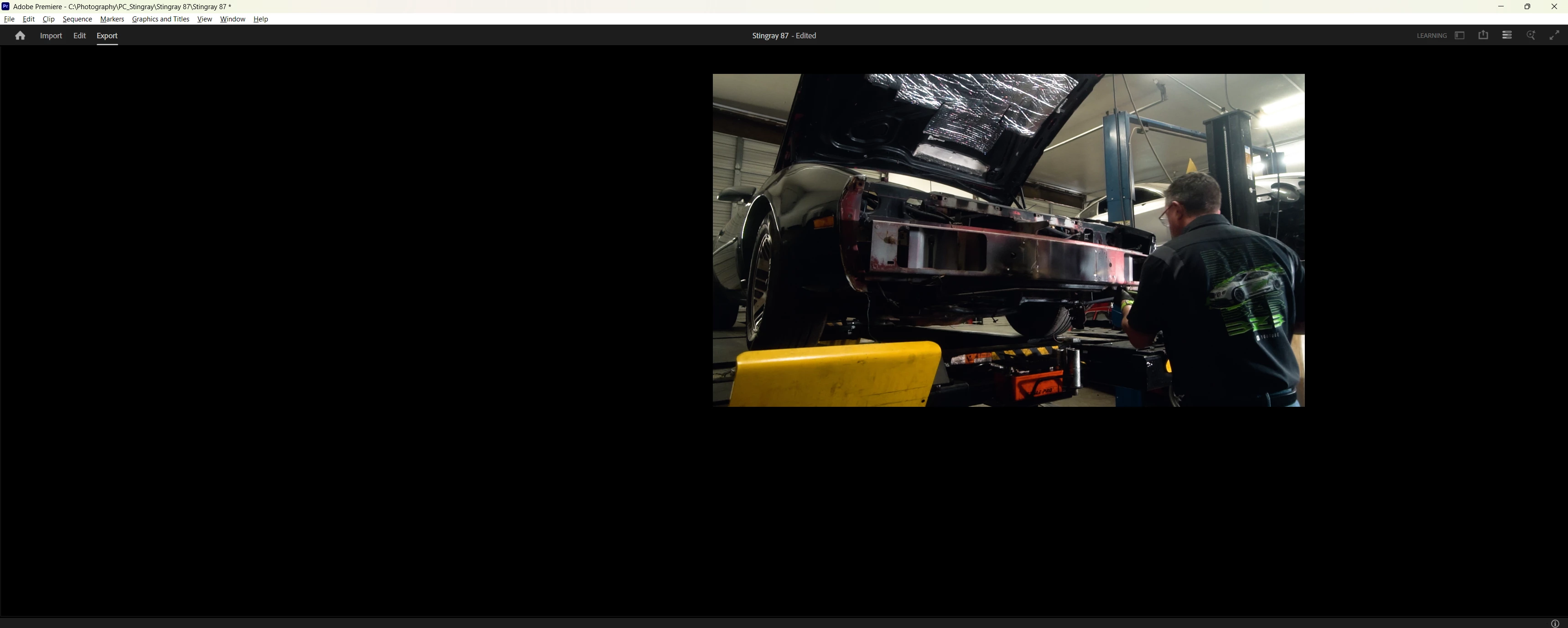
Whole editing interface goes black on Export screen

  • April 10, 2026
  • 2 replies
  • 11 views

When I go to the export screen, the whole editing interface goes black. The buttons are still there and I am able to export by remembering where the "Export" button is from past projects, but I have no visuals to see where it's exporting to, what quality etc. I have tried everything including uninstalling and reinstalling Premiere, with no luck so far.
 

2 replies

Community Manager
April 10, 2026

Hi ​@GIDEONB 


Thanks for reaching out. We need a few more details to help investigate. Please see: How do I report a Problem?

A few other questions:

  • What version of Premiere are you on?
  • What OS, GPU and driver version?
  • Does this happen on all projects or a specific one?
  • If you create a brand new empty project and go to the Export tab, does the same thing happen?
  • Are you on a single monitor or multiple monitor setup?


Sorry for the frustration. I hope we can help get this sorted.

GIDEONB
GIDEONBAuthor
Participant
April 10, 2026

Hi ​@Rach McIntire 

  1. I am currently using Premiere Pro 2026
  2. Windows 11, GEFORCE RTX 3060, and I just updated to the newest Studio drivers from the Nvidia website (problem occurred both before and after update)
  3. This error occurs on all of my projects, regardless of size and sequence settings
  4. Yes, even a brand new blank project has the same issue
  5. Single monitor setup

This afternoon I will try resetting my preferences to see if that helps. I can also include any screen recording that might be helpful in diagnosis. Thanks for your support!

Peru Bob
Community Expert
Community Expert
April 10, 2026

Try updating or rolling back your graphics driver directly from the video card manufacturer’s site. If NVIDIA, do a clean installation of the latest Studio Driver (NOT the Game Driver).

If that doesn't work, try creating a new project and import the old one into it.

If that doesn't work, try resetting the preferences:

https://helpx.adobe.com/in/premiere-pro/using/reset-preferences.html