


Window > Maximize Frame is permanently disabled in Premiere 26.5.2 on macOS
Title:
Window > Maximize Frame is permanently disabled in Premiere 26.5.2 on macOS
Issue:
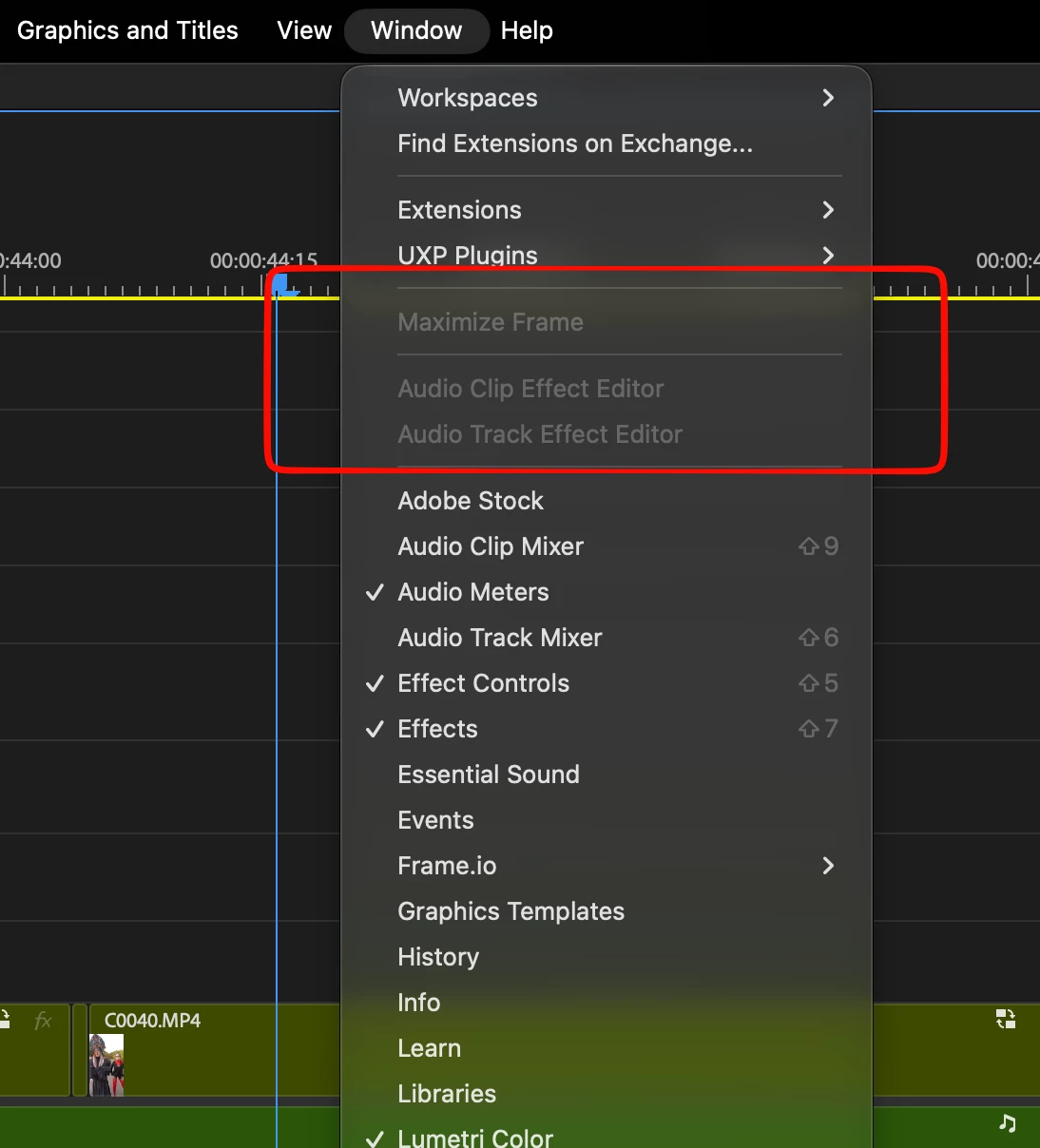
Window > Maximize Frame is permanently greyed out and unavailable.
This issue started occurring recently, sometime after one of the latest Premiere 26.5.x updates. I cannot confirm the exact build in which it first appeared.
Steps to reproduce:
1. Open Premiere and any project with a sequence.
2. Click inside the Timeline, Project panel, Program Monitor, or another panel to make it active.
3. Open the Window menu.
4. Maximize Frame remains disabled.
5. The "Maximize or Restore Frame Under Cursor" command also does not maximize any panel.
Expected result:
Any active Premiere panel should be able to expand using Maximize Frame or Maximize or Restore Frame Under Cursor.
Actual result:
No panel can be maximized using either command.
The only full-screen function that still works is Program Monitor > Full Screen Video. It successfully displays the Program Monitor in full screen, but other panels cannot be maximized.
I updated Premiere today to version 26.5.2, but the issue is still present.
System:
- Adobe Premiere 26.5.2
- macOS
- MacBook Pro, Apple M4 Max
Important:
This is not only a keyboard shortcut issue. The Window > Maximize Frame menu command itself is greyed out and unavailable.
Screenshot attached.
Please confirm whether this is a known issue in the Premiere 26.5.x versions and whether there is a workaround.
 AdChoices