



Max CPU dialogue button?
Where did the Max CPU cores dialoque go? I have current 2.4.1 version of substance painter.
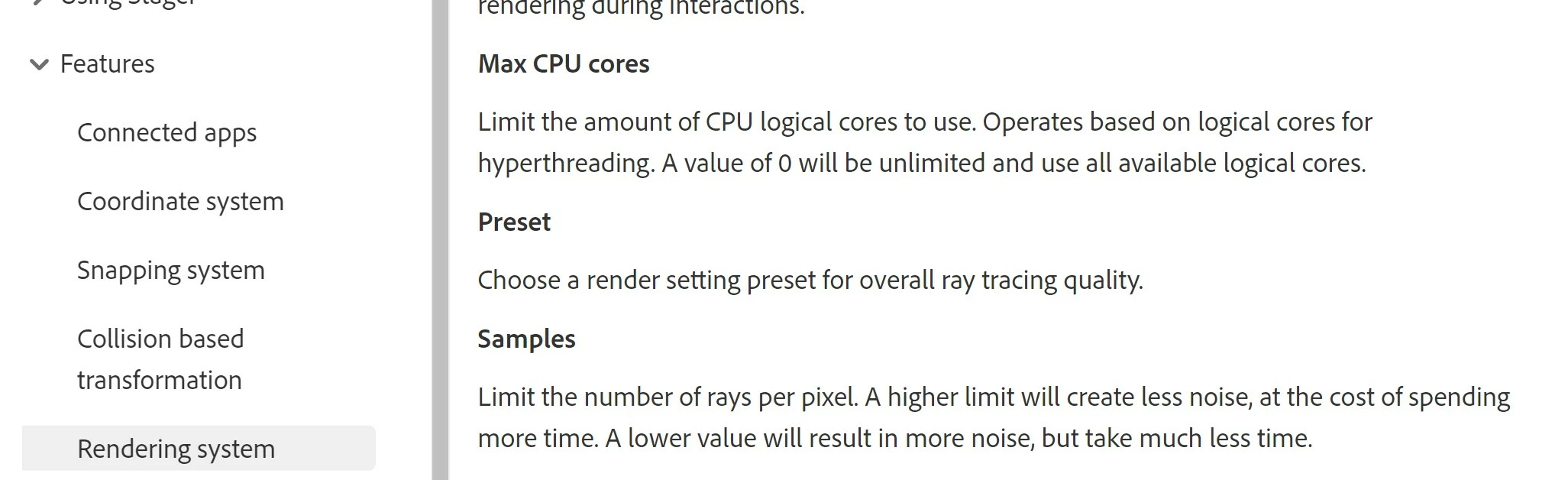
I want to use the my CPU to render as a work around for the GPU max vram bug but can not find it. I can turn of the GPU button in the rendering settings but I can not find the CPU Max cores dialoque as listed in your documentation (see window pasted below).
I have 32 cpu cores so cpu rendering is almost as fast as GPU nvidea geforce RTX 2070 with 8 vram on my machine. However I need to limit the cores the renderer uses so I can run system, photoshop, etc while rendering in the "background". I would use GPU but there seems to be a known bug with off loading vram when it maxes out which causes system to bog down and almost stop running.
Please help! I have burned a lot of expensive time trying to work around no Rendering Q, GPU max vram bug and finally trying to render with cpu while continuing to work in photoshop! Will beta version help? If yes, how do I get access to beta?
 AdChoices