


Weird UV Generation issues
Hi there,
I am pretty new to 3D and I usually create my models in Blender and import them into 3D Stager to create a scene.
I have created a bottle model in Blender (using a simple cylinder) in which I'd like to add the labels to and create a scene for, however, when I generate the UVs via 3D stager, I get these weird distortions, seamlines and angles that make it impossible to add artwork to.
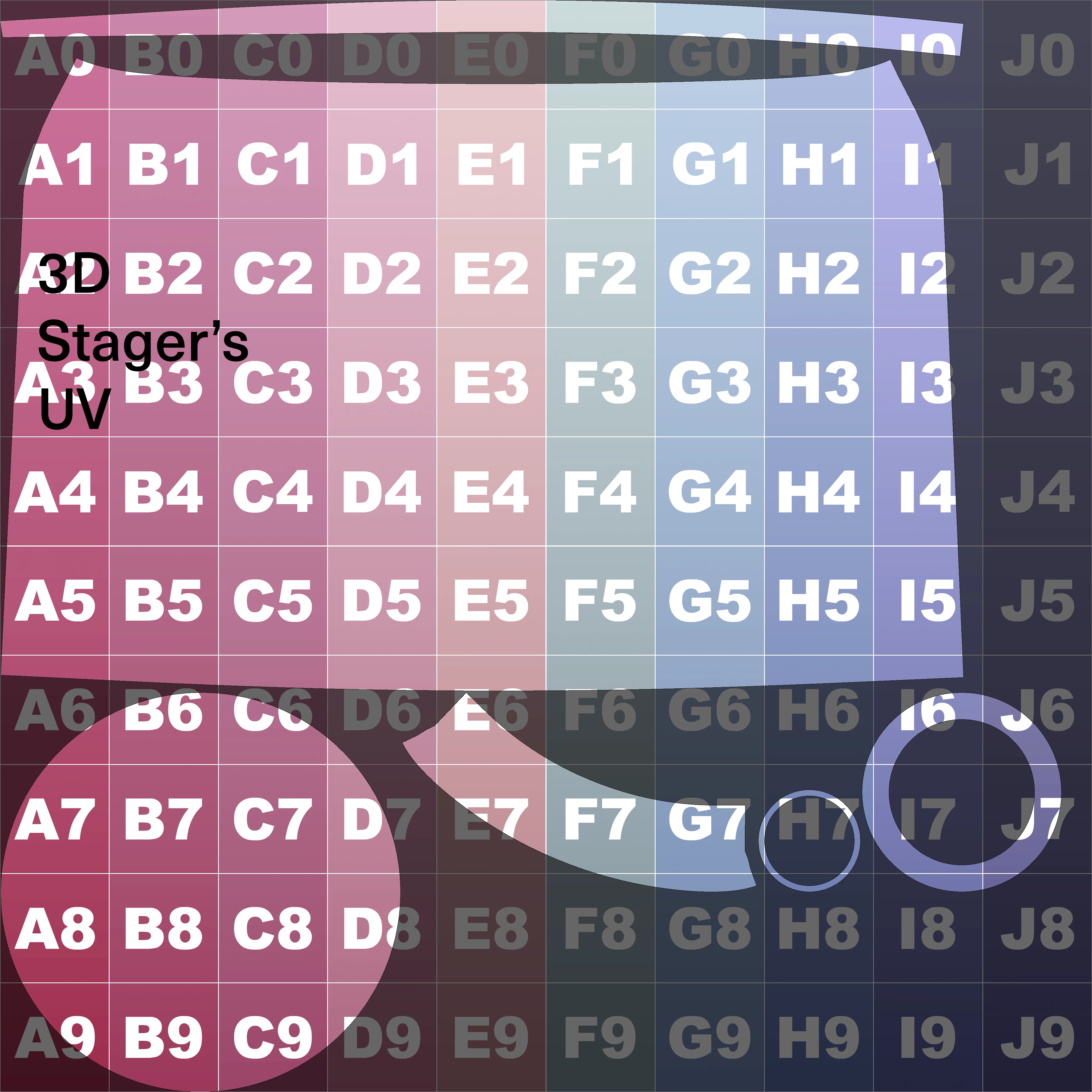
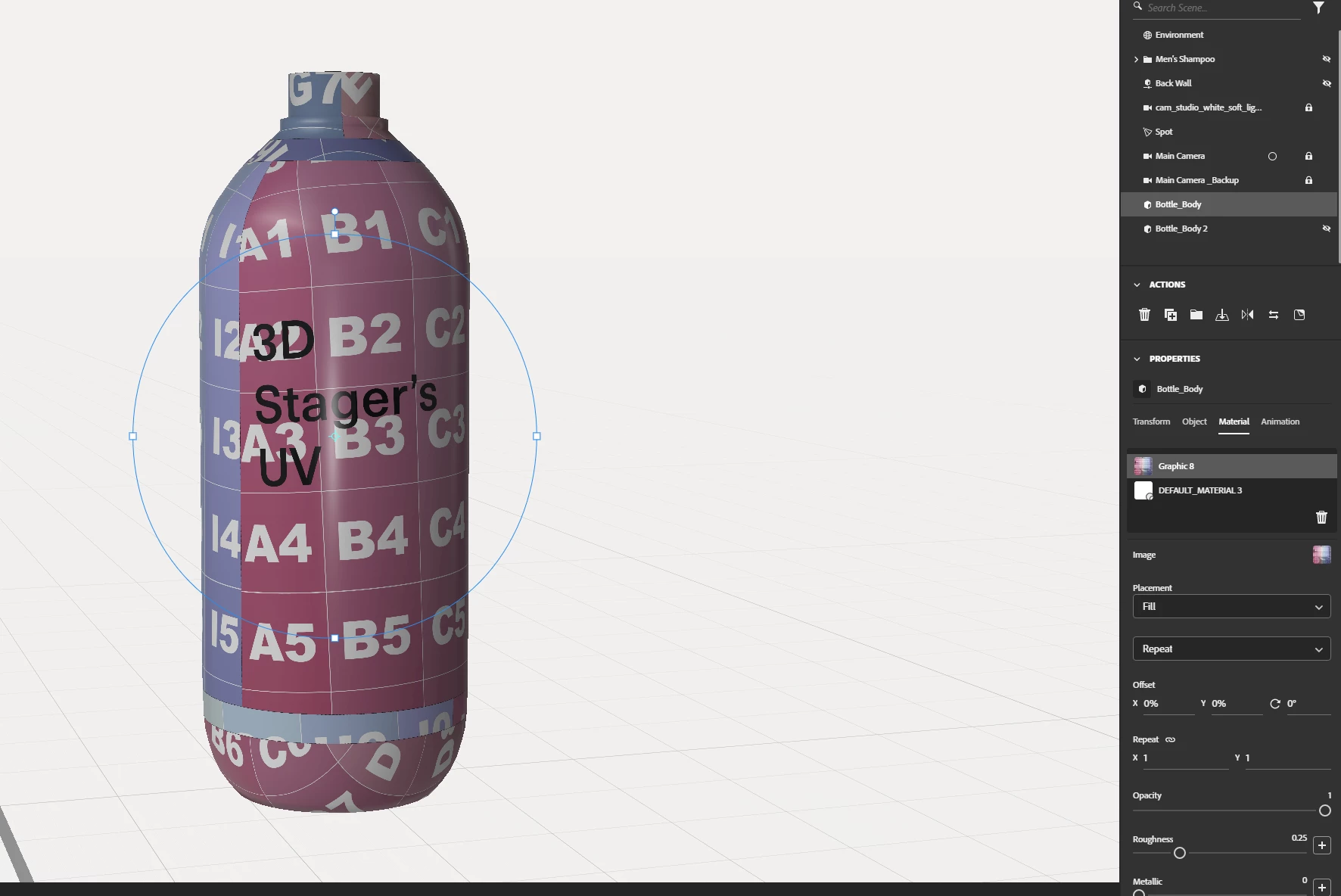
I attempted not to generate the UVs in 3D Stager and just exported the UVs that I guess Blender had created, and it certainly looks more normal and correct on the surface, however, I get these weird lines (which Ig I could erase) and it seems that the file is stretched vertically. I added a perfectly square shape on the UV so you can see the stretch.
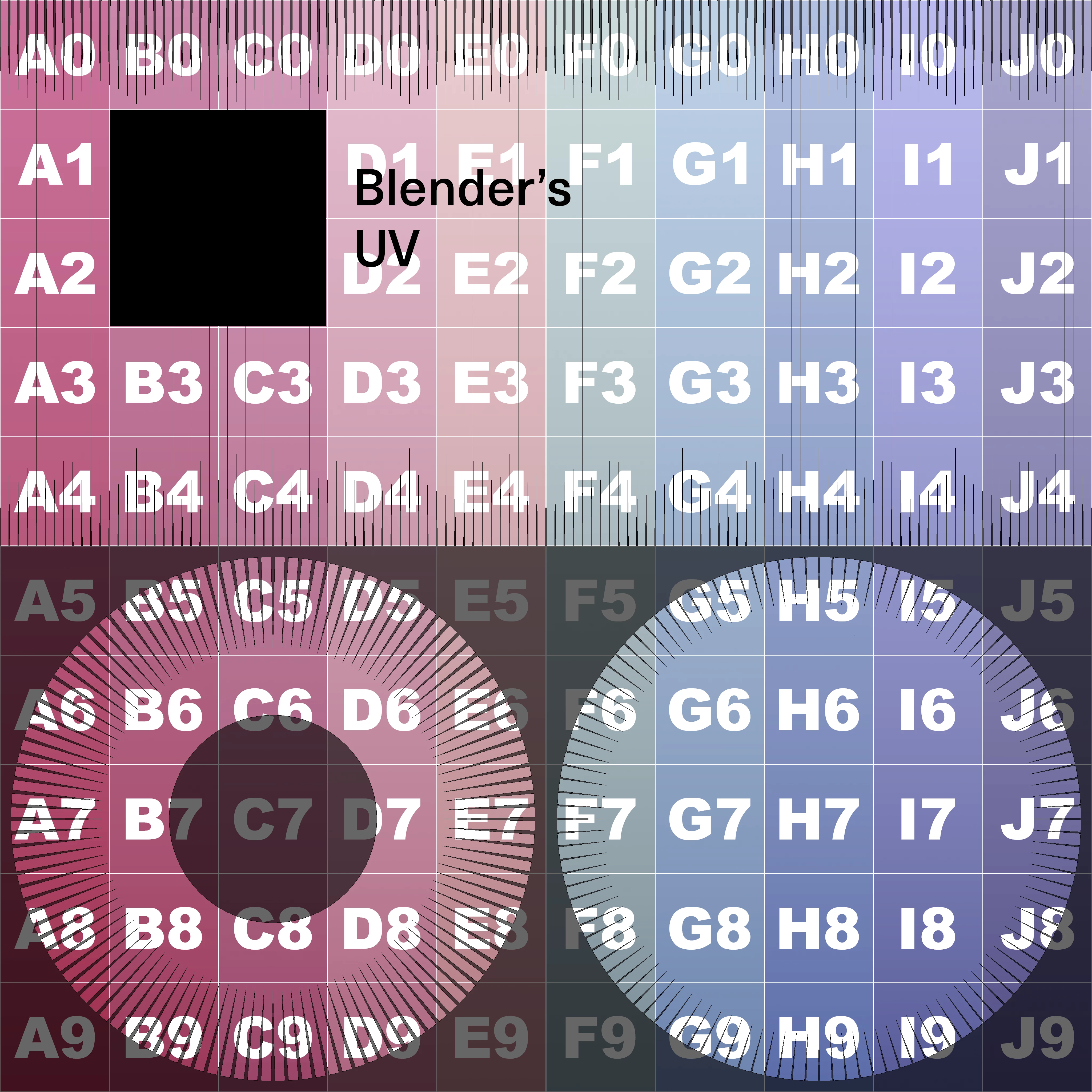
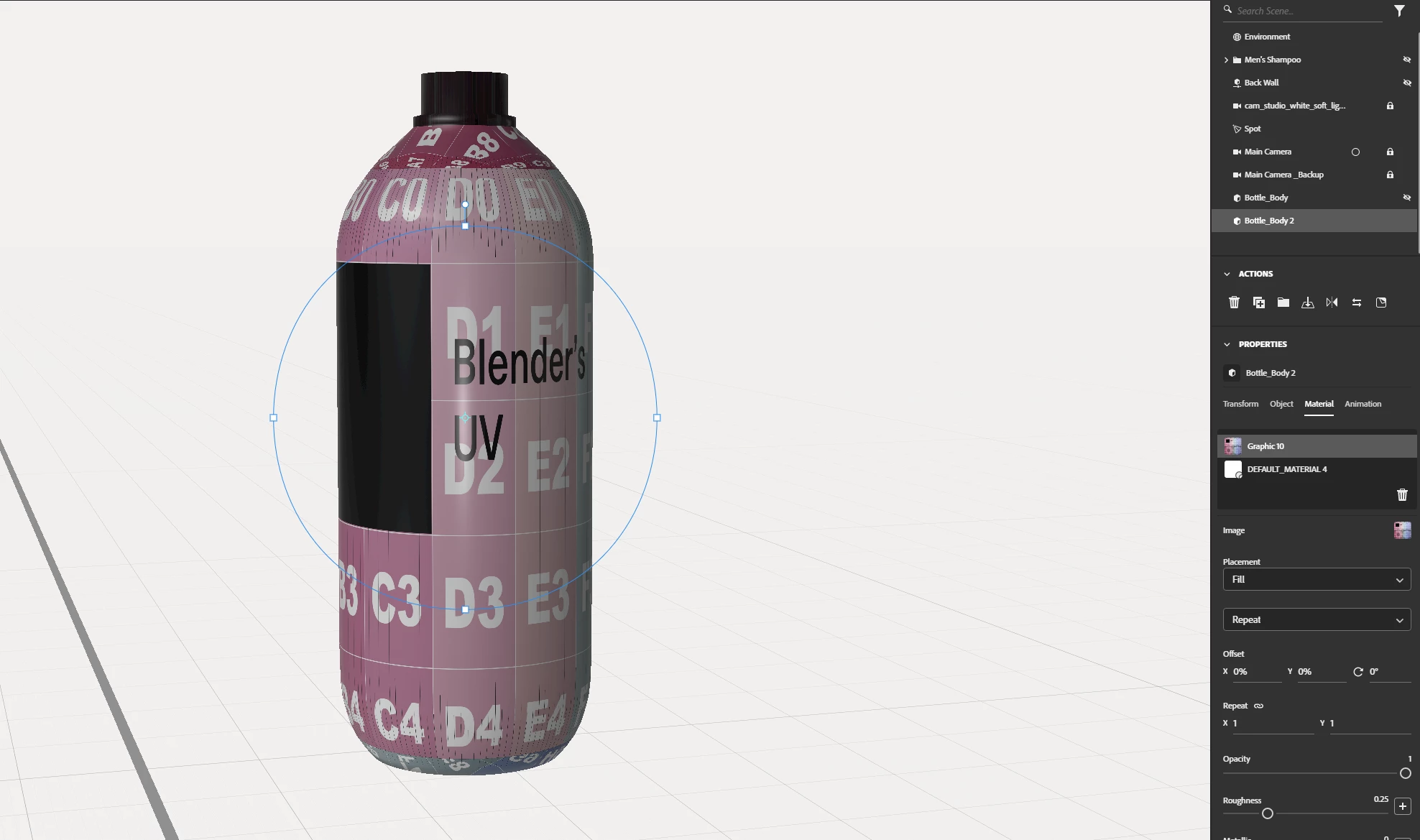
So I'm not sure what to do here because as an amateur modeling this bottle took me a bit and I didn't really do anything weird other than giving the cylinder some bevel in Blender.
If anyone knows how to generate proper UV's a better way please let me know.
Any other tips or tricks is appreciated.
PS: I have access to the Substance's other products (I have never used anything else other than Stager though)
Thank you very much!
 AdChoices