


Open for Voting
Windows 11 Efficiency Mode will cause 'Unable to start Rendering Engine'
Hi team,
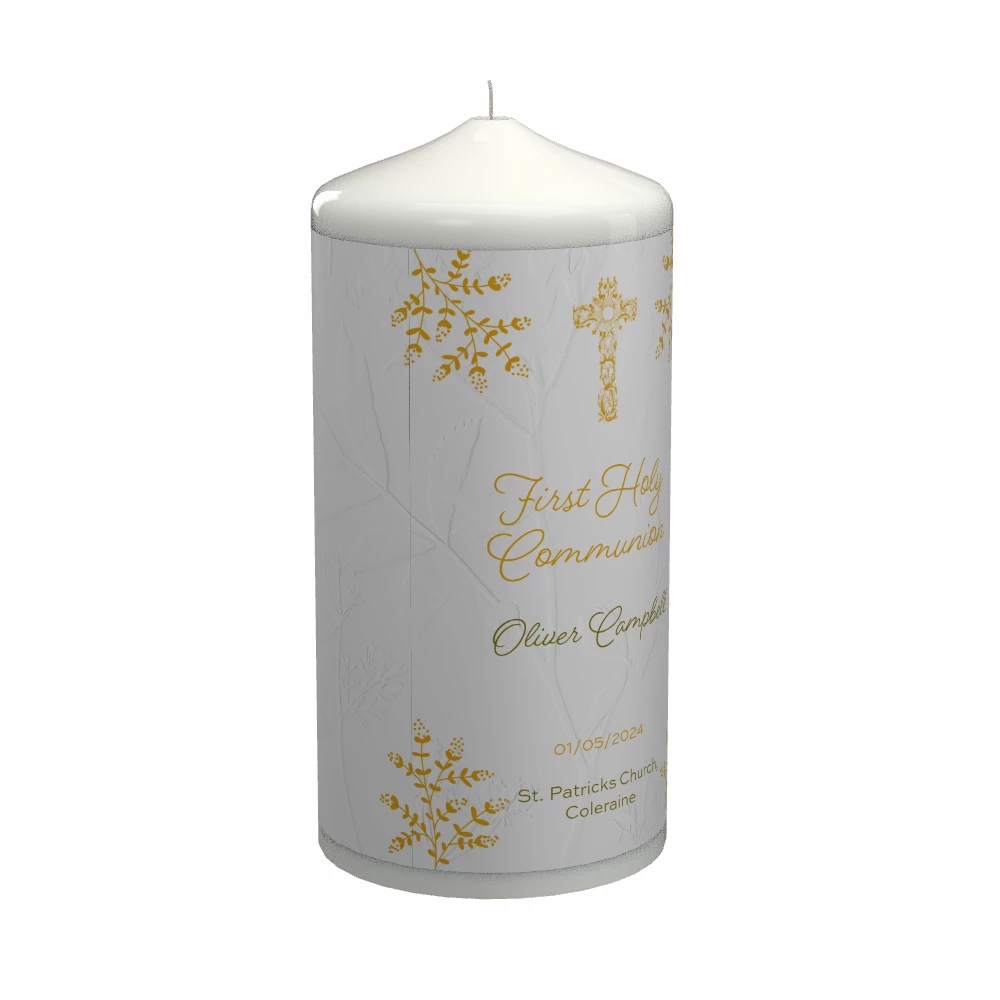
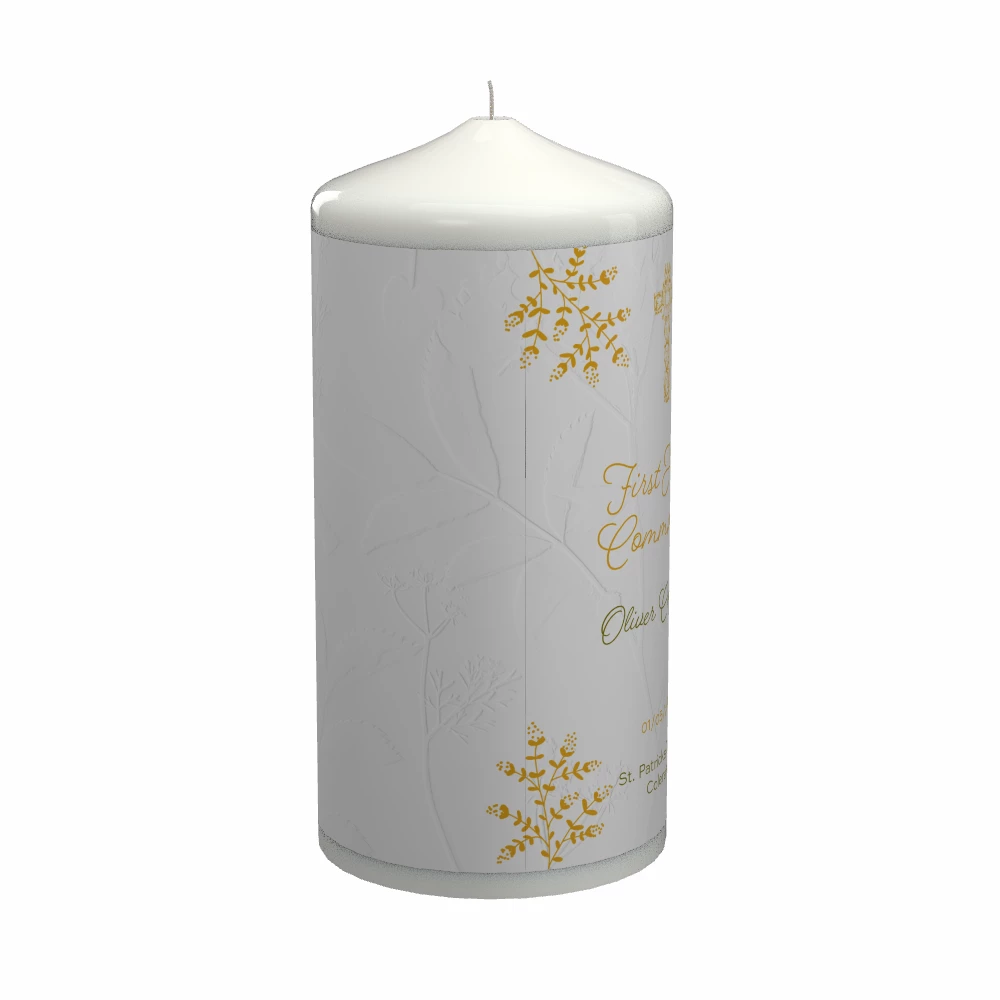
Im doing work on pillar candles. I downloaded the pillar candle asset from the assest library. I apply an image to wrap around the candle, and there is always a slight line cutting through the graphic. I thought this was maybe a viewpoint percentage problem so I adjust from say 78.9% to 80% to round it up (which doesn't save in the file btw), to no avail.
I render Ultra / Real time.
Its also in the design view. Its always at the exact same spot no matter what I try. Is it a problem with the assest perhaps or something to do with the wrapping engine, or maybe my graphics card.
Images below. You can see a slight black line down the candle. Thanks team.
Windows 11 / Stager 2.1.4
 AdChoices