
Ann Bens
Community Expert
Community Expert
July 14, 2024

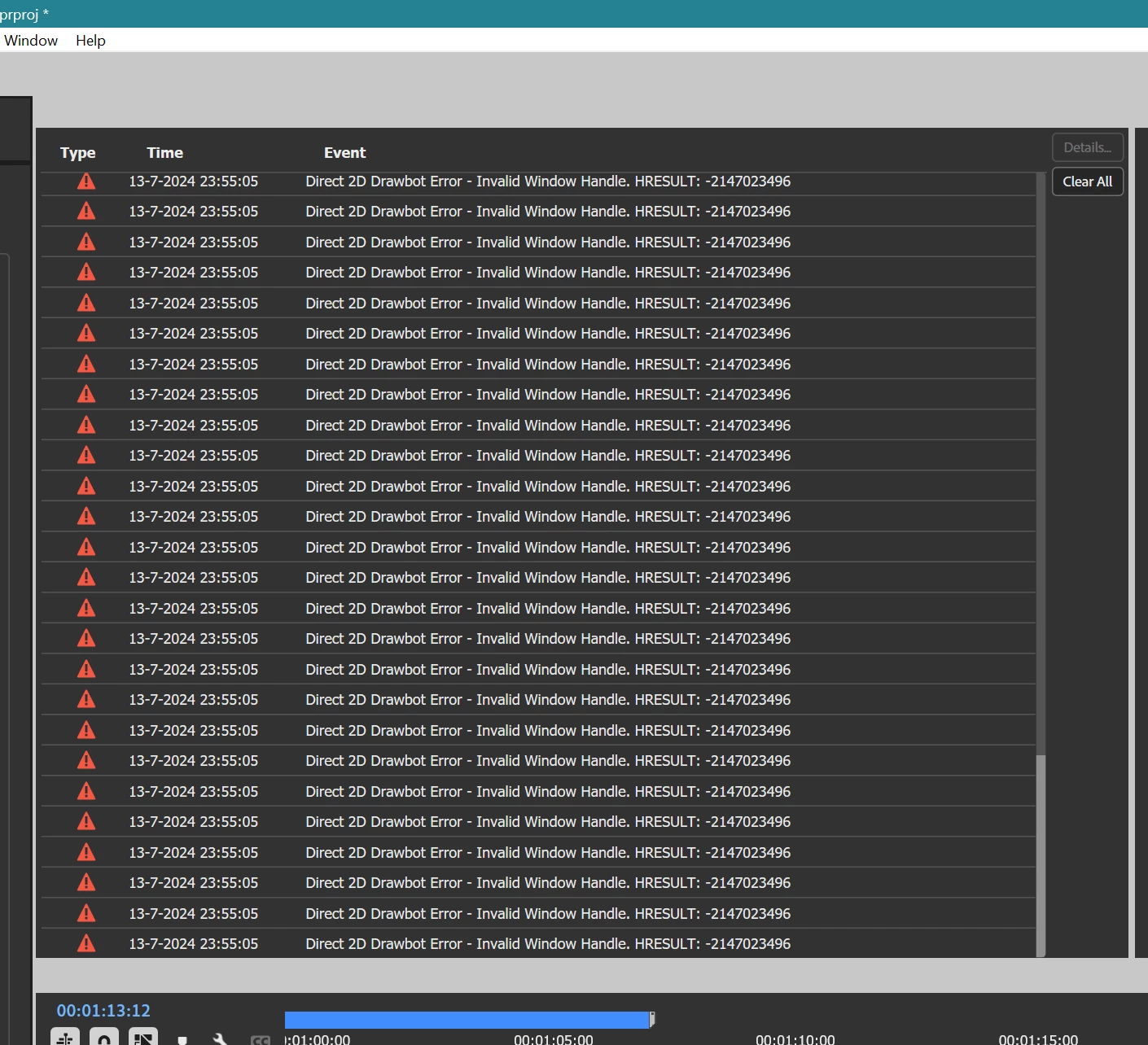
Drawing error

  • July 14, 2024
  • 24 replies
  • 2082 views

Getting massive drawing errors for a while now.

W11 last couple of builds

Rolled back nvidia driver


    24 replies

    Ann Bens
    Community Expert
    Ann BensCommunity ExpertAuthor
    Community Expert
    July 31, 2024

    Definitely editing audio in the SM

    wave for certain, will now try mp3.

    Adobe Employee
    July 29, 2024

    Thanks for the added context wrt the core issue possibly being independent of D2D use, and the occurrence around the audio cut edit, folks.


    I'm reaching out with some specialists to see if they may have any data or supplemental ideas to help narrow this one further. 


    Given the nature of the error, and inability of OS menus to show - it sounds like Windows OS resources specifically had reached a limit, but aspects of the app not needing OS window resources were still operating without issue.


    Based on recency of drivers, stale GPU driver is looking less likely as a key factor for this one.

    Ann Bens
    Community Expert
    Ann BensCommunity ExpertAuthor
    Community Expert
    July 27, 2024

    Well it happend again while trying to cut audio file (VO) in the SM,

    entire UI freezes. empty dropdown menu (not all but most)

    Funny thing is when pressing Play the timeline is showing in the PM.

    One can use othere shortcuts such as JKL. But the UI does not move an inch.

    This time got a Windows message:

    followed by

    Hit close the program

    Cancelled this one.

    Known Participant
    July 26, 2024

    I have not found any clear steps to reproduce any of these errors. They seem to happen after editing for a bit (5-15 minutes) where I am just cutting up a timeline. The D2D error is new, but the freezing up with massive hardware usage is not.


    I am going to update my Intel chipset drivers and GPU to the latest Studio drivers to see how that changes things. My Mobo does have a Bios update as well that changes the microcode, but I do not believe that is related. Might also update to the latest beta version of Premiere. 

    Adobe Employee
    July 26, 2024

    @Cross Aerial Photography  - So around v24.2-3 for your case?


    The hardware accelerated Direct 2D Drawbot used on windows may be hitting some unusual application behavior in your scenario. The failure of menus showing up means that OS window resources are likely exhausted.

    This debug flag may help you mitigate the repro in short term(which goes back to a prior mode of UI rendering on Windows). If you find turning that on causes the issue to away, context on that would help confirm/narrow scope slightly.

    Suppress D2D in Drover V7

    Any insights on panels or notable UI associated with repro in the lead-up to this continues to be appreciated.

    Ann Bens
    Community Expert
    Ann BensCommunity ExpertAuthor
    Community Expert
    July 26, 2024

    I have not seen the drawing error in build 73 and 75.

    Same as Cross Aerial Photography the UI freezes and after a few seconds is fixing itself.

    Did not seen any blank menus this time.


    Known Participant
    July 26, 2024

    For what's it worth, I have had the same error recently running beta version 24.6 Build 63. I have never actually seen this error until this update. 

    Across the board, Premiere has been impressively unstable in both the release and beta versions since 2nd or 3rd V24 update. 

    Hardware wise, I have a 13900k, 64gb of DDR5 RAM that is on my Mobo's QVL, and a Gigabyte 4090. I am running Studio driver 555.99 and on W10. I have no plugin's or strange custom settings either. 


    The only behavior I have noticed is that when this error occurs, RAM usage spikes drammically. Despite my settings, Premiere will use up to 59Gb of RAM and 99% CPU usage, while the UI locks and freezes. Sometimes, it will seemingly fix itself, but if I try to access any menus, the drop downs are blank. 

    Thus far, my only solution is setting Auto Save to 1 min and pressing a macro on my mouse to save as often as possible. 

    Adobe Employee
    July 26, 2024

    We're continuing to monitor for this thread, if Ann or anyone else gets more information on the repro scenario which might help us narrow and replicate the errors.

    Adobe Employee
    July 22, 2024

    Hi Ann,


    Your suspicion of something around audio files on timeline or source monitor as connected to the repro seems possible as an area for a culprit. I know an engineer had fixed a bug in past of audio waveform rendering in timeline having size problems at high zoom levels. That one had entailed waveform draw performance issues when zoomed at high levels due to massive waveform previews. D2D based graphics cards and drivers happened to hit texture storage issues more quickly than the other drawbots, but all of them were succeptible to that bug. We may be looking for a similar but more nuanced issue here.


    Follow-ups on Repro:

    1. If you recognize sample files/project which seem to help you to reproduce with some consistency, that would definitely be of interest.
    2. Any further observations of usage patterns like zooming changes or levels or other UI activity?


    Can you elaborate on expectation vs reality for the irregularities with the audio transitions in timeline? Is that one directly connected to this or the D2D drawbot being turned off?


    You mentioned of hitting the problem even with flag turned off. Two clarifying questions there:

    1. Had you restarted the app after setting that flag - that flag can only take effect during app startup.
    2. With D2D off, was the problem manifesting as the exception events or crash, or both? I would not expect that particular D2D exception to have been reachable if the flag was off, but similar malfunctions on other drawbots is more plausible.


    Thank you

    Ann Bens
    Community Expert
    Ann BensCommunity ExpertAuthor
    Community Expert
    July 19, 2024

    As mentioned before, weird behavior on transitions.
