
Ann Bens
Community Expert
Community Expert
July 14, 2024

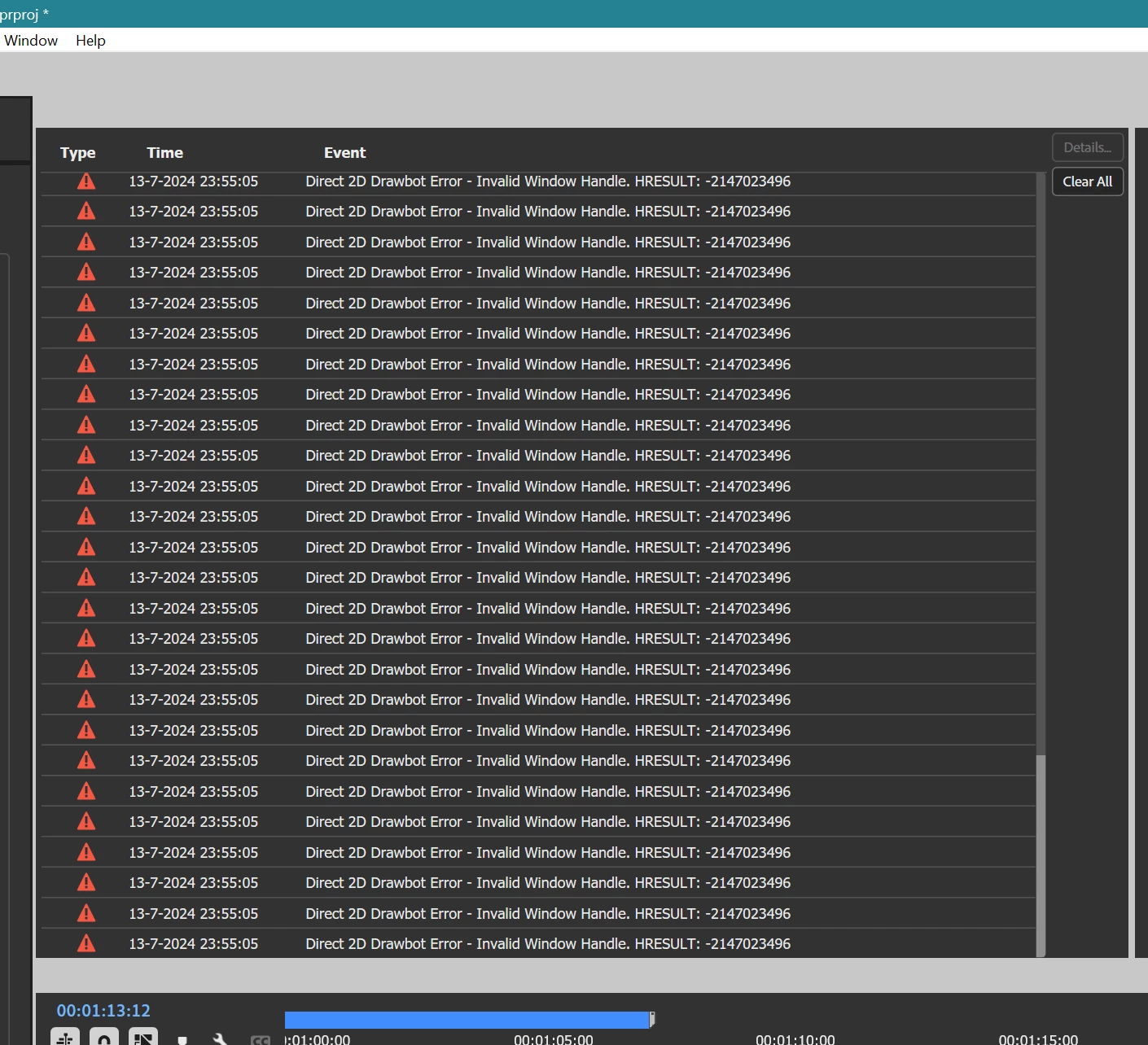
Drawing error

  • July 14, 2024
  • 24 replies
  • 2082 views

Getting massive drawing errors for a while now.

W11 last couple of builds

Rolled back nvidia driver


    24 replies

    Ann Bens
    Community Expert
    Ann BensCommunity ExpertAuthor
    Community Expert
    July 17, 2024

    @Peter_Antal 

    Happened again on an audio file in the SM while the console was set to Suppress.

    (do get some funny drawing on transitions, though).

    Almost certain, its audio files.

    I now will try non-Audition audio files.

    Ann Bens
    Community Expert
    Ann BensCommunity ExpertAuthor
    Community Expert
    July 17, 2024

    Installed nvidia 560.70 studio driver.

    But alas, happened again after a few hours of editing.

    I am not sure yet but i think its when editing wave files either in the SM or timeline.

    These files were made by audition.


    Ann Bens
    Community Expert
    Ann BensCommunity ExpertAuthor
    Community Expert
    July 15, 2024

    Thanks for responding.

    Have not discovered a pattern (yet) The issue arrived after editing some time ranging from 10 minutes to a couple of hours.

    Did all the (I think) obvious: trashed pref and media cache. Tried different nvidia studio drivers

    This morning I trashed all my custom workspaces and rebuild them.

    So far so good.

    I don't mind using the console but as you said it does not fix the underlying issue.

    I will keep you posted

    (now on build 61)


    Adobe Employee
    July 15, 2024

    Hi Ann,


    Have you observed any notable details or patterns in terms of when those errors begin to show up for you?


    e.g., Do those errors show up immediately after starting the app/in general, or is there some UI operations, panels, or features which reliably get those errors to show up? 

    If the repro happens early/quickly, ruling out GPU driver problems would be prudent, as we are not seeing or hearing feedback of that error in general. If it is a more specific use case, narrowing down that context would really help us to isolate for bugs.


    Possible temporary workaround:

    If you are comfortable with the "DVA Console" in Premiere, you can try set this debug flag to true. That will not fix the underlying issue, but will allow for restarting the app, using pre-existing GDI drawbot mode which should not hit that problem, until we can replicate the issue, and work out a proper solution.

    Suppress D2D in Drover V7


    Backing details:

    The "D2D Drawbot" mentioned in those errors is being used and tested together with the new "Spectrum" based Drover 7 skin and is part of the Premiere and AE Betas, at moment. D2D supports improved UI performance for a number of scenarios through the use of the GPU acceleration on Windows, and has been tested for integration across the breadth of the app, but you may have discovered some behavior which is incompatible or otherwise tripping on a bug or GPU driver.

    For context, Premiere historically runs on windows with a "GDI Drawbot", which is software based, and has a number of known limitations. D2D Drawbot brings a performance and render quality benefits over the GDI based Drawbot, so I would not recommend the use of that workaround opt-out flag for anyone who doesn't really need it.

    Due to how & when that error is detected, "call stack" information sadly doesn't provide useful context about the circumstances of this particular error, and these drawbot are used in innumerable scenarios, so any details you can provide which might help us narrow down the circumstance to replicate this issue would be very much appreciated.


    Thank you!
