keithl72430567
Participant
March 4, 2023

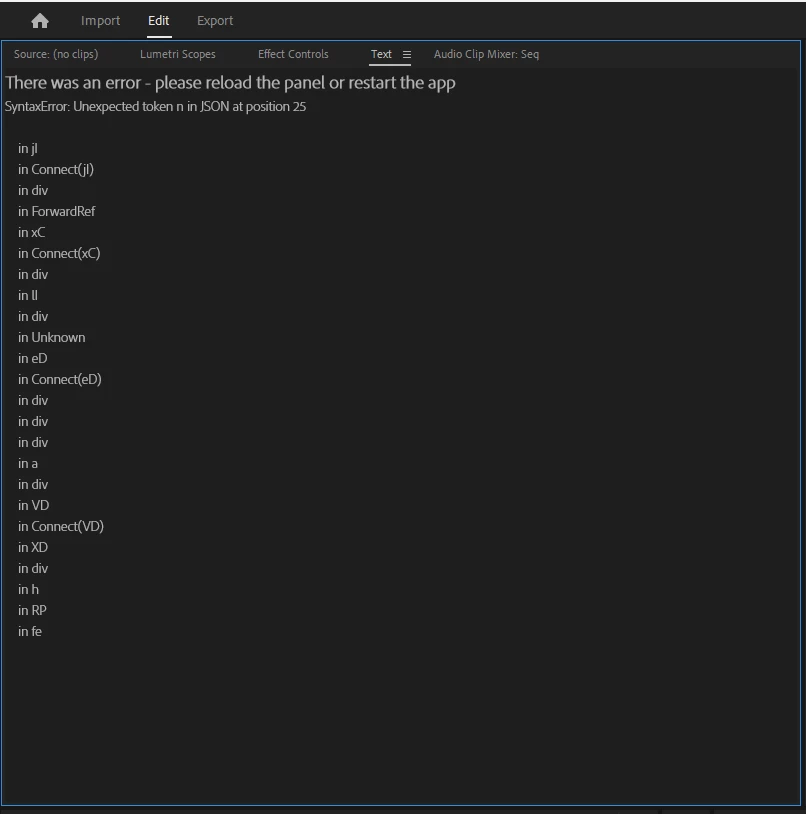
There was an error - please reload the panel or restart the app

  • March 4, 2023
  • 22 replies
  • 2601 views

SyntaxError: unexpected token n in JSON at position 25

Live text transcription while I was scrubbing just crashed and showed me this


22 replies

Stan Jones
Community Expert
Community Expert
October 3, 2023

> I'm glad I have the deepest reach for irregularities!!


Nick, I missed your cleverness in this response. Too funny!


Stan


Participant
October 3, 2023

Ugh, I just realized this is the Beta forum. Sorry about that. Thank you Stan.

Stan Jones
Community Expert
Community Expert
October 3, 2023

Peggy,


You are in the Beta forum, where this bug has been fixed. but you are running the current Release version 23.6.0. Upvote this bug report:

https://community.adobe.com/t5/premiere-pro-bugs/typeerror-cannot-read-properties-of-undefined-reading-length/idi-p/14047031


They mention some workarounds in that post.


Stan


Participant
October 3, 2023

Getting this pretty consistently with 23.6.0 (build 65) and the project is small.

Thanks,

Peg

Alexander_DVA
Adobe Employee
Adobe Employee
September 28, 2023

Thank you Stan for testing this so quickly - unfortunately todays build has a critical issue which prevents the text panel from working correctly - this will be resolved in tomorrows build too

Stan Jones
Community Expert
Community Expert
September 28, 2023

lol. I never got that one, but this error in Build 35 this AM: l.getClipCount is not a function.

https://community.adobe.com/t5/premiere-pro-beta-bugs/transcribe-source-reload-text-panel-error-24-1-0-35/idi-p/14118855


Stan


Alexander_DVA
Adobe Employee
Adobe Employee
September 28, 2023

Finally an update on this issue - we were able to reproduce the issue and apply a fix! Please test this on the latest beta - it should be gone for good now!

Participant
September 18, 2023

That issue happened with me too recently. I just dublicated the main sequence, closed the problematic one and reloaded the text tab, which kinda fixed the issue for me. 

Nick Lear
Inspiring
July 31, 2023

Transcriptions view.


I get this fairly regularly - normally when I'm in a sequence with multiple clips and they come from different projects in the production.

Alexander_DVA
Adobe Employee
Adobe Employee
July 31, 2023

Thank you again for the update! Did you get this in transcription or captions view? any last actions you made before this was hit again? @Nick Lear
