
Participant
December 1, 2022

Can't see a way to delete a trigger or an action

  • December 1, 2022
  • 7 replies
  • 1683 views

Hi - I'm experimenting with Aero and its working well but I've come across an issue when starting to use triggers and actions.


Essentially I cannot find a way to delete or remove an action or trigger once created.


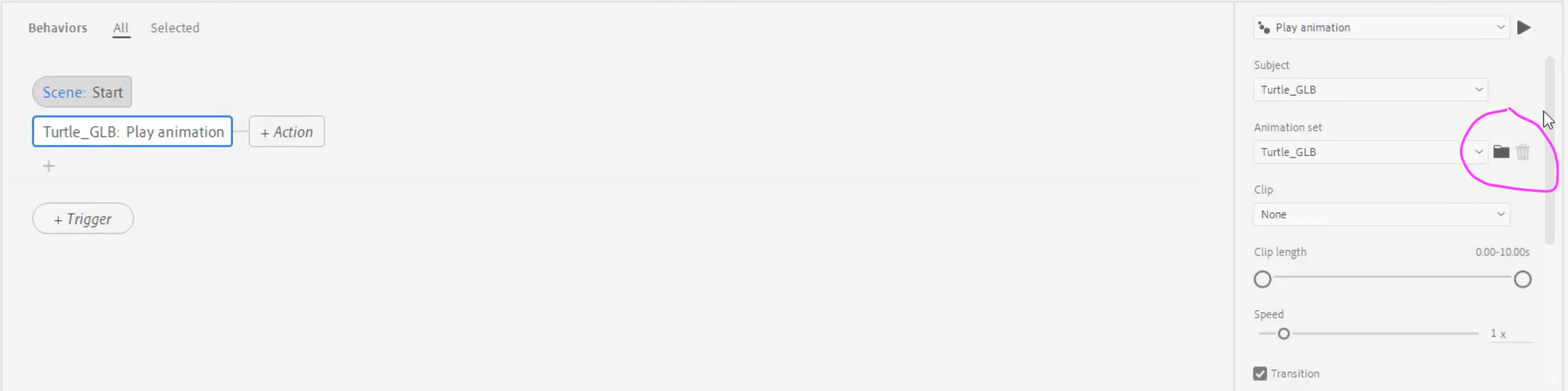
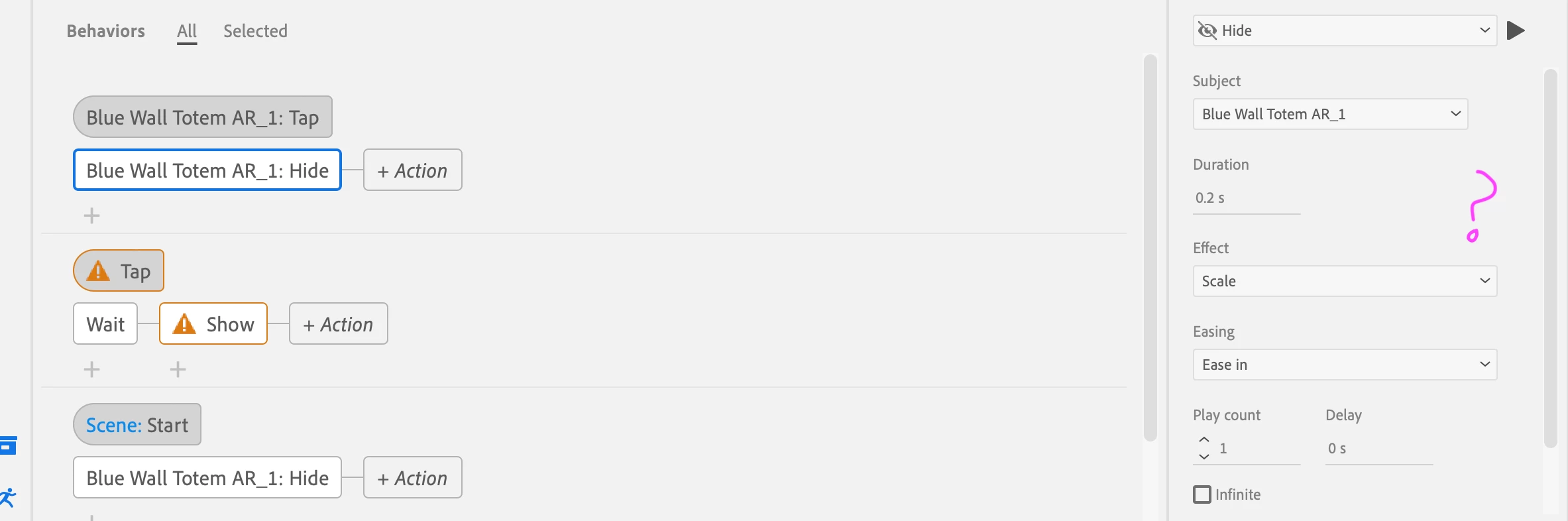
I have attached two images: One is from an Adobe tutorial video and this clearly shows a bin icon. The other screenshot is of my interface using Aero but there is no bin icon or correspoding text box.  


I have tried highlighting different areas but I cannot get it to appear.  I am using a Macbook Pro (OS 12.5) and using the latest Aero version: 0.18.4 (#241). I have checked with a colleague using a PC and she has exactly the same problem.


Any suggestions would be really helpful as I'm not sure how I can use triggers and actions without this facility. Appreciate it's a Beta release so this may not be fixable.


Thanks

Tim
7 replies

Participant
May 15, 2023

Hello! 

The delete button you are highlighting is just for the layers panel. To delete the triggers, you will select them, and then hit the delete key on your keyboard. It didn't occur to me either until I saw this post! 


Hope this helps!

Michaela LaMont

Multimedia Developer, Southern New Hampshire University

michaelalamont.com

Participant
February 7, 2023

Hi, me again


I would like to correct my statement. As shown in the screenshot, it will not delete even with the trigger selected. Previously I thought it was because I wanted to delete actions and not triggers, but now the triggers don't want to be removed either. I am not sure why and I did as asked. 

Participant
February 7, 2023

This helped, thank you! 🙂

Participating Frequently
February 7, 2023

Click the trigger (highlighted in red) to select it and then press delete.


Participant
February 7, 2023

Hi there


Could you add a screenshot for this please? I'm activating the trigger but the delete button instantly becomes non-interactive. Not sure what I'm doing wrong, this is what's happening on mine. 

Tim5EE8Author
Participant
December 1, 2022
Hi Rob

Thank you so much – feel a bit foolish I didn’t try that!

Thanks again
Tim


Tim Bevin-Nicholls
Head of Creative Services

Phone: 0117 9536 564
Mobile: 07388 380455
Web: www.arno-online.com
<>
IN CHALLENGING TIMES, TRUST IN A SOLID PARTNER PAYS OFF.<>
We are here for you.<>

INSTORE RETAIL EXPERIENCE
STORE INTERIORS • SHOP IN SHOP • DISPLAY • DIGITAL • EXHIBITION • SHOP SERVICES

Stuttgart - Bristol - Munich - Istanbul - Moscow - Guangzhou - Shanghai - New York

ARNO GB Ltd - Victorian House - Coronation Road - Bristol - BS3 1AA
Registered by the Registrar of England & Wales - Registered Number: 1385669 - Registered Company Name: ARNO GB Ltd

[instagram]<> [instagram] <> [pinterest] <> [facebook] <> [twitter] <> [youtube] <>
Participating Frequently
December 1, 2022

Hi Tim,


Simply choose the trigger or action on the left hand side of the screen and press delete. Just double checked (for my sanity) and it works for me.


Cheers, Rog.