

bellevue scott
Inspiring
June 16, 2026

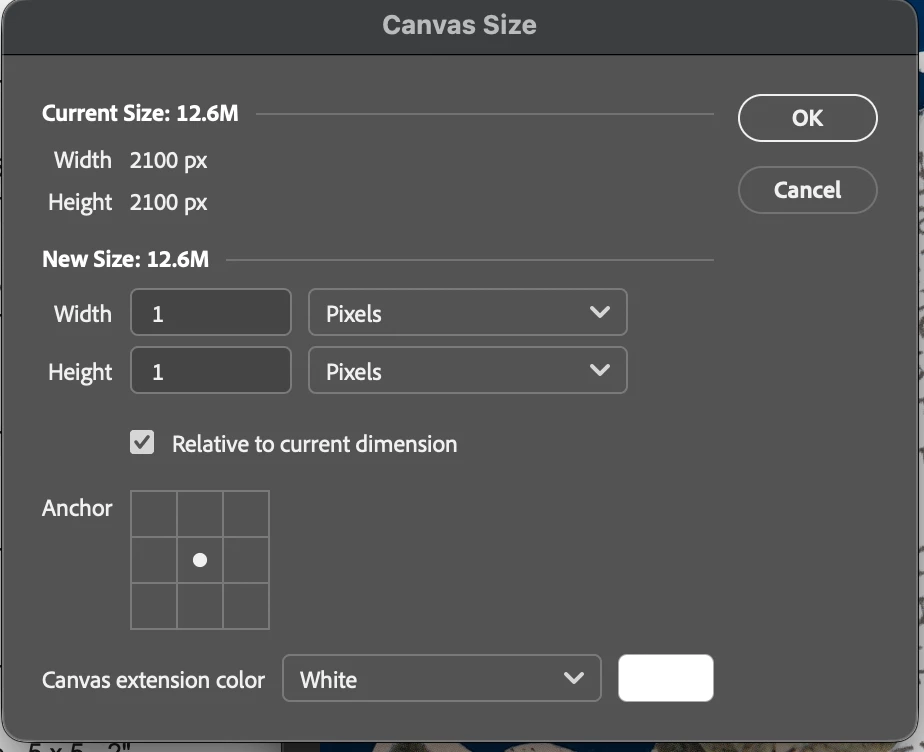
Canvas size defaults to pixels and ignores preference settings

  • June 16, 2026
  • 1 reply
  • 24 views

Mac: 26.4.1

PS: 27.6.0

Even if your preferences are set to inches, canvas size always defaults to pixels. Every single time I go to resize an image canvas, which is many many times a day, I have to first select “inches” even though my measurement preferences are set to “inches”. I thought this bug was fixed, but here it persists. 

For a professional using PS all day long and sizing images for print, this is super annoying and time consuming. 


    1 reply

    jane-e
    Community Expert
    Community Expert
    June 16, 2026

    Hi ​@bellevue scott 


    I’m just letting you know that this post also landed in Adobe Aero instead of Photoshop.


    Jane


    bellevue scott
    Inspiring
    June 16, 2026

    I’m sorry. Same issue as the other one. My only choice was AERO and something else. Not PS. The site wasn’t allowing me to post it in the PS section this morning. 

    It looks like both issues may have been resolved in 27.7

    Sorry for the trouble. 

    jane-e
    Community Expert
    Community Expert
    June 16, 2026

    No, don’t be sorry. It looks like a forum glitch. I just want to make sure your posts get seen.


    When you go to the main page, Photoshop is one of the six “featured communities” and is also first in the list of all forums.


    Jane