

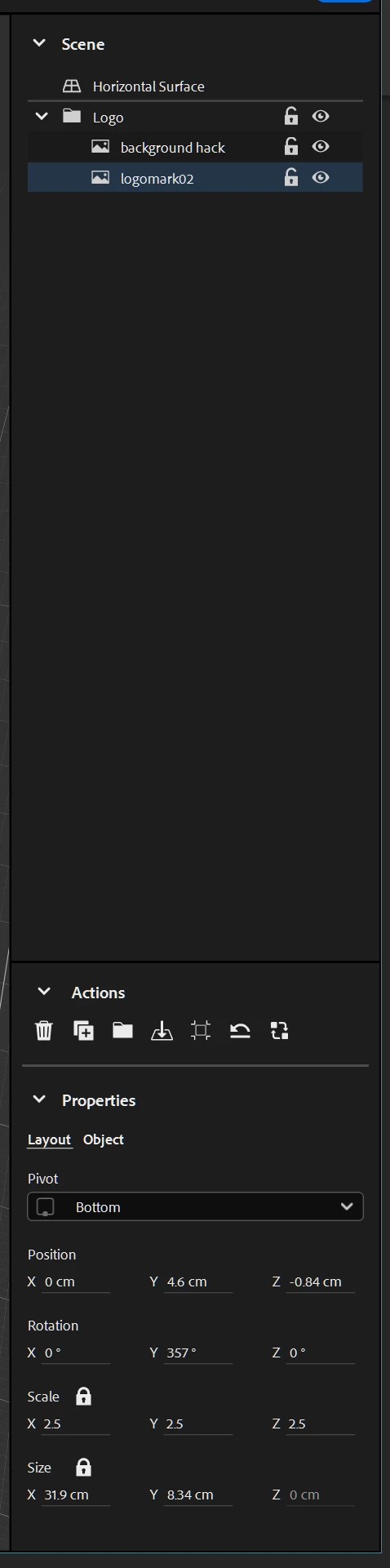
Layer Spacing does not appear in my Properties Panel
Is anyone else having this problem? I've constructed a simple 4 layer file in Photoshop, imported it into Aero, and it shows up flattened. When I look for the Layer Spacing controls in the Properties Panel, I don't see anything like the guy in the Using Surface Anchors video describes. I've tried to scroll down as I've seen the issue of fields appearing "below the fold" in the Aero Behaviors Panel. I've also tried tabbing from field to field just in case that reveals some "hidden field" that I'm not seeing in the UI. Is the some catch or something I'm doing wrong? Thx in advance for any help.


 AdChoices