
Missing Asset, in shared link and then desktop
PNG sequence not displaying.
Aero Version: 0.23.4
Equipment: Macbook Pro 13, Sonomo 13.2.1; ipad and iphone
Scene: 3 assets
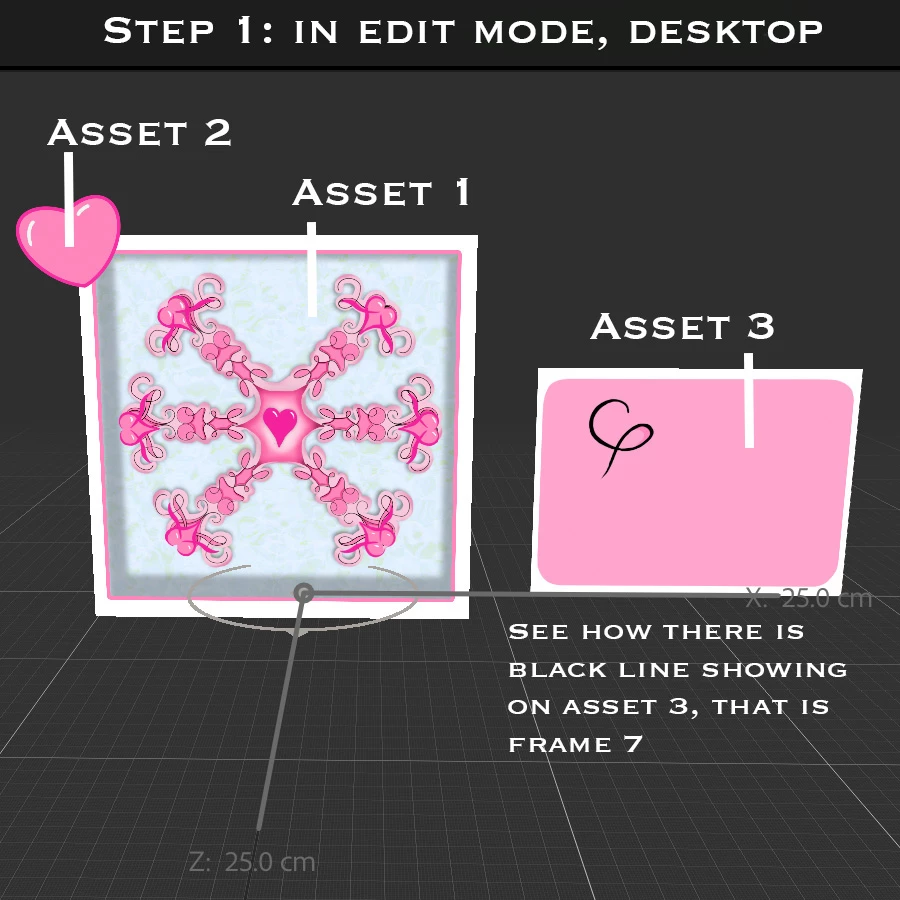
Asset 1- layered png created in Procreate, edited/exported from Photoshop.
--No problem with Asset 1
Asset 2- Animaged PNG sequence of a heart, created/exported: Procreate, then zipped and dropped into Aero. duplicated 20 times within Aero.
Actions: tap > play image sequence > pop sound as it dissapears > show 2 heart instances.
--No problem with Asset 2
Asset 3- Animated PNG sequence of a label, created in Procreate, exported and zipped
Drag and dropped into Aero. Works perfectly in preview mode.
Attempt 1: Action: tap asset 1 > show label > play image sequence > tap > close label
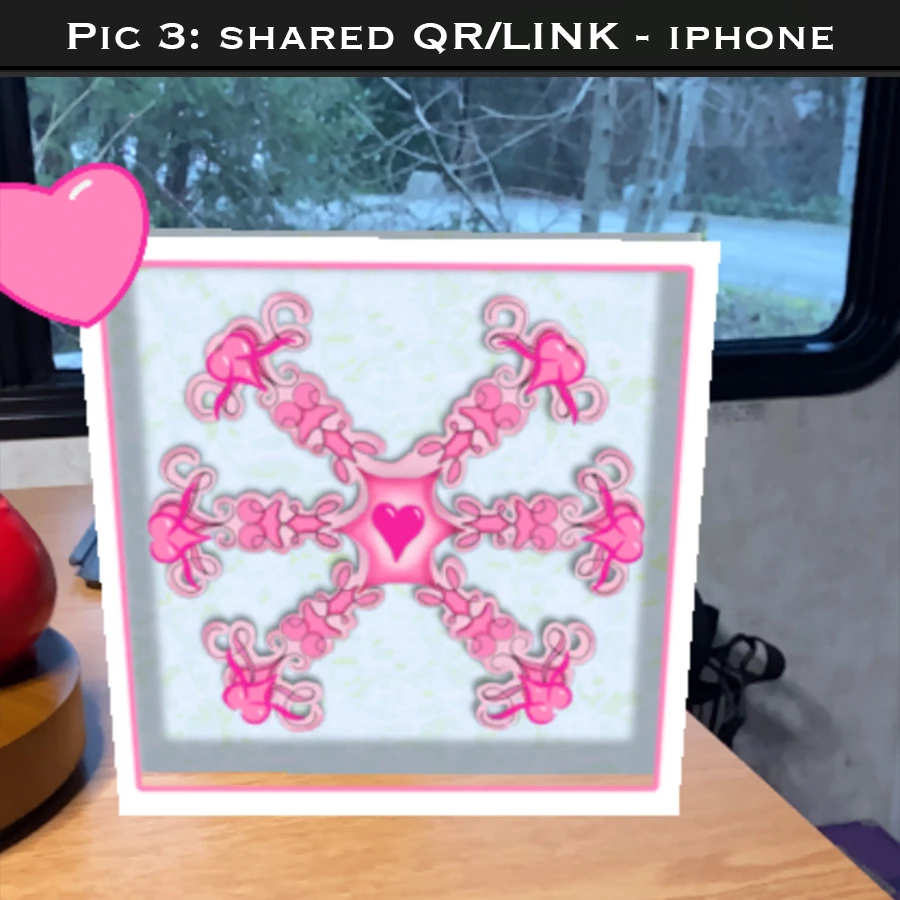
Asset 3 does not appear when viewing from shared link or QR code
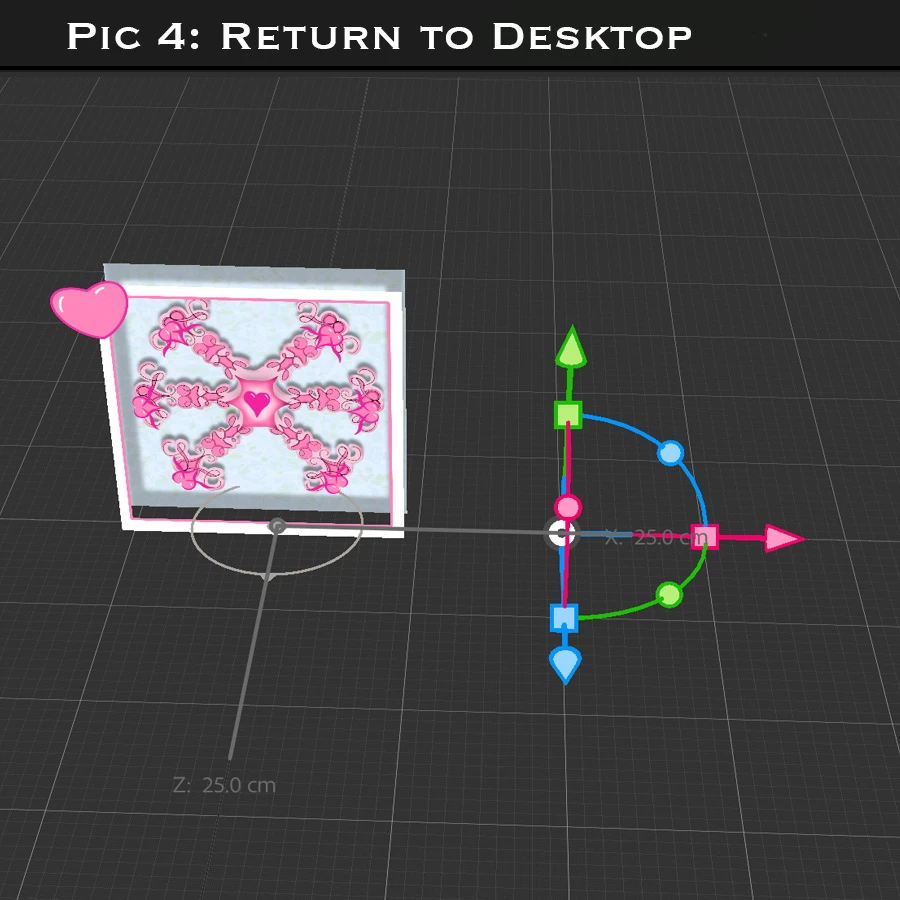
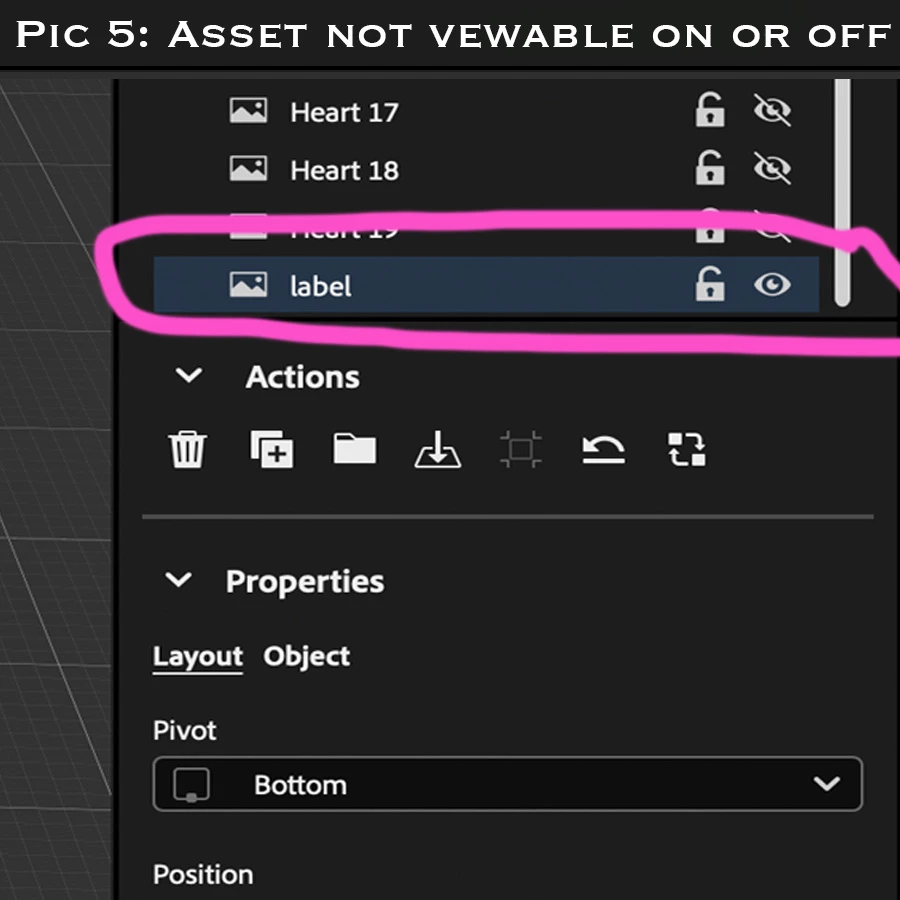
Return to desk top versoin: Asset 3 is now not visible regadless of "eye on" or "eye off" no way to make visible to me, I see the XYZ controller box for Asset, no asset. Delete Asset. Re-drop in.
Attempt 2: Action: start > show label> play images sequence > tap > close label
When shared and AR code is scanned - Asset 3 does not appear. Return to desk top and Asset 3 is no longer visible again regardless of visibility setting.
Attempt 3/4: restarting equipment, re-export asset 3, re-zip asset 3, re-drop
Attempt 5: Action: Start > show label
Visible in desktop preview. When using the QR or shared link... Asset 3 not visible.
At this point Asset 3 is also not playing image sequence from the 1st file, it plays from the 7th. So now my image is showing in Desk top as a static image with frame 7 showing, rather than the bland from 1. When QR code and link is shared, Asset 3 is no longer visisble. Return to desk top: asset 3 not visible again.
Audio used in file: imported MP3 for background and generic "pop" sound effect from the library for the popping hearts.
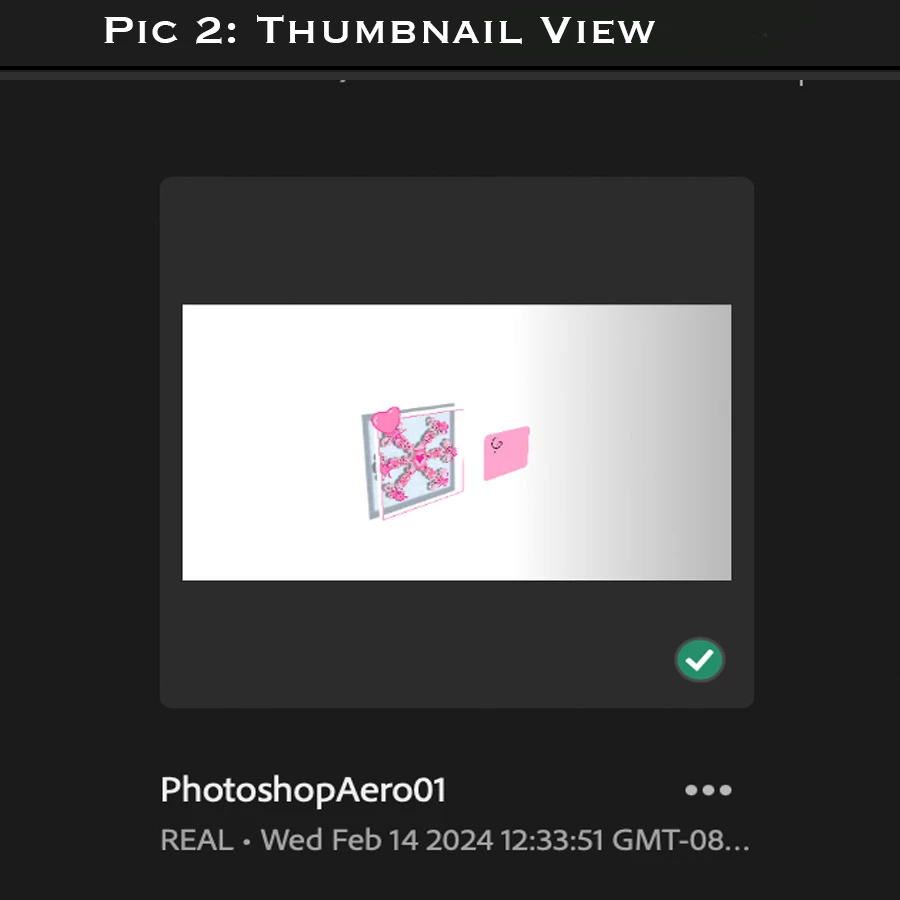
Thats all the information I think I can provide. I am, new new new to this. So the problem could EASILY be user error. Asset 1 and 2 has no problems and they both have the same origin and process path as asset 3. I do not understand why asset 3 will not show. I see the "working file" in Aero on my phone and the thumbnail shows Asset 3.
File: 32.06mb


 AdChoices