
Kasyan Servetsky
Legend
June 15, 2026

Problem with getting actualPpi & effectivePpi for (Photoshop) EPS via JS

  • June 15, 2026
  • 2 replies
  • 13 views

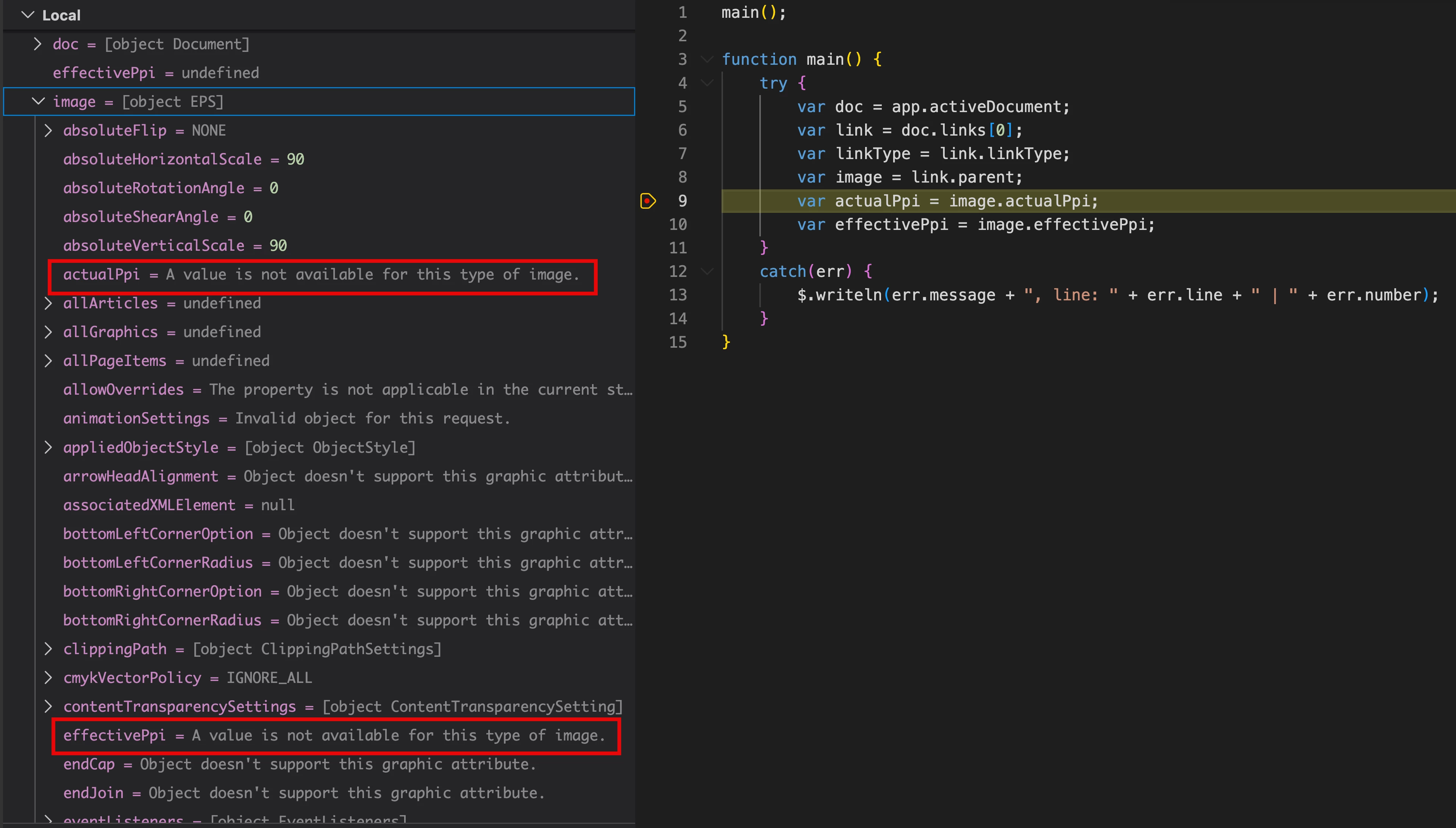
While updating my old script, I encountered a problem: in modern versions of InDesign (e.g. 2024, 2026), an attempt to get actualPpi & effectivePpi for a placed (raster) EPS file (created in Photoshop) — aka EPS object — results in the 'A value is not available for this type of image.' error message.
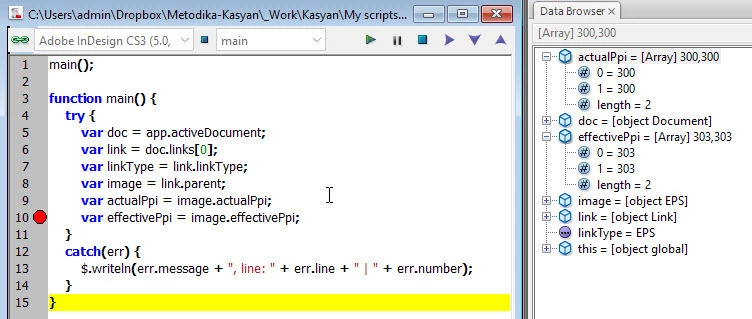
In CS3, where the script was originally created, it worked properly.
So, as far as I understand, I have to remove this file type from processing by the script because of yet another bug introduced by Adobe?

For testing, in CS3 and InDesign versions 2024, 2026 I used exactly the same EPS file and script.

main();

function main() {
try {
var doc = app.activeDocument;
var link = doc.links[0];
var linkType = link.linkType;
var image = link.parent;
var actualPpi = image.actualPpi;
var effectivePpi = image.effectivePpi;
}
catch(err) {
$.writeln(err.message + ", line: " + err.line + " | " + err.number);
}
}


2 replies

jane-e
Community Expert
Community Expert
June 16, 2026

@Kasyan Servetsky 


If you think it’s a bug that InDesign does not give PPI for EPS images, you can report it to the InDesign team at UserVoice:

https://indesign.uservoice.com


Jane


jane-e
Community Expert
Community Expert
June 15, 2026

@Kasyan Servetsky 


The reason ppi is “not available for this type of image” is that .eps is vector and is resolution independent. Vector images do not have pixels per inch (ppi).


It is also obsolete.


This is not a Bug, where you posted. It’s how vectors work.


Jane


Kasyan Servetsky
Legend
June 16, 2026

Thanks for your feedback, but EPSes can be saved both as vector in Illustrator and raster in Photoshop.

Obsolete or not, but I work for a publishing house where we have thousands of legacy  EPS files. I have no idea who or why created them, but I have to process them by script. 
The problem is that it used to work perfectly in CS3, but fails to work in modern versions.