



johnrellis
Legend
March 1, 2026

"Something's gone wrong" deletes 20 minutes of editing a reply

  • March 1, 2026
  • 8 replies
  • 79 views

I spent over 20 minutes editing a reply, and after clicking Send, I got the error message “Something’s gone wrong”, and all of the reply text has disappeared.  Thank you for respecting my time.
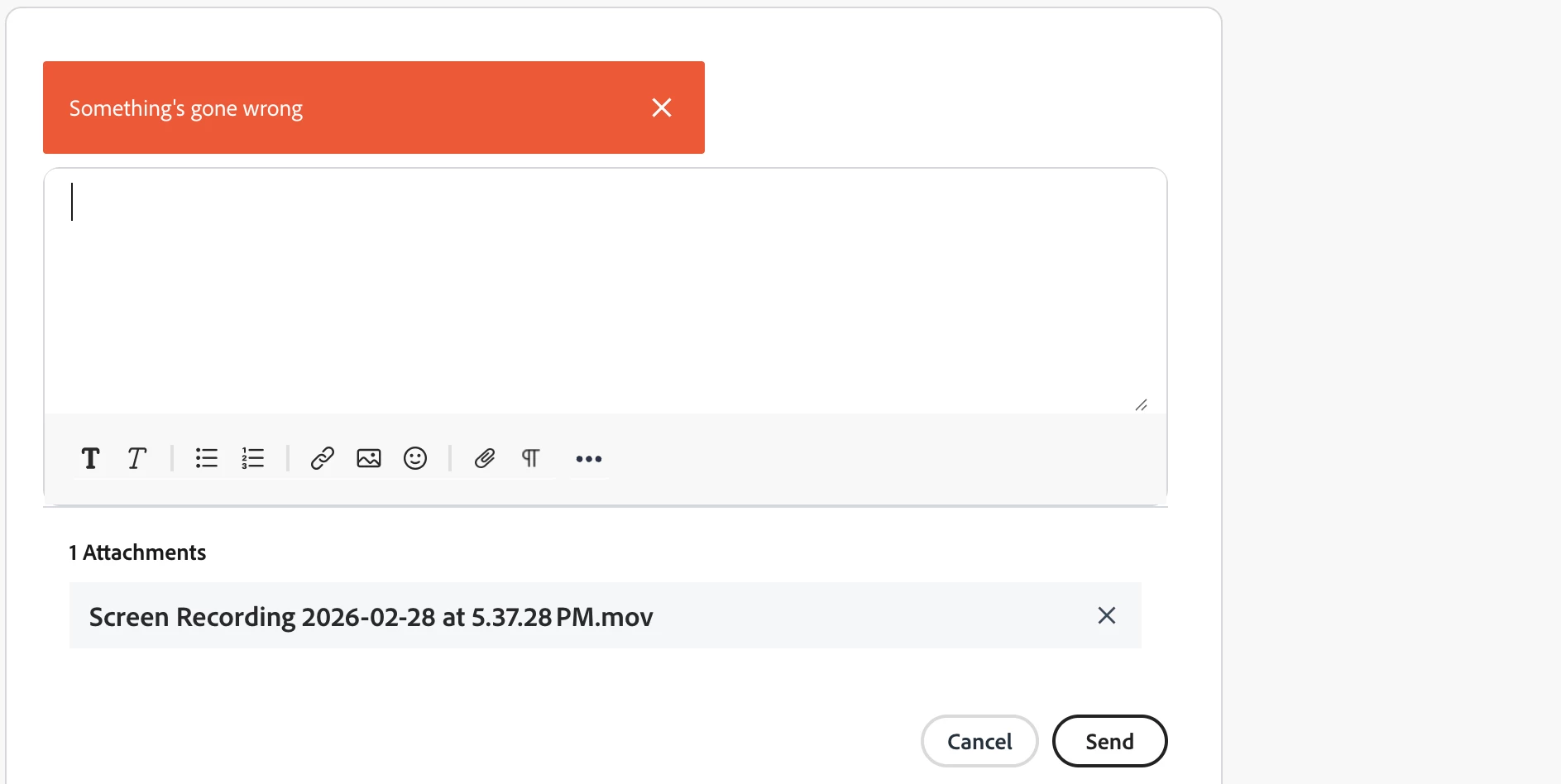


This problem is easy to reproduce.  Create a new reply and copy/paste the text from the attached file “buggy.txt” into the reply, then click Send. 


Adding a space before the open parentheses avoids the problem.  Shame on the developers.


The old Khoros platform saved your edits every few seconds and would recover them in situations like this.

    8 replies

    leo.r
    Community Expert
    Community Expert
    March 2, 2026

    @johnrellis and all of the reply text has disappeared.  Thank you for respecting my time.


    May I suggest a method that should protect you from the maddening prospect of retyping the lost text?


    -Have a clipboard history manager installed.

    -When you type something, make sure do do Select All > Copy once in a while (by now I’m doing this automatically.)


    You can then always retrieve your text from clipboard history. Saved me quite a few times by now. (Albeit you may know all this already anyway.)

    johnrellis
    Legend
    March 1, 2026

    if you think you’ve found something new wrong with these forums, report it on slack.
     

    I’m guessing you’re referring to some internal system Adobe makes available to Community Experts. It’s not available to most community members, including me.
     

    I’m posting here to share knowledge with fellow community members, to make these forums a small bit easier to work with. Hiding issues from users doesn’t help.

    Stan Jones
    Community Expert
    Community Expert
    March 1, 2026

    I just tested twice, one with the script running and once without. I get the error both ways.

    In this post, I’m going to add the space before the open parens, so I’ve added this since it might post!

    Stan


    The workaround provided by the Adobe employee is to call LrTasks.sleep (0)

    Edit: it is your ​@johnrellis script I’m referring to. No reason it would cause a problem, but always good to check.


    Stan Jones
    Community Expert
    Community Expert
    March 2, 2026

    I’m not going to try to sort it further, but…

    This phrase works:

    Testing a simple x(0)

    As does this:

    p(0)

    But (and imagine there is a space before the open parens), these do not:

    LrTasks.sleep (0)

    sleep (0)

    And putting problem text in a code insert does not help. But I just used “not set” for the code type.

    I tested all this by repeatedly editing my post.

    Stan


    johnrellis
    Legend
    March 1, 2026

    we know it’s predictable.

    I don’t know who “we” are, but I’m documenting problems I encounter here, to help in a small way all of “us” in this community who aren’t “we”.

    kglad
    Community Expert
    Community Expert
    March 1, 2026

    if you think you’ve found something new wrong with these forums, report it on slack.

    johnrellis
    Legend
    March 1, 2026

    This problem is easy to reproduce.  Create a new reply and copy/paste the text from the attached file “buggy.txt” into the reply, then click Send. 


    Adding a space before the open parentheses avoids the problem.  Shame on the developers.

    kglad
    Community Expert
    Community Expert
    March 1, 2026

    we know it’s predictable.  see my earlier reply.

    johnrellis
    Legend
    March 1, 2026

    <deleted>

    johnrellis
    Legend
    March 1, 2026

    <deleted>


    johnrellis
    Legend
    March 1, 2026

    <deleted>


    kglad
    Community Expert
    Community Expert
    March 1, 2026

    the problems here dwarf the previous problems with only 1 (imo) significant benefit (faster loading).  and yes, many of us know extensive message editing is sure to cause a problem here.  ie, copy all before clicking send.