



Better file preview before downloading it
Adobe Stock is currently very difficult to use professionally because of the flooding of low-grade AI generated vector assets.
I would like to suggest a feature that would inform the user better of the actual quality of the file before deciding to download it.
For example:
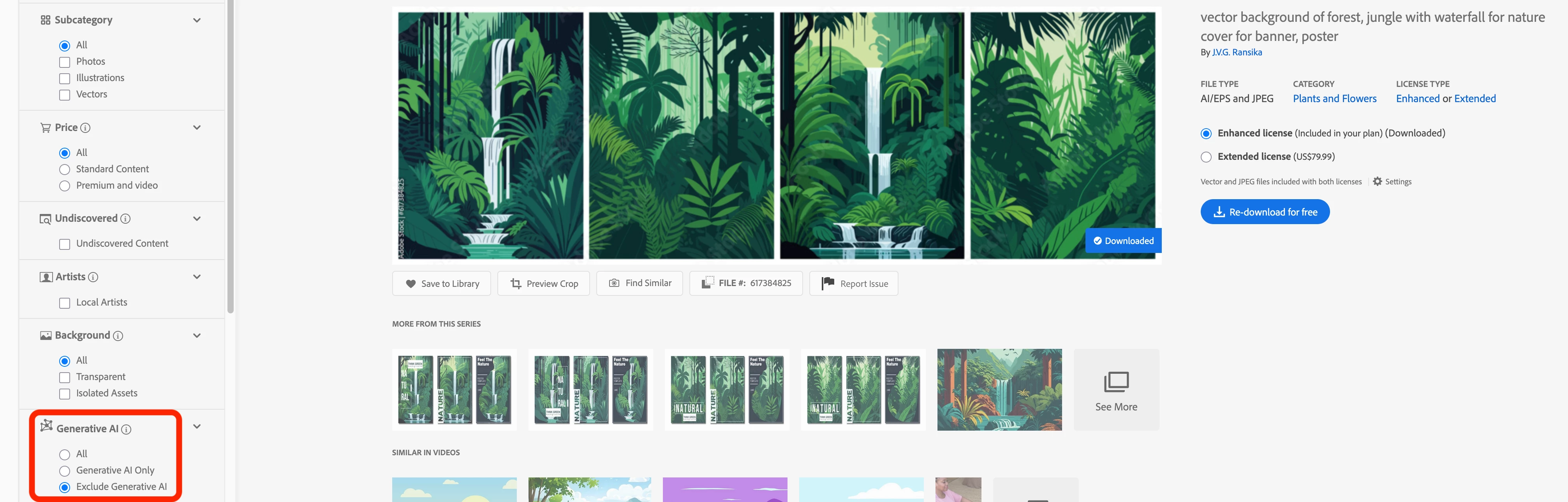
Upon seeing this asset I imaging I can easily select objects to hide or recolor them, include products or texts behind some of the vegetal elements.
Unfortunately upon download and inspection, the file is trash and unusable.

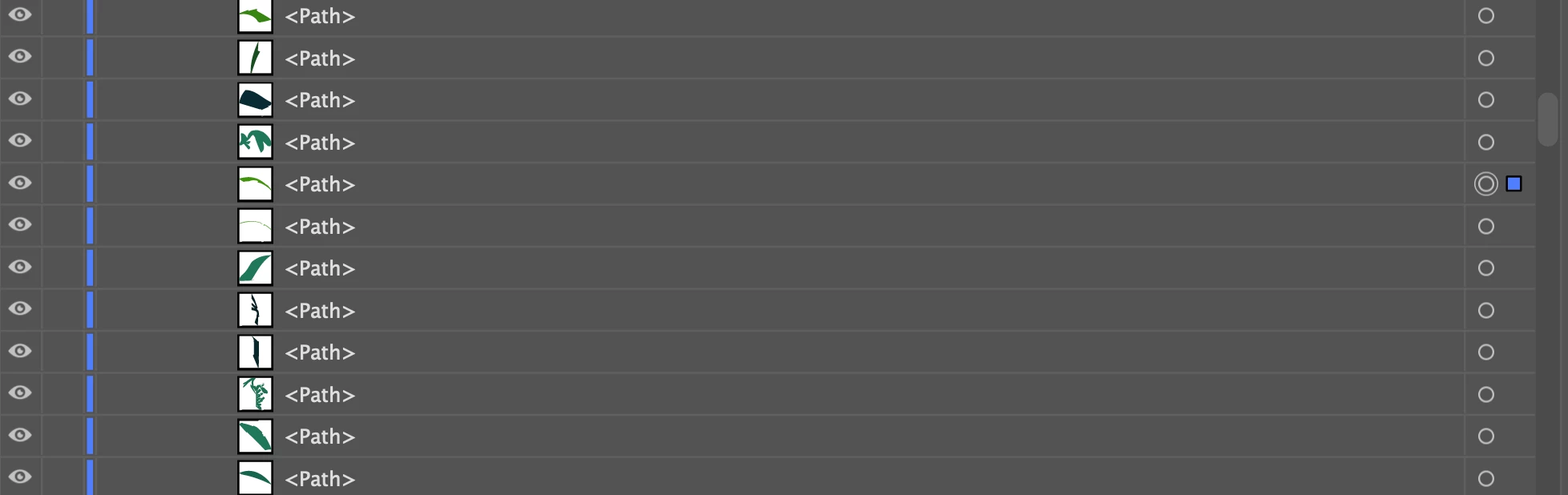
I think that I was misled by this thumbnail and wish Adobe would offer more information about the file to prevent feeling misled and wasting users’ billable time.
Suggestion #1:
Thumbnails of assets would include a zoomed in preview of the asset, helping the user decide if the file is up to their standards.
As soon as the file is zoomed in, we can see that elements merge into each other and that is it unusable professionally:

Suggestion #2:
A wireframe preview of a vector file would help the user understand how the file was created and better decide to download or not:

Suggestion #3:
Adobe provides an insight in the Layers of the object top help determine whether they are easy to use or not (this would help for both AI-Generated vectorslop as well as for actual contributor content):
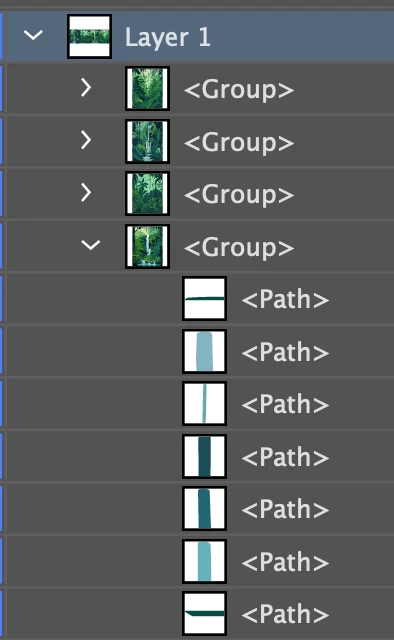
Suggestion #4:
Contributor ratings. If a contributor has had images removed or flagged for AI mislabeling, this should bring their rating down. Ratings help users make important life-saving decisions daily on every modern website from eBay to Uber, and it is astounding that Stock websites have not found a simple system to implement that.

There are maybe other ways to help Adobe Stock customers who are struggling with this issue but these seem to be easily to implement with a few UI changes and scripting.
As someone who downloads and purchases assets from various websites, I find Adobe Stock to be one of the most limited, if not the most limited, when it comes down to preview file comprehension.
 AdChoices