おこじょ**
Community Expert
Community Expert
April 16, 2026
Open for Voting

Boardのズーム倍率によって動画配置サイズが変動する不具合(Kling生成動画)

  • April 16, 2026
  • 1 reply
  • 21 views

■ タイトル / Title

Boardのズーム倍率によって動画配置サイズが変動する不具合(Kling生成動画)
Bug: Video placement size varies depending on board zoom level (Kling-generated videos)

■ 概要 / Summary

FireflyBoardにて、Klingで生成した動画をBoard上に配置する際、Boardの表示倍率(ズーム率)によって動画の配置サイズが変動してしまう。
When placing Kling-generated videos on the FireflyBoard, the size of the video varies depending on the board's zoom level.

■ 発生環境 / Environment

  • FireflyBoard

  • 動画生成:Kling / Video generation: Kling

  • ブラウザ:Chrome / Browser: Chrome

■ 再現手順 / Steps to Reproduce

  1. FireflyBoardを開く / Open FireflyBoard

  2. 任意の画像を配置する / Place any reference image

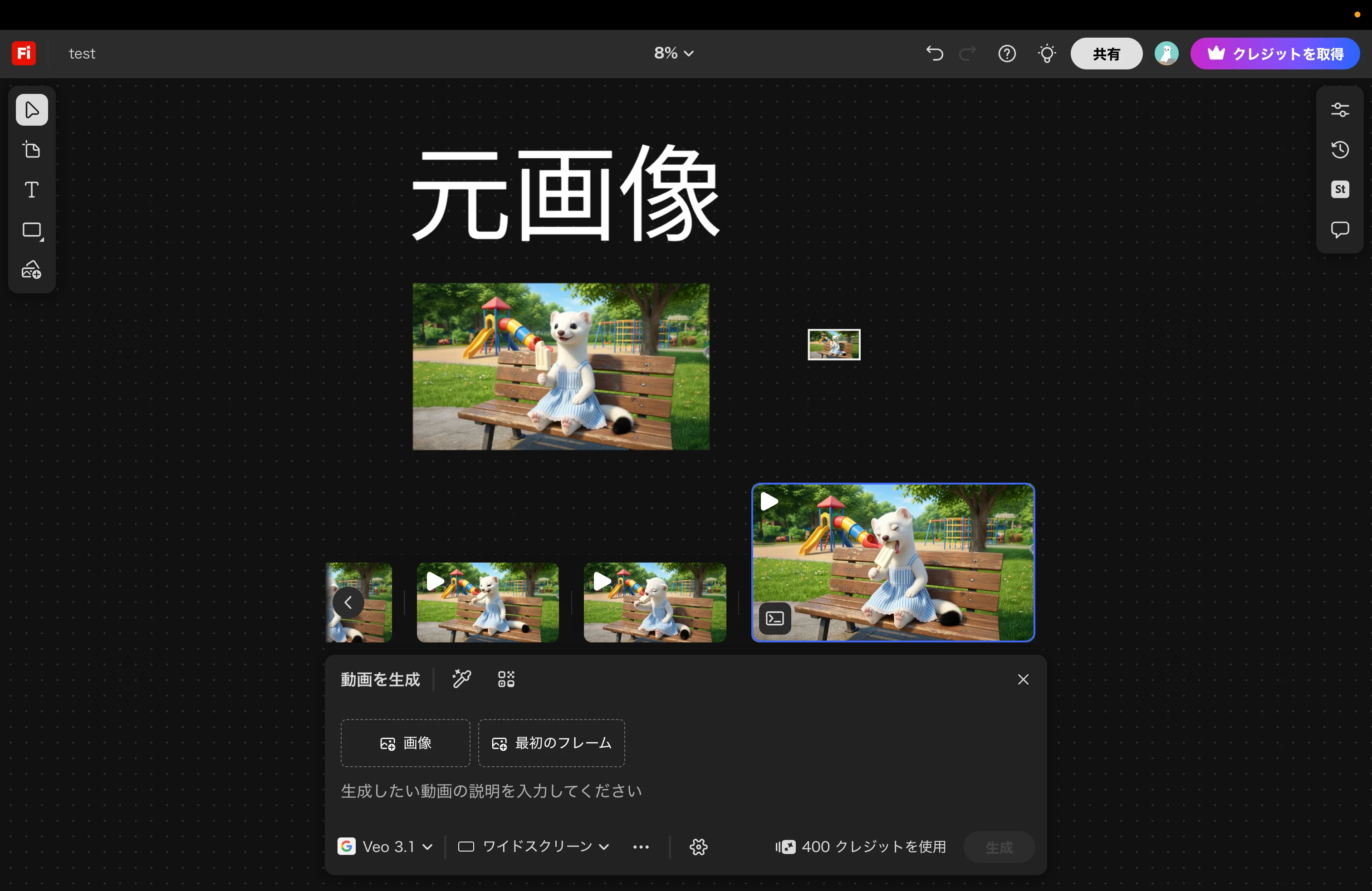
  3. Boardをズームインした状態でKling動画を生成・配置
     → 画像と比較して、やや大きいサイズで配置される
     Generate and place a Kling video while zoomed in
     → The video is placed slightly larger than the image


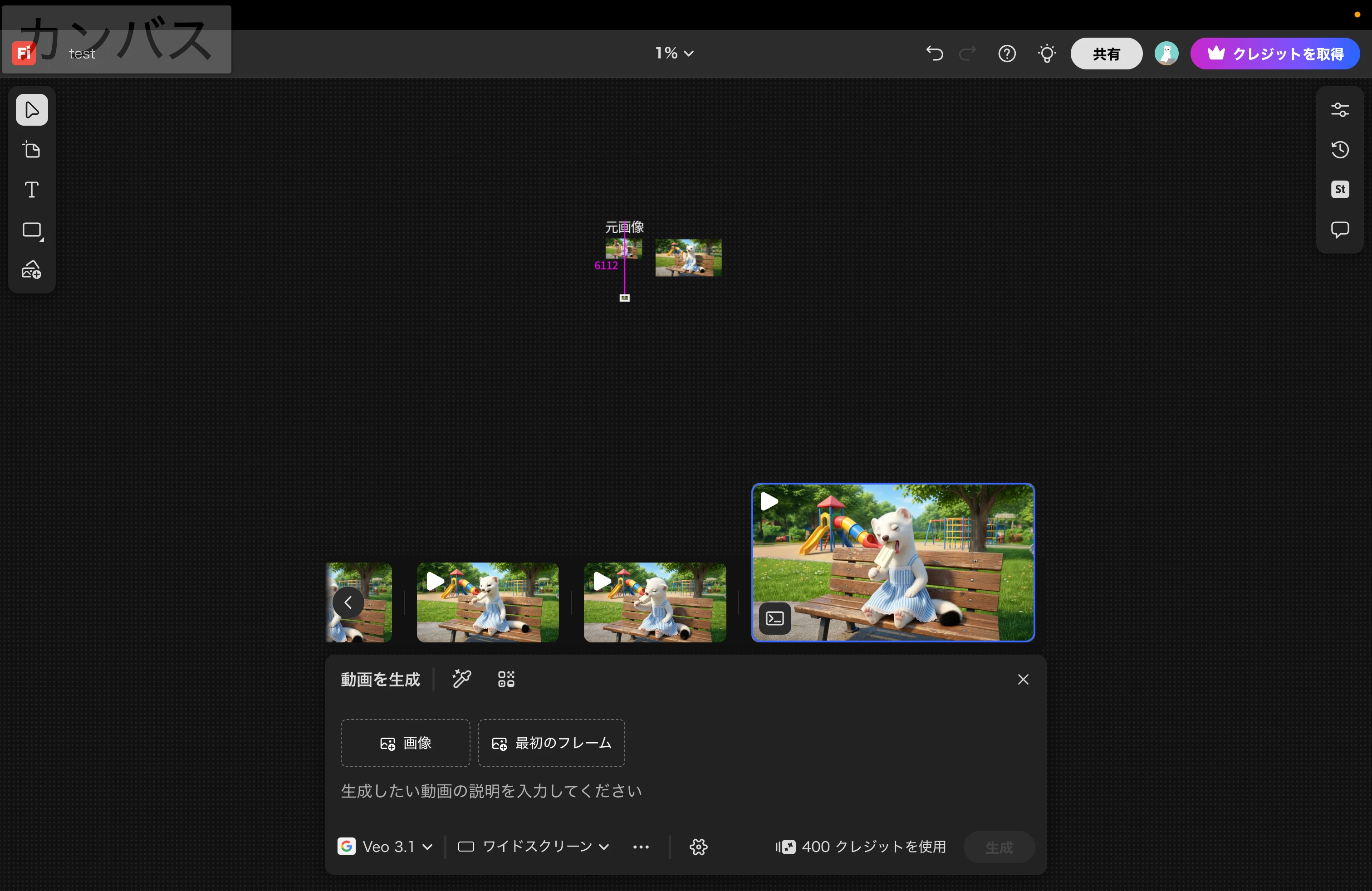
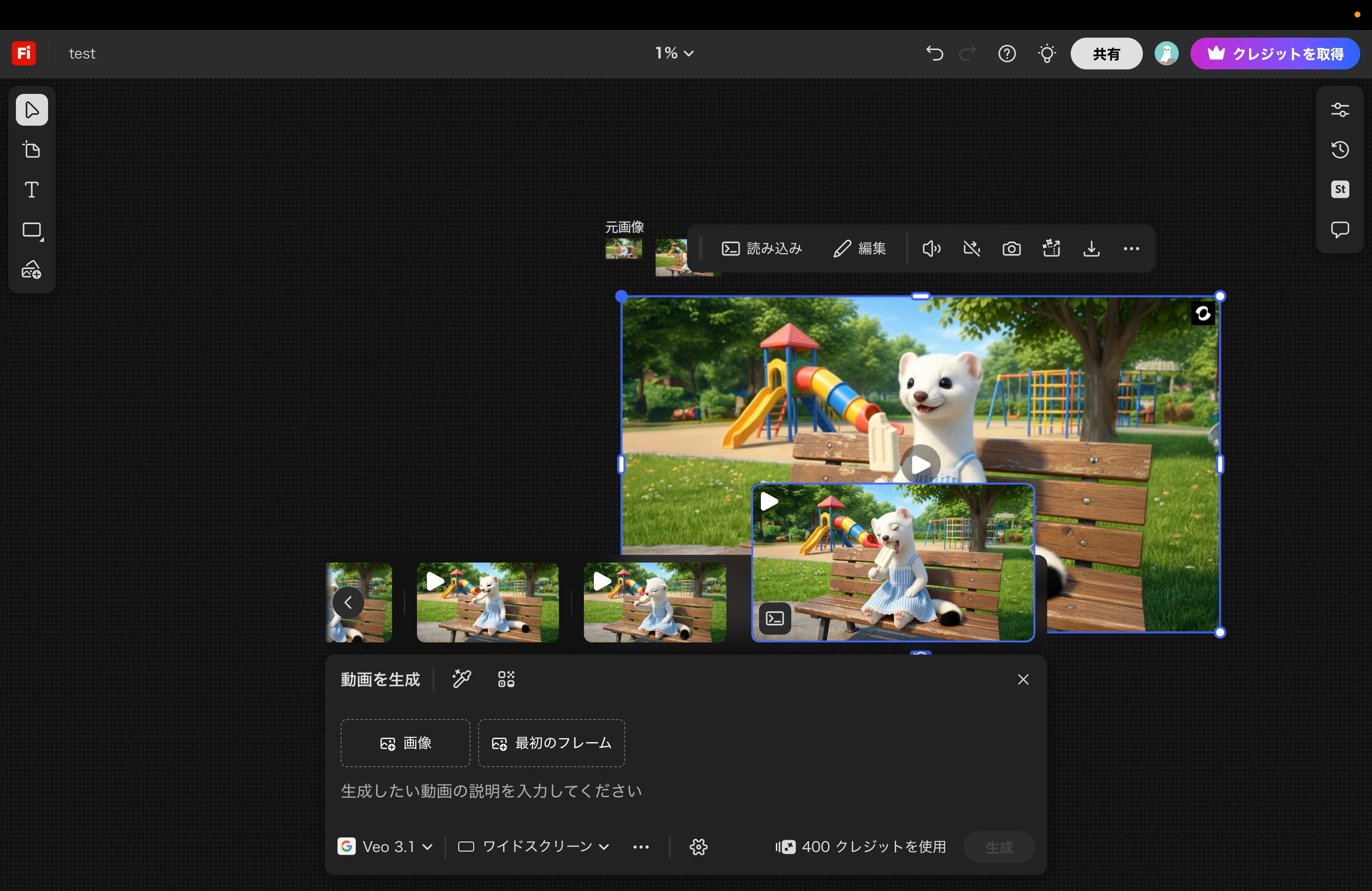
  4. Boardをズームアウト(例:表示倍率1%)
     → Zoom out the board (e.g., 1% zoom level)

  5. 同様に動画を生成・配置
     → 非常に大きなサイズで配置される
     Generate and place a video again
     → The video is placed at an extremely large size


■ 期待される動作 / Expected Behavior

  • Boardの表示倍率に依存せず、動画は一定サイズで配置されること

  • 画像と同様の挙動で配置されること

  • Video size should remain consistent regardless of board zoom level

  • Behavior should match how images are placed (fixed size)

■ 実際の動作 / Actual Behavior

  • Boardの表示倍率に応じて動画サイズが変動してしまう

  • 特にズームアウト時に極端に大きく配置される

  • Video size changes depending on the board zoom level

  • Especially at low zoom levels, videos are placed at an excessively large size

■ 補足 / Notes

  • 画像は常に一定サイズで配置されるため、動画との挙動に差異がある

  • UI上の一貫性の観点でも改善を希望

  • Images are always placed at a consistent size, indicating inconsistent behavior with videos

  • Improvement is requested for UI consistency

    1 reply

    Hajar Toutsi
    Community Manager
    Community Manager
    April 16, 2026

    Hi おこじょ**,

    Thank you for taking the time to document this so thoroughly, it’s very helpful input.


    While I agree with the behavior you described, it’s not considered a bug but rather a design choice. That said, your idea of keeping video placement consistent regardless of zoom level could be useful for some users, and I’ve noted it as a suggestion for the team.


    One clarification: at the moment, Kling is only available in Text to Video. There isn’t a Kling model integrated into Boards yet, so the behavior you’re seeing is tied to how videos are currently handled there.


    We appreciate you sharing this perspective, and feedback like yours helps guide future improvements.


    Hajar

    [Moved to feature requests]

    おこじょ**
    Community Expert
    Community Expert
    April 16, 2026

    Thank you for your response and for the clarification. I understand that Kling is not yet fully integrated into Boards at this time.
    ご返信およびご説明ありがとうございます。現時点ではKlingがBoardに完全には統合されていないことについて理解いたしました。


    ■ ① 未サポート機能の扱いについて / Handling of unsupported features

    KlingがBoardで正式にサポートされていないのであれば、対応が完了するまでの間は、ユーザーが選択・利用できる状態にしない(選択肢として表示しない)ことが望ましいと感じています。

    If Kling is not officially supported in Boards, it would be preferable not to expose it as an available option until proper support is in place.
     

    現状では、特に明示なくBoard上に配置できてしまうため、ユーザーには対応している機能であるように認識されやすく、実際のサポート状況とのギャップが生まれています。

    At the moment, users can place Kling-generated videos on the Board without any clear indication, which creates the impression that it is a supported feature.

    このギャップが、挙動の不一致などの混乱を招いていると感じています。

    This gap can lead to confusion, including inconsistent behavior.

    もし現時点で非表示が難しい場合は、少なくとも未対応であることを明確に表示するなどの対応が必要だと考えています。

    If hiding it is not feasible at this stage, clearly indicating that it is not fully supported would help prevent misunderstandings.

    ■ ② クレジット表示の不整合 / Credit display inconsistency

    Board上でクレジット消費が「0」と表示されていたため、クレジットを消費しないと認識し複数回動画生成を行いましたが、実際にはクレジットが消費されていました。


    The Board UI displayed "0 credits", so I assumed no credits would be consumed and generated multiple videos. However, credits were actually deducted.

    表示と実際の挙動が一致していない状態は、ユーザーにとって非常に分かりづらく、意図しないクレジット消費につながる可能性があります。

    This mismatch between displayed information and actual behavior is confusing and may lead to unintended credit consumption.

    クレジットが消費される場合は、事前に明確に表示される必要があると考えています。

    If credits are consumed, this should be clearly communicated beforehand.

    特に「0」と表示されている点は誤解を招くため、改善が必要だと感じています。

    In particular, displaying "0" is misleading and should be improved.


    Hajar Toutsi
    Community Manager
    Community Manager
    April 16, 2026

    Thank you again for the detailed follow‑up and for sharing the screenshots.


    Your points about unsupported features being exposed and the credit display mismatch are very valuable. I understand how the current behavior could create confusion, especially if Kling appears selectable in Boards without clear indication of its support status, and if credits are shown as “0” while still being consumed.


    I’ve escalated both of these observations to the product team so they can review the UI behavior and credit display logic. Clear communication in the interface is important, and your feedback helps highlight where improvements could reduce misunderstandings.


    We appreciate the time you’ve taken to document this so thoroughly, it’s extremely helpful for guiding refinements.


    Hajar