


Firefly automatically downloads generated videos before Play/Download, causing excessive bandwidth usage
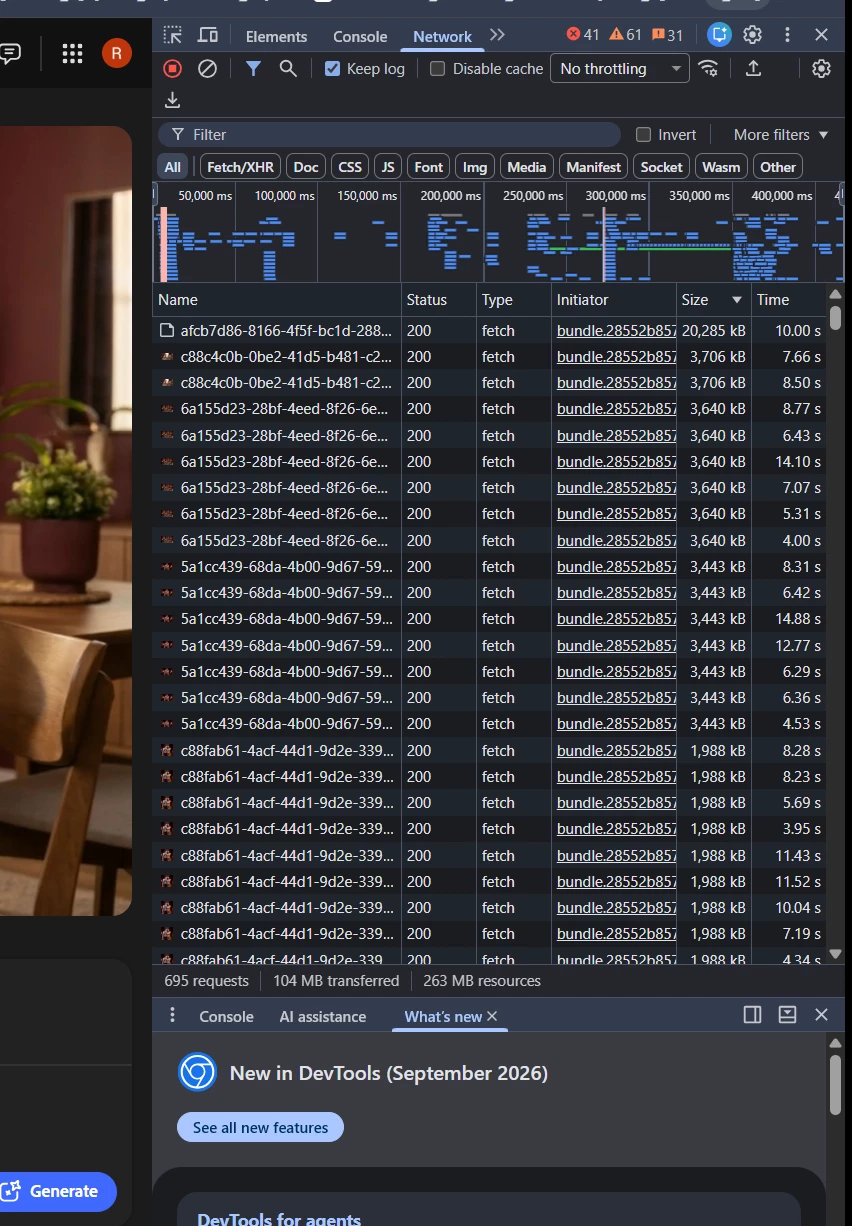
Firefly automatically downloads generated video media before I press Play or Download.
In a controlled test with a single Kling 2.5 Turbo, 5-second video generation, I cleared Chrome DevTools Network before starting the generation and did not press Download.
By the time the generated video appeared, Chrome DevTools showed approximately 104 MB transferred.
The final MP4 itself has:
Content-Type: video/mp4
Content-Length: 20,284,327 bytes (~20.3 MB)
This means roughly 104 MB of network data was transferred for a result whose final video file is only about 20.3 MB, before I manually downloaded anything.
Firefly also fetches the generated MP4 automatically and creates a local blob: URL for playback, instead of waiting for the user to press Play or Download.
Please add a Data Saver / Disable Media Preloading option, so generated videos remain as a lightweight thumbnail/poster and the full video is fetched only when the user clicks Play or Download.
This behavior is especially problematic for users on metered or capped internet connections.
 AdChoices