


Participant
March 24, 2023
Released

P: Maintaining a scene or character across different prompts

  • March 24, 2023
  • 265 replies
  • 53775 views

Let's say I wanted to storyboard a script and produce different angles of the same thing. It would be nice to have something that holds on to the core look and objects within the frame so we can get a wide, medium , and close shot of the same scene.
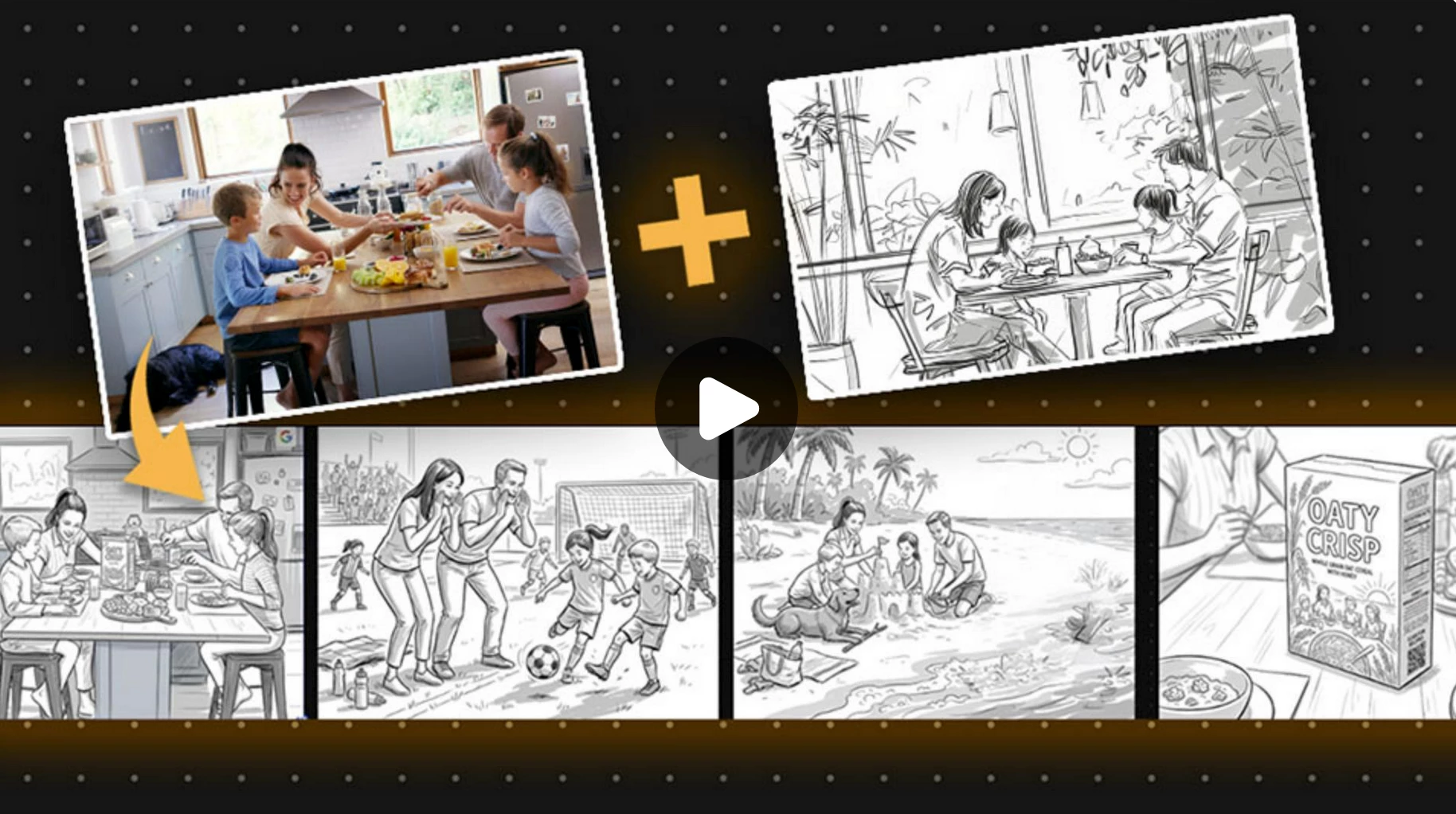
Pinned Reply By Kevin Stohlmeyer

https://www.adobe.com/learn/firefly/web/create-commercial-storyboard-firefly-boards?learnIn=1&ntd=1

This tutorial on Adobe Learn covers how to maintain consistent characters across multiple storyboards using Firefly Boards. The same method would work using Text to Image generation as well. 


265 replies

zaki_ranjha
Participant
April 22, 2026

Long story 

kenm2339
Participating Frequently
April 22, 2026

Good suggestion I support the request 

vishva bandhu
Participant
April 9, 2026

short story

Participant
April 6, 2026

Buena aplicación para diseñadores

Mike Hussy
Participant
April 2, 2026

Imagine being able to lock in the core elements of a scene—the characters, lighting, and overall vibeand then just explore it from different angles without having to rebuild everything each time.

You could start with a wide shot to establish the scene, then move into a medium to focus more on interaction, and finally a close-up to capture emotion—all while keeping everything consistent. It would save time, reduce repetition, and help keep the visual storytelling cohesive.

It’s basically like having a virtual camera on a set that stays true to your original vision, but lets you experiment freely with how the audience experiences each moment.

🎬 Latest Cinema APK updates & movie guides 👉 https://cinemapk.com.br/
Kevin Stohlmeyer
Community Expert
Community Expert
March 18, 2026

Creating a source board/reference sheet for characters is an OG CGI/animation process. The prompt provided in the video is good, but overly wordy leading me to believe an AI was used to create or enhance it. You can achieve the same results with less efforts and also apply to products.


Anyway you do it - I agree with ​@AngelfromABC and ​@Jimmy Flame - this is a great use case for boards or having in your cloud storage as a source for consistency. 


Jimmy Flame
Community Expert
Community Expert
March 14, 2026

Also posted this as a response to ​@AngelfromABC video. I followed the steps in the video and got similar results (with some tweaks).


- Jimmy Flame
debra121
Participant
March 14, 2026

This would be a really useful feature. Maintaining the same character or scene across different prompts would make storyboarding and multi-angle shots much easier for creators. Hope Adobe adds something like this soon.

AngelfromABC
Participant
February 5, 2026

This youtube creator using prompts with nanobanana may be worth a listen for character consistency.  He uses “character reference sheets”. 


Jimmy Flame
Community Expert
Community Expert
March 14, 2026

Nice! Trying now! 

- Jimmy Flame
Jimmy Flame
Community Expert
Community Expert
March 14, 2026


- Jimmy Flame
Jimmy Flame
Community Expert
Community Expert
January 28, 2026

My personal strategy to this is using Firefly Boards with a core image. The image can either be generated or something you upload. I use the eyedropper tool to identify the reference then use Nano Banana Pro (Gemini 3) to generate the images. Gemini 3 has ‘reasoning’ capabilities, so start the prompt with something like “You’re an amazing storyboard artist helping me create different angles from the image.” Then write the command, something like, “Redraw (or some similar term) this image at a Dutch angle...etc”. Be really specific about what you want. If you like the generated image, click “Add to board” or equivalent. Can’t remember the exact phrasing. Be sure to use the original image and not the generated one for additional generations at different angles, etc. The key here is understanding Reasoning language versus straight up commands. Gemini “understands” what to do with both, but starting with a line of “reason” (e.g., You are a great artist or whatever) and then following with commands (e.g. Redraw this photo at a wide angle). I’ve had really great results producing multiple angles of a photo or drawing that holds on to the core with this approach.  

- Jimmy Flame
Participant
April 26, 2026

I did this as well while attempting my first animation project. Generated the characters as seen from different angles and saved each angle as its own image on the board. Then used the eye dropper tool to pick up the reference for new scene generations. I found when using the “first frame last frame” method to create video clips I still had to tell it not to change any character details to keep consistency.