



Anand_Kumar
Participant
March 23, 2023
Open for Voting

Text effects - Different effect for same letter!

  • March 23, 2023
  • 17 replies
  • 1283 views

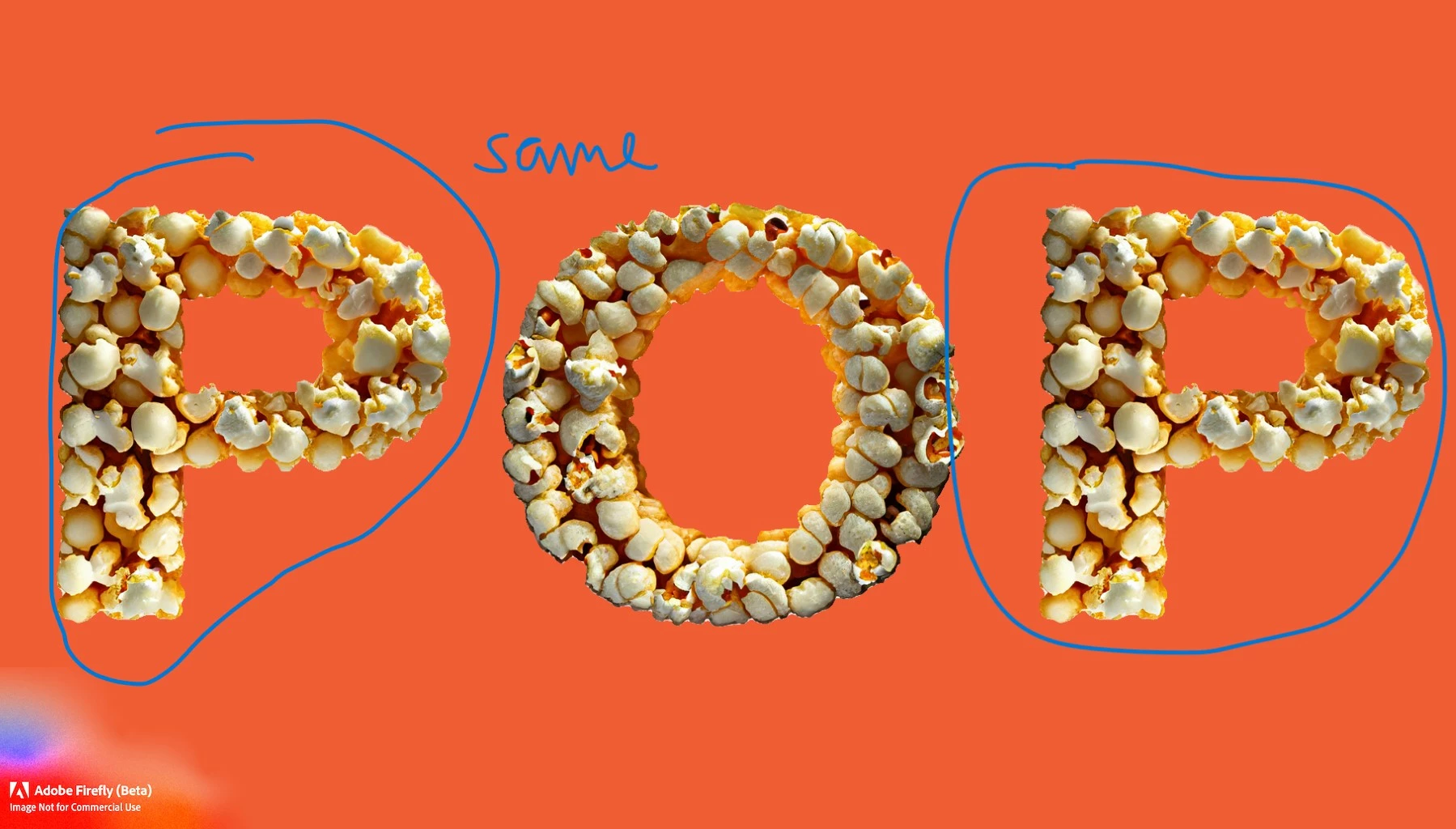
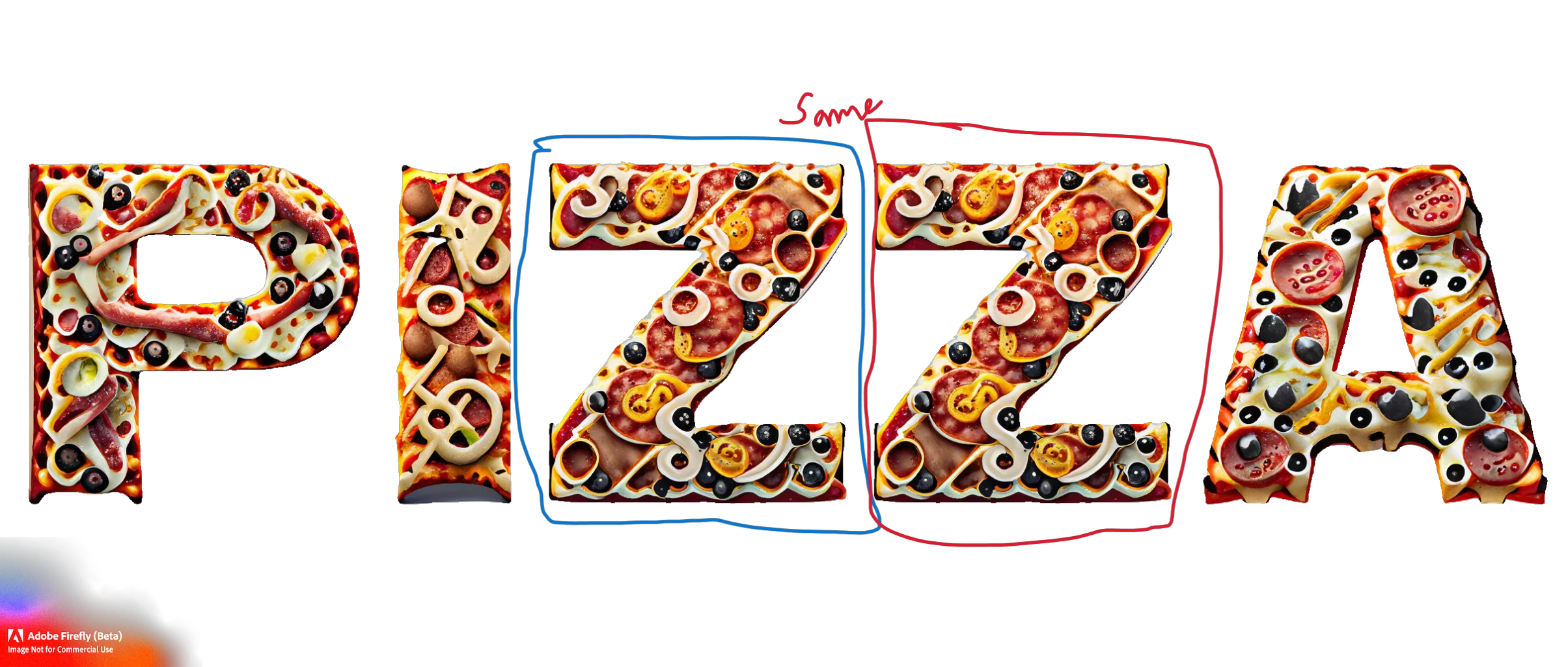
currently on “text to effect” it is producing same effect if the character is same as examples below… 

if the every single character on the word (even if the same character repeats) produces a unique result, it will be more organic to view…
 

17 replies

Participant
March 29, 2023

Came here to say the same thing.  my best solution so far is to make 2 words and change out letters, but then it's not similar enough on medium and loose.  would be a great feature if it generated letters separately.

Participant
March 28, 2023

The L's should be different imagery, otherwise, it's great!

Adobe Employee
March 28, 2023

When there is more than one of the same letter in a word used for Text Effects in Firefly, it would be great if you could either re-generate a single letter letter or have Firefly automatically not duplicate the same effect more than one time per word.  


Alternatively, perhaps just giving the option to use one of the 3 variants provided on a per letter basis could work?

Participant
March 27, 2023

Text effects are awesome, but same characters have exactly the same styles applied to them

For an obvious example "Matthew" will have both t's as identical.


Would be much more powerful if you could select individual characters to apply a style variations to.

A more advanced version could be the option to "lock" a character(s) so that entireley different prompts could be generated on the "open" ones.


Simple example: I want all my characters to look like tree roots, but I also want the capital (or first letter) to be green leaves and flowers so there is a contrast.

Participant
March 24, 2023

Hi. Would love to see Firefly not apply the same placement of the effect when the same letter appears in a word. Such as in this example with the letter "m."


ordogre
Participant
March 24, 2023

Now, when generating a text art for words like FOOD, both "O" letters will look exactly the same. This is probably done to save some resources on the rendering side, but the result does not look as good and realistic as it would have different graphic for same characters.

Of course, there's an option to render few characters in several takes, then Photoshop them together, but I'd like to see an option / switch to do this automatically.

Tracy.H
Community Manager
Community Manager
March 23, 2023

Thanks for suggesting! This is a highly requested feature. We’ll share with our team. (Merging all similar threads here so we can track the popularity of this feature request)