


Inspiring
January 28, 2026
In Development

Add 3D Preference to NOT change to the Advanced Renderer when adding an OBJ to a composition

  • January 28, 2026
  • 2 replies
  • 96 views

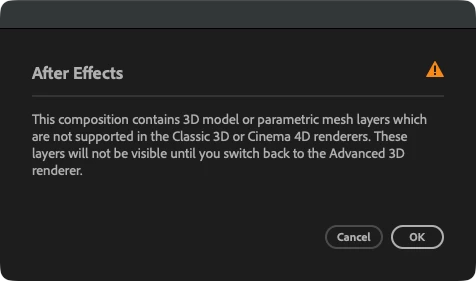
When adding an OBJ to a composition, After Effects automatically warns you with an annoying popup and changes to the Advanced Renderer, but many widely used effects such as Plexus, Particular, Form, Element 3D and Stardust use OBJs using the Basic 3D Renderer. Please add a 3D Preference to not change the renderer upon adding an OBJ to a composition. Having to change the renderer back and get yet another warning dialog every single time is very disruptive to this workflow. Currently neither warning can be dismissed permanently.
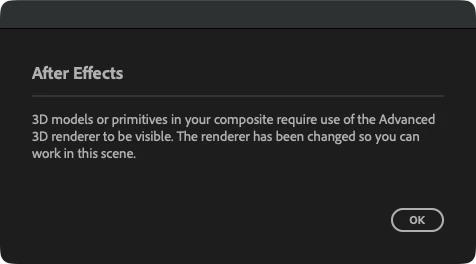
 

Warning when adding OBJ


Warning when changing back to Basic 3D Renderer


2 replies

David.Arbor
Community Manager
Community Manager
February 10, 2026
Open for VotingIn Development
David.Arbor
Community Manager
Community Manager
February 10, 2026

Hi ​@dfred23,


Thanks for reporting this. Please check out the latest public beta of AE 26.2 from the Creative Cloud Desktop app. We added a brand new 3D feature that address your issue. You’ll find it under:
Preferences > 3D > Automatically switch to Advanced 3D renderer. 

After disabling the pref, you’ll be able to drag models to a Classic 3D comp without the renderer switching, and you won’t see the Model Settings dialog, since that only affects the model in A3D.

Additionally, we updated the warning when switching from Advanced 3D to Classic to not bug you again for that session. It is important that we keep this warning somewhat persistent. though, as the new Parametric Mesh, Substance Materials, and other new 3D features require the Advanced 3D renderer. But if you disable the new pref, you won’t encounter the warning anyway.

Please take it for a spin and let us know how it’s working out for you!


-David, After Effects Engineering Team

dfred23Author
Inspiring
March 3, 2026

It works great! Thank you for the fast turnaround!