


Add a "Save as Preset" option to the output settings dialog box in After Effects
After Effects:
Currently, to create a “template” in Output Settings, you click the drop down next to the Output Module and select “Make Template...”
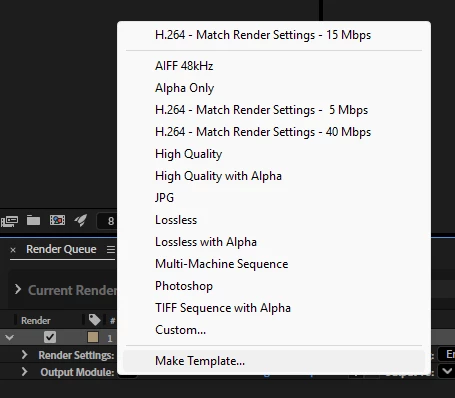
...then have to select “Edit” from the middle of the screen…
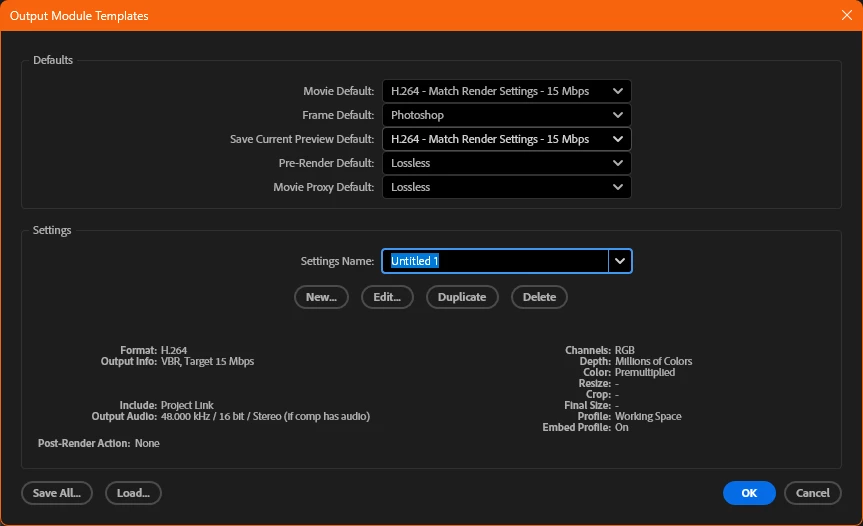
And then you can edit your settings.
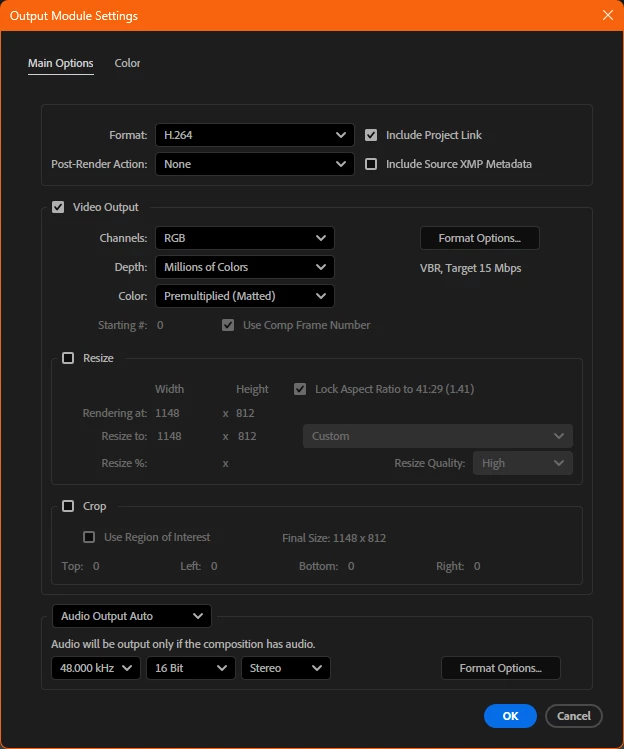
This is the same dialog box that can be accessed by simply clicking the queued item’s Output Module Settings in the Render Queue:

I believe it would be beneficial to have a “Save as Preset” or “Save as Output Module Template” button on the Output Module Settings page like Photoshop has on their “New Document” dialog box:
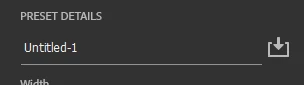
Having the option on the Output Module Settings dialog box would speed up the creation of templates/presets since it can reduce clicks overall. Also, no matter how I end up at this dialog box, I can still save the template/preset if I access these settings by clicking in the Render Queue (i.e. - I would not have to “back out” of the Output Module Settings dialog box just to reload the same box from a different path).
It’s a small change, but could be beneficial for streamlining workflows when you often need to create new templates for clients.
Thank you for your consideration.
 AdChoices