


Open for Voting
Add a Submenu for all ScriptUI under Window next to Extensions
Every time I want to see the Script List under the Window Menu I run into the anoying issue to scroll down to them. The length of that Menu can be very long depending on the comps that are open. And scrolling is slow and only works by clicking on the down arrow. That menu doesn't move when I scroll my mouse wheel (Windows). Apparently on mac it does.
I suggest having a side menu like the Extensions menu. (see screenshot).
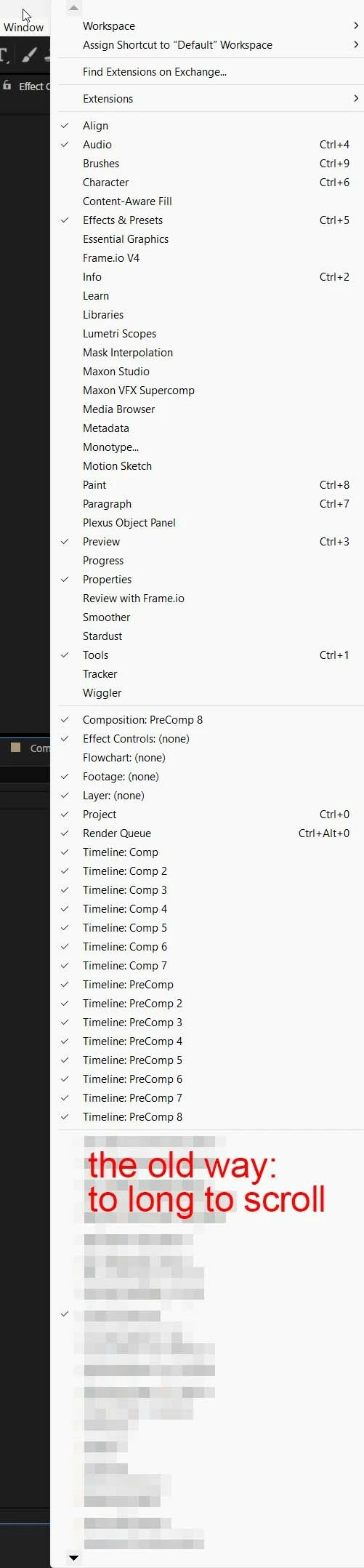
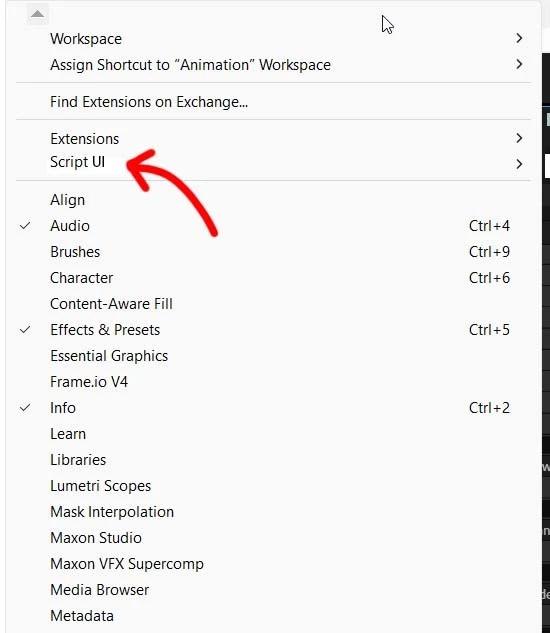
As I discussed this with the community a few useful tips came out of it:
- (Kyle Harter) With the new Quick Apply one can launch every script .Or Kbar can do that too.
- (Rob Barrett) One can also start typing the name of the script with the Windows menu open, and the selection will jump to that item. Typing “T” several times will cycle through all entries beginning with “T”.
These tips help!
However if you don’t remember the name of the script and want to see the list, the old problem stays.
A Script Sidemenu would be an easy fix.
Thank you for considering this!
 AdChoices