



Add the Script name to the popup header bar when a script error occurs
I run a lot of script panels in my standard workspace, and often get popup dialogs stating things like:
‘Unable to execute script at line 828. Execution halted’
or
‘Script cannot run while a modal is waiting for a response’.
It would be really helpful when trying to identify which script is throwing an error if the popup dialog box that contains the error put the script name into the header bar, which at the moment is blank.
Currently, diagnosing which script is causing an error requires clearing the workspace then adding things in one at a time, which can become very time-consuming. This change would remove a lot of that time, which means we can spend it on animation instead :)
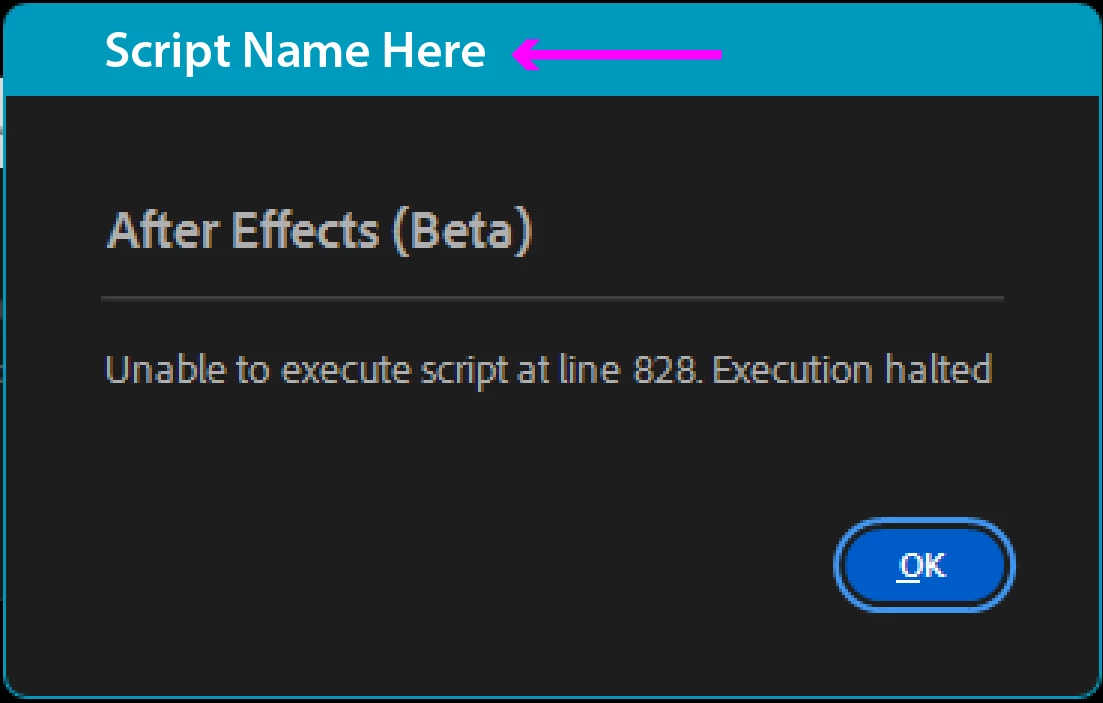
Summary: When a script error occurs, please add the name of that specific script into the popup error dialog to aid identification.
 AdChoices