



AbodeGoody
Participating Frequently
October 27, 2023
Open for Voting

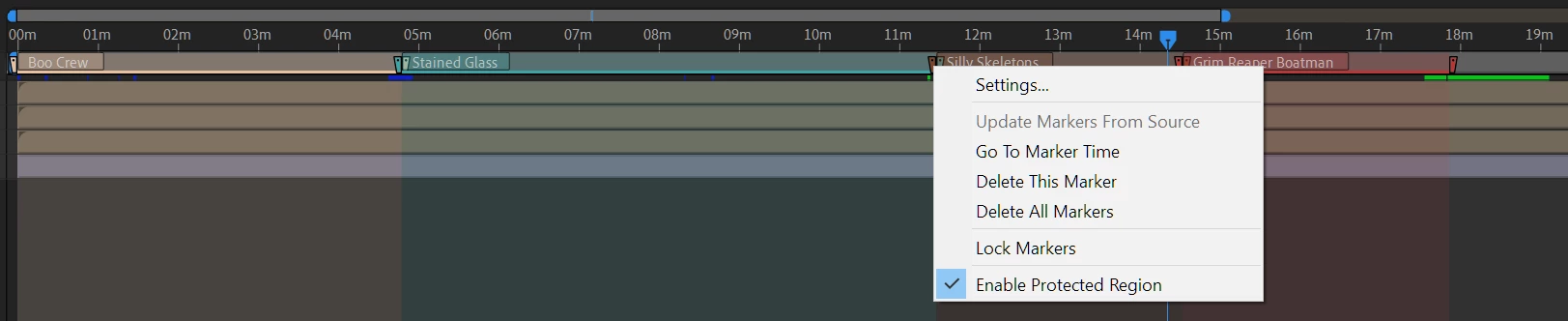
Composition Marker Range/Protected Region "Set As Work Area"

  • October 27, 2023
  • 2 replies
  • 176 views

I'm an AE noob, but surprised I cannot quickly reload a work area. It seems that Composition Marker Ranges and/or Protected Regions should provide an option via right-click that would allow users to "Set As Work Area" primarily for quick Export configuration. Does this (or something similar) exist already?
 

2 replies

AbodeGoody
Participating Frequently
October 28, 2023

Thanks. The more I think about it, it should also be possible to "Export All Marker Durations" without having to set/move Work Areas at all.

Warren Heaton
Community Expert
Community Expert
October 28, 2023

J or K will jump to the Marker start and then press B (set Work Area Start).  But you'll have to advance to the Marker end manually to then press N (set Work Area End).

Set Work Area to Marker Duration is a good idea.