


Inspiring
February 9, 2024
Open for Voting

Control comp markers in pre-comp

  • February 9, 2024
  • 3 replies
  • 464 views

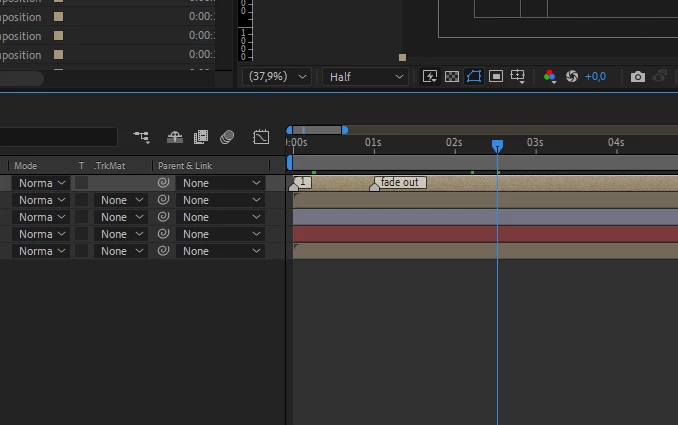
If you will pre-comp a comp with markers, the markers are visible but they are not being updated in the first comp when you move them.  This feature would be really useful for projects that require syncing. I am using comp makers for syncing texts in my lyric video templates. 
 

3 replies

Inspiring
February 14, 2024

I already do that, but I want to control the markers of multiple compositions in the main comp. I want it to be updated backwards automatically.

olivierbe
Participating Frequently
February 13, 2024

You can also achieve this in another way.

Modify the keyframe inside the composition.
Then, in the main composition, right-click the marker on the layer and select "Update Marker from Source."

With this technique, you can create and use only one composition with time markers as references in the whole project. Help a lot with synching multiple screens for exemple. I use this approach in most of my projects.

Also, look into Protected Regions. This allows you to change the duration (speed up or slow down) of a composition without changing the "Protected Regions." It's a powerful option too.

Inspiring
February 9, 2024

Please vote for this request on the top left!