
Enable dragging the Current Time Indicator (Playhead) from the line, just like Premiere Pro
Hi everyone,
I’d like to request a small but highly impactful quality-of-life update for the After Effects timeline: the ability to drag the Current Time Indicator (playhead) by grabbing the vertical line itself, rather than forcing users to click the blue marker at the very top of the time ruler.
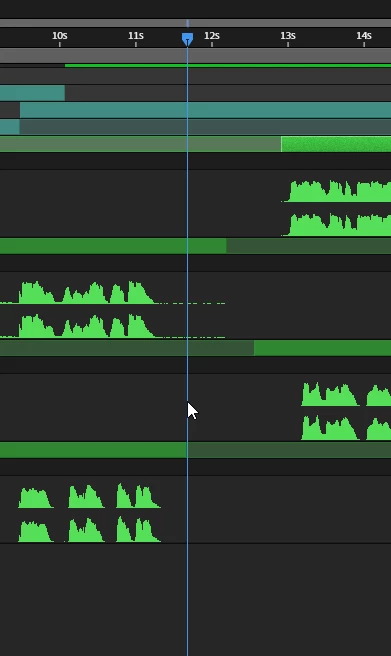
The Problem in After Effects: Currently, in After Effects, if you want to scrub through your composition, you have to move your mouse all the way up to the top of the timeline panel to grab the blue playhead marker. If you hover over the vertical blue line that cuts through your layers, you just get a standard white mouse pointer and cannot drag the time slider from there. I’ve attached a screenshot demonstrating this limitation.
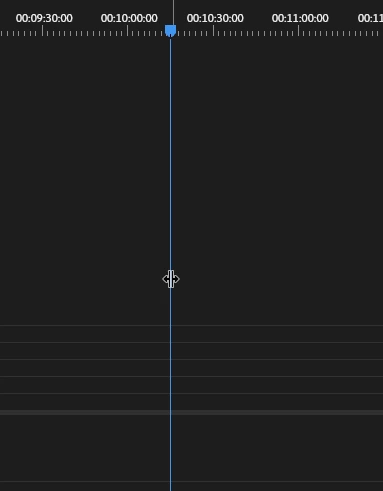
The Solution (How Premiere Pro Does It): In Premiere Pro, you can hover your mouse anywhere over the vertical playhead line in the timeline, and the cursor automatically changes to a left/right drag tool. This allows you to click and drag the line directly without having to travel back up to the time ruler. You can see this intended behavior in the attached screenshot.
Why This Matters:
-
Less Mouse Travel: When working with deep compositions on large monitors, constantly moving the mouse back to the top of the timeline to scrub is tedious and causes unnecessary wrist fatigue.
-
Speed & Efficiency: Being able to grab the line right where your eyes and mouse already are (often focused on specific keyframes or layer interactions) would make timeline navigation significantly faster.
Implementing this simple interaction would be a huge workflow upgrade for anyone who spends hours navigating complex timelines. Does anyone else find themselves constantly trying to drag the line in AE out of habit? Please upvote if you'd like to see this changed!


 AdChoices