


Graph Editor Improvements | Scale Keyframes Precisely
The transform box is all well and good but it doesn't really give you the ability to do repeatable graph edits. Its all guesswork. Even the info pane doesn't tell you a scale percentage.
For example this is a simple LTR animation (x pos keyframe) that I want to flip and have it go RtL. Ideally I want to scale this keframe over the x-axis -100%. I can click the bottom of the transform box and drag it over and up but I'm just eyeballing the graph until it looks similar, instead of doing an exact transform.
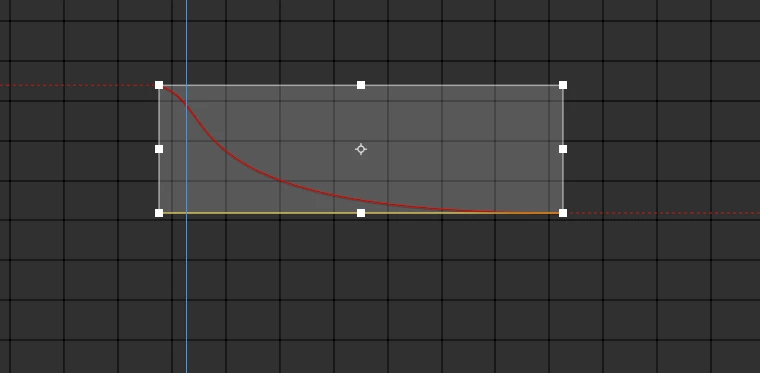
Ideally you should be able to double click on the transform box and type in a value or something like that. In blender you would select keyframes, type S then a value. That is very fast, but not really how AE does things, but would love some more dynamic manipulation of keyframes like Blender has.
 AdChoices