


Known Participant
March 7, 2025
Open for Voting

Lock panels size to avoid constant need to rearange workplace

  • March 7, 2025
  • 7 replies
  • 1071 views

I use AE every day for more than 15y and I realised there is one thing I really hate (ok, maybe one of two. second is endless  window menu when you have lot of comps opened and need to run script at the end of the list. Even "better" when you have more than twenty scripts installed).
Everyday I literary cry and asking "why?!"
My workplace looks like the first image. And every time I onen new viewer or just drag any panel to make it bigger temporarilly and return it back (comp panel up to show more layer, or viewer to see more, etc) it totally mess up my arangement and I need to fix panel sizes over and over, hundred times every day..

I am used to use workplace presets, but it is not comfortable to wait until the whole panels setup load and draw. 
There should be icon on every panel to prioritize maintain its size, or just size all panels relatively to the one you resize, or maybe anything else, but actual state is something made me mad. 
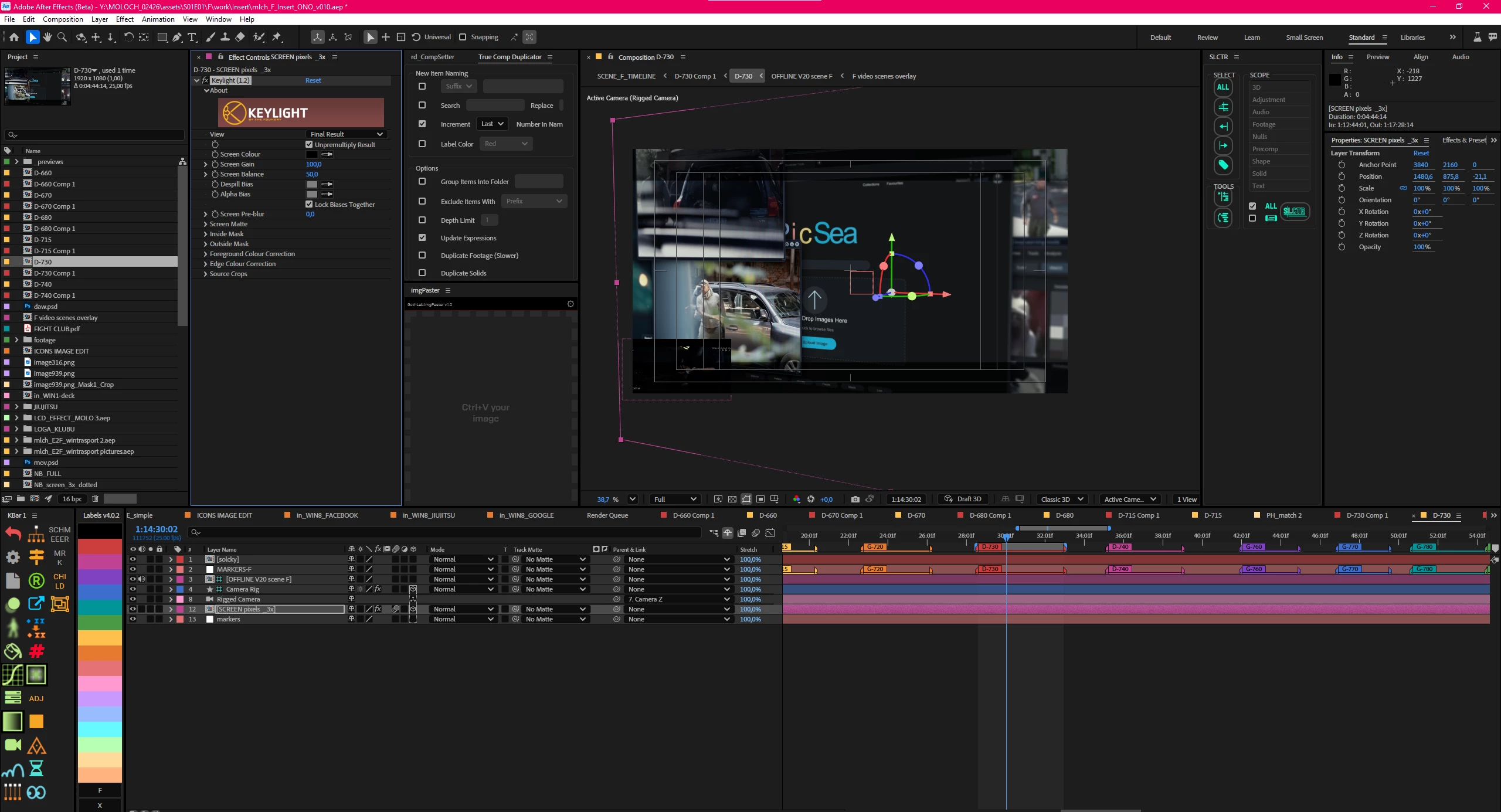
Every time I change temporary my panels layout and returning it back I am ending with something like this (look at left side, the project panel, effect panel... stay stretched and need to be resize):
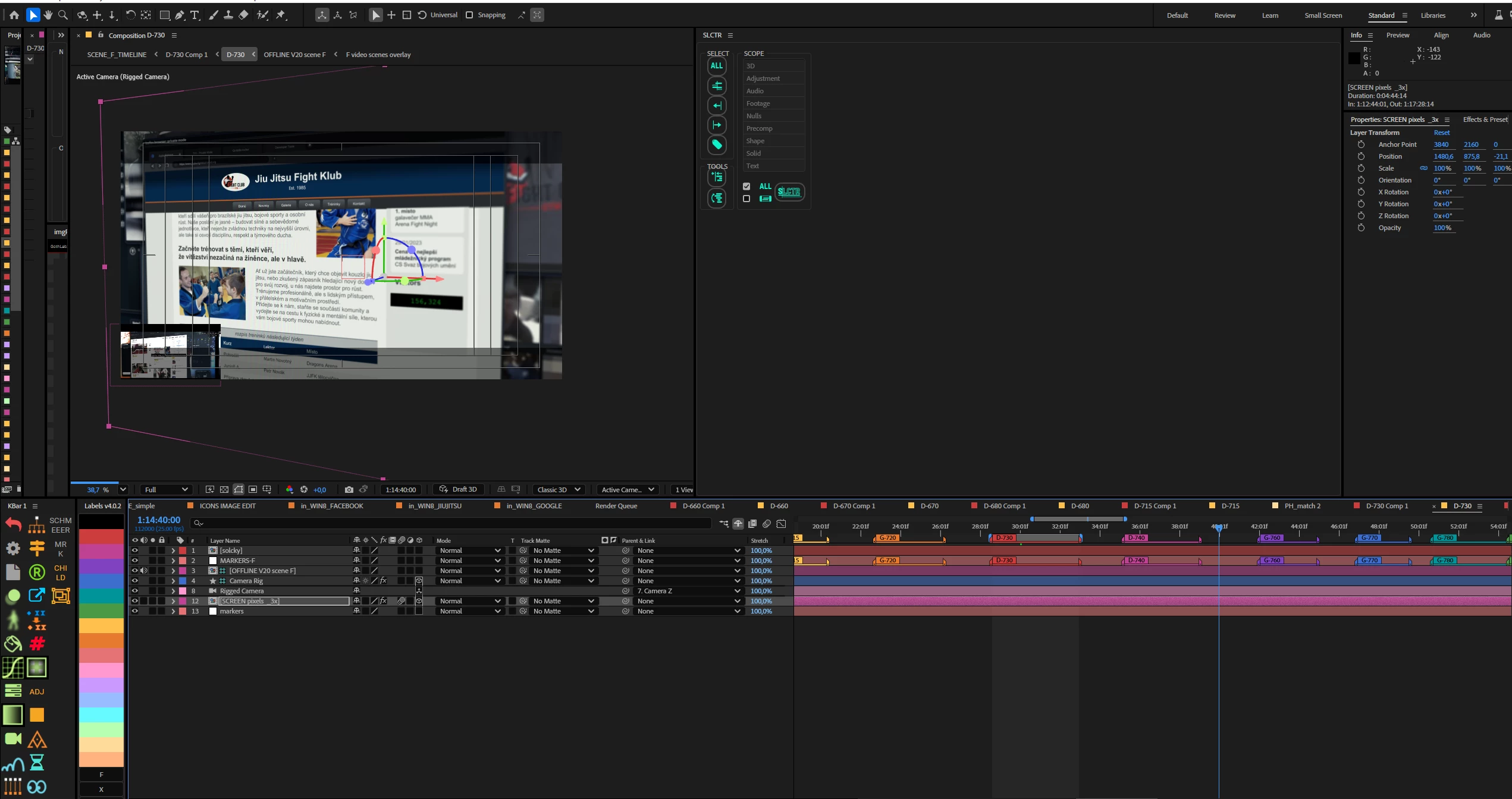

So, please. Make the panels layout more smart to avoid needs repeatedly correct their size. If they everytime you change layout will tends to restore their initial position instead of staying at last position, it will be GOLD!

7 replies

Known Participant
May 5, 2025

OK, i'll try, it does not looks good and it is not suitable when you changing workplaces or machines during the work, but at least something.. 🙂

Known Participant
May 3, 2025

The workaround I came up with is to undock the panels you don't want to be resized after any change to other panels, and set them the way you want.
In this case, it's like having a new window opened with its own Close button.
Still some inconvenience, but solves the annoying problem.

Known Participant
March 17, 2025

Different to what? Reset layout working somehow, no matter if by doubleclick, menu or hotkey, but if you need to rearange layout literary every minute (because you often need to open two viewers for example), it is really annoying and faster is to adjust those few windows by draging, because reload workspace takes just too much time (and it is distracting to look at flashing screen, definitely push you out of working flow). 
Sugested solution is simple, just somethink like checkbox to lock size of panels and leave this unchecked for viewers and timeline. 

Warren Heaton
Community Expert
Community Expert
March 17, 2025

Is this different than double-clicking the custom Workspace name to reset the panels to the saved sizes? 

Known Participant
March 16, 2025

yes, I do it too sometimes, but it is not instant.. it reload and redraw all panels so it can not be used every minute you need to reorder your layout.. 😞

sskaz
Inspiring
March 14, 2025

I run into this so often, I added a keyboard shortcut to reset the workspace to the saved layout. 

Participant
March 13, 2025

I am also facing the same situation, please do update herere if you find any solution to this, apart from reseting workspace again and again.