





Please add more layer + composition info in UI
I'd like to see lots more professional features in AE.
A big place for improvement is amount of info shown in UI.
Problem:
Right now your only awareness of resolution is to open the comp settings, or select the respective comp or layer in the Project Panel. For Bit Depth the only reference is the small indicator on the Project Panel which counts for the project only. Layer/Footage depth is never shown. Only Floating Point is indicated but not even if it's 16 half or 32.
Solution:
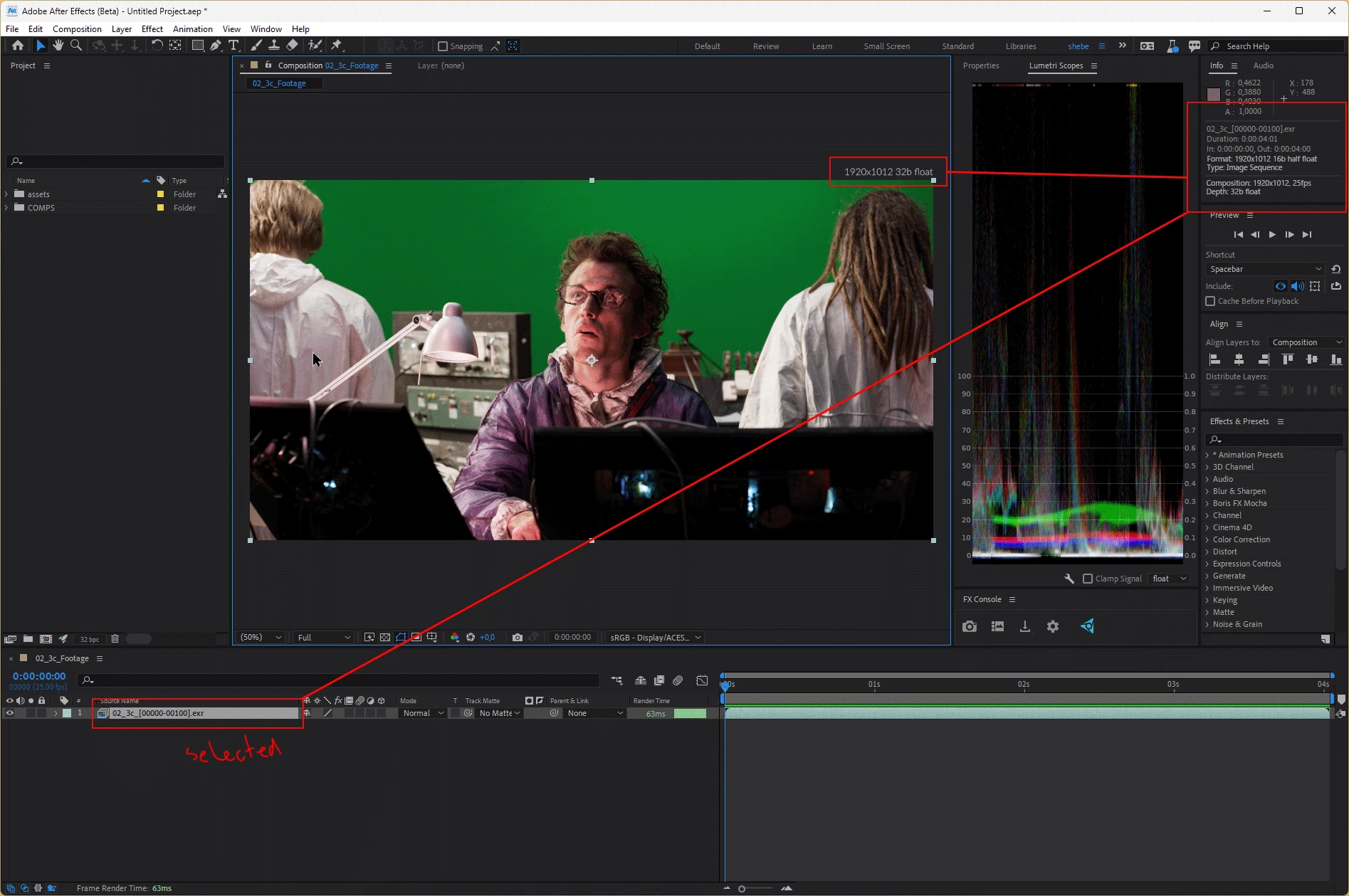
Display the current comp resolution and bit depth above the composition viewer. This makes you much more aware of what you are working with and is very common amongst other compositing software.
Secondly this same information can also be displayed in the Info Panel below the RGBA/XY information.
Additionally for selected layers in a comp we can also easily add important info.
You could potentially show even more info similar to what's shown in the preview pane on the Project Panel like the file's color space or codec/exr compression format.
See below an example of what I want to see.
 AdChoices