Participating Frequently
March 16, 2024
Open for Voting

Scripting CompItem sourceName/layerName toggle

  • March 16, 2024
  • 10 replies
  • 1095 views

Hi,


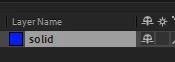
I'm looking for a way to switch from "sourceName" to "layerName" via scripting.

I think it could be in the CompItem, like the field "time".
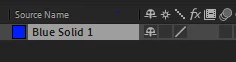


I build plugins on AE and I take screenshots automatically of the interface to document the user-scenarios.

This feature would help in avoiding to use overkill and non-optimal alternatives (like sending click event to Windows...).


Best regards

10 replies

ConstantinMaier
Inspiring
March 29, 2024

Nice @Airweb_AE! This seems like a cleaner solution than mine!

Legend
March 28, 2024

@aescripter7  

The command EditProperties that corresponds to right-clicking on a property and edit properties.


Participating Frequently
March 28, 2024

Incredible. It seems to work well.

What is EditProperties exactly ? I don't know AE enough yet.

I wouldn't want that command to display/open some panel in specific cases.

Legend
March 28, 2024

I've found this combinaison of commands 


app.project.activeItem.layer(1).selected = true;
// Or SelectAll
app.executeCommand(23);

// RenameLayer
app.executeCommand(2008);
// EditProperties
app.executeCommand(2644);


I made this tool to find a command by name or id:


Participating Frequently
March 28, 2024

Complement of information.


This trick worked with ESTK, but not via CSInterface.evalScript in CEP.

I made it work with the use of a second trick.


For the previous trick to work, the timeline needs to be focused, in my case the composition viewer remained active.


Thanks to https://aenhancers.com/viewtopic.php?t=2315 , I use 2 snippets.


This one before your code, which will focus the comp in the timeline:


```

var tmpName = app.project.activeItem.name;
app.executeCommand(app.findMenuCommandId("Render Queue"));
app.executeCommand(app.findMenuCommandId("Timeline: " + tmpName));
```
 
And after your code by calling 2 times the Render Queue command, it closes in the timeline.
 
```
// hide the render queue
app.executeCommand(app.findMenuCommandId("Render Queue"));
```
Participating Frequently
March 28, 2024

Thanks again ! You made my day.

This is way cleaner than my previous way of doing it (submit a click via C Windows API at the exact position of the title "Layer Name/Source Name") which had the risk of clicking elsewhere than in After-Effects.


ConstantinMaier
Inspiring
March 28, 2024

Great to hear it works for you too! 🙂


I found the command ID by using:

alert(app.findMenuCommandId("Rename"));


But yeah, it's a super hacky workaround, so it would be better if there'd be a proper way to do this. 😄 Also, this hack doesn't provide a way to switch the view back to 'Source Name'...

Participating Frequently
March 28, 2024

Thanks for the answer ! 

I tested right now and it works ! 😮 On AE 23.6.2 and AE 24.1.0 .

Where did you find the command id 2008 ? I see list of other ids, but the lists are incomplete.

This is a good workaround, I accept your answer, but I hope that the After Effects Team would implement the feature to avoid this trick, which is not guaranteed to work in the future.

ConstantinMaier
Inspiring
March 28, 2024

I use the following workaround for this: Select one layer, then execute the command ID for renaming. However, unfortunately, it's not possible to exit the renaming state by executing it again. But AE will exit if some UI element comes up. So I'm just opening and closing an empty dialog window to do this. This is the code:


function doFlash(){
        var flashDialog = new Window("dialog", undefined, undefined, {closeButton: false, borderless: true});
        flashDialog.opacity = 0.03;
        flashDialog.onShow = function(){
                flashDialog.close();
        };
        flashDialog.show();
}

app.project.activeItem.layer(1).selected = true;
app.executeCommand(2008);
app.project.activeItem.layer(1).selected = false;
doFlash();
Dan Ebberts
Community Expert
Community Expert
March 17, 2024

I don't think there's a direct way to do it, and I can't even think of a hack for it. Sorry.