


Danny51
Inspiring
June 30, 2023
Released

The Zoom-factors need an update!

  • June 30, 2023
  • 8 replies
  • 768 views

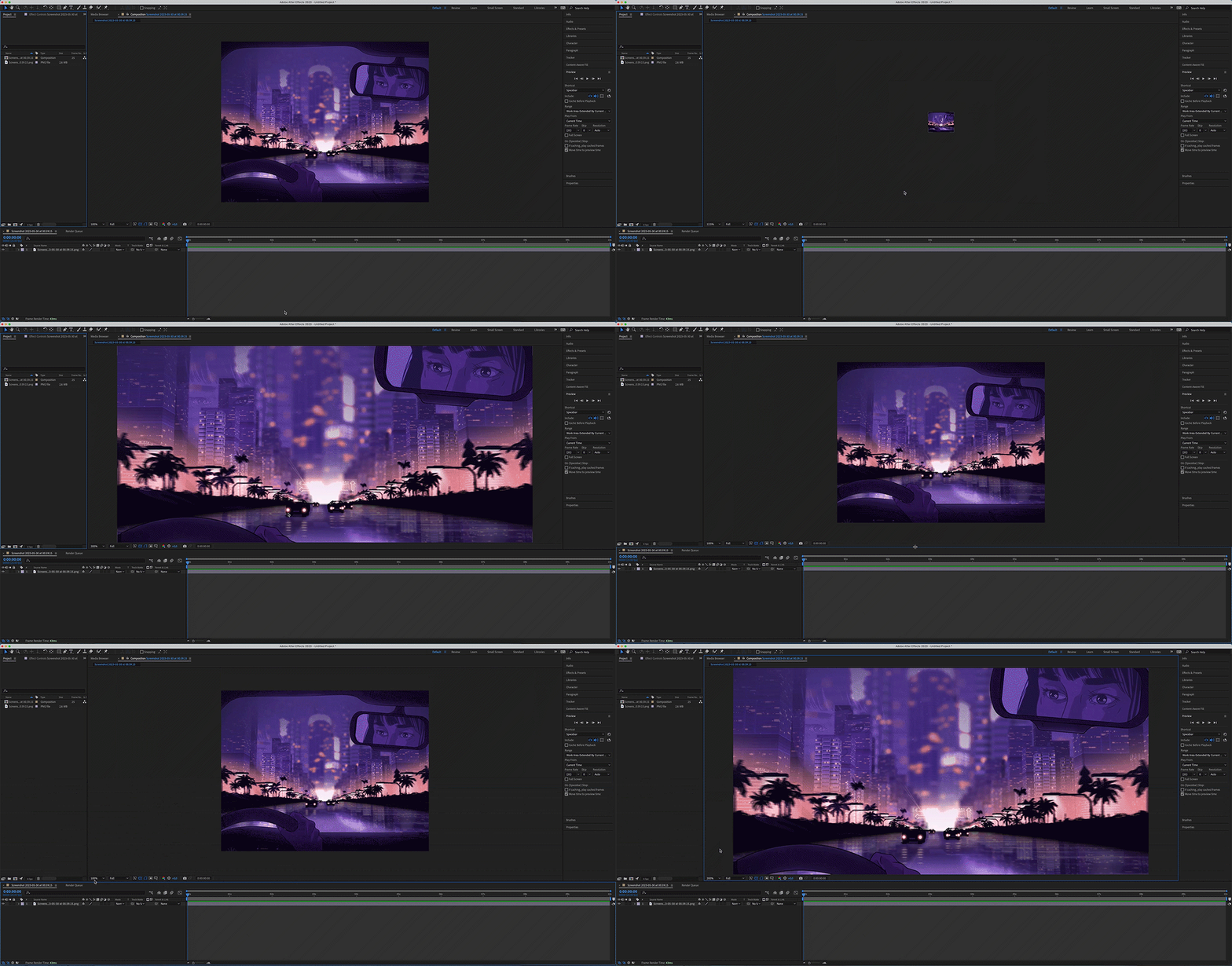
We need more options for the zoom factors - jumping from 100% directly to 200% is too much of a zoom.

Please add either much smaller increments or the option to manually type in the zoom factor!

Dragging other work areas to adjust the composition preview size as a workaround doesn't work for me either.

Gif shows the situation when working on a 5k 27" iMac (and zooming both via mouse wheel and the menu)
 

8 replies

takashi vfx
Inspiring
August 15, 2025

Aimr,  try do that demo on 6k or 8k plate. nobody use HD footage anymore. 

Community Manager
August 15, 2025
takashi vfx
Inspiring
June 24, 2025

zoom got more smaller increment and let me zoom in slightly further in, but i still want it to able to push in further like mocha does. it dosen't need to recalcurate once it get to certain zoom but should be able to push in like hardware zoom like Mac command+option+"+", so i can work on some detail work in tigher area. plates are getting bigger and bigger (6k, 4k anomorphic, 8k). i'd like to be able to push in further than 347.21% (current max with my alexa plate 4608x3164 anamorphic plate) with smooth magnification on. used to be 200% max. glad to see you guys are working on it though.

Community Manager
June 24, 2025
Community Manager
February 18, 2025
takashi vfx
Inspiring
July 11, 2023

also i like them to let me zoom in further. especially i start working on 4k,6k comps and it limits zoom to 200% instead of 800,1600% etc. photoshop/mocha don't limit zoom because of the footage resolution.

Participant
July 10, 2023

Sim! Muito necessária essa mudança! Como exemplo, o zoom do Autodesk 3ds Max parece bom, CTRL+ALT+Midle Click+ Mouse move direction. E dá suporte à caneta Wacom dessa forma. Muito intuitivo, rápido e preciso. E fica semelhante ao que nosso colega mencionou, click+mouse move.

Rafael12345
Inspiring
June 30, 2023

A smooth zoom like this--based on the location of the cursor--would be a huge upgrade to AE. Hold down a specific key/mouse button combo, and move the mouse to zoom in/out.